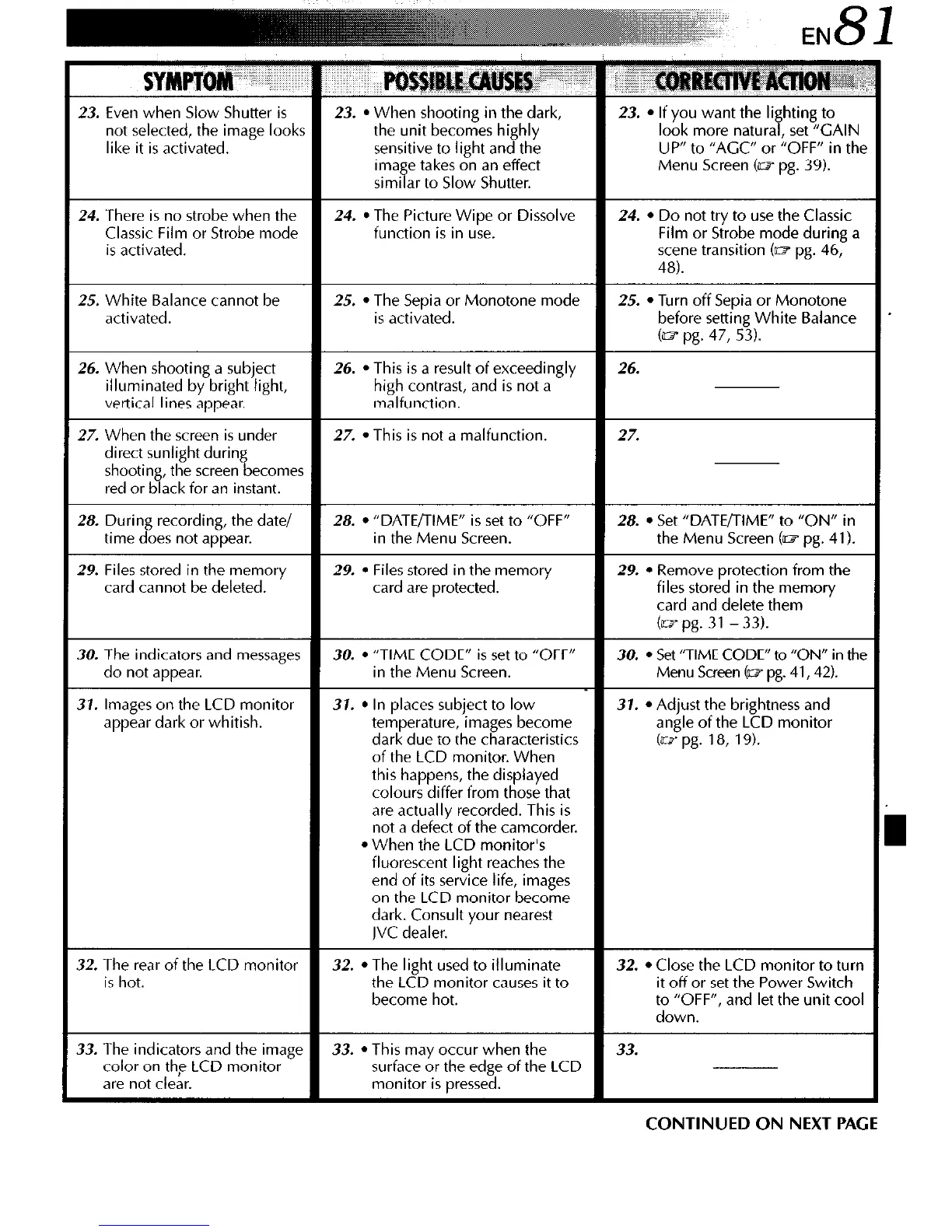
like it is activated.
Menu Screen (~1 pg. 39).
similar to Slow Shutter.
high contrast, and is not a
29. Files stored in the memory 29.
l
Files stored in the memory 29.
l
Remove protection from the
card cannot be deleted.
card are protected. files stored in the memory
card and delete them
(UT pg. 31 - 33).
30. The indicators and messages 30.
l
“TIME CODE” is set to “OFF”
30.
l
Set “TIME CODE” to “ON” in the
do not appear. in the Menu Screen. Menu Screen (03 pg. 41,42).
37. Images on the LCD monitor 31.
l
In places subject to low 37.
l
Adjust the brightness and
appear dark or whitish. temperature, images become angle of the LCD monitor
dark due to the characteristics (as pg. 18, 19).
of the LCD monitor. When
this happens, the displayed
colours differ from those that
are actually recorded. This is
not a defect of the camcorder.
l
When the LCD monitor’s
fluorescent light reaches the
end of its service life, images
on the LCD monitor become
dark. Consult your nearest
JVC dealer.
32. The rear of the LCD monitor 32.
l
The light used to illuminate 32.
l
Close the LCD monitor to turn
is hot.
the LCD monitor causes it to it off or set the Power Switch
become hot. to “OFF”, and let the unit cool
down.
33. The indicators and the image
33.
l
This may occur when the
33.
color on the LCD monitor surface or the edge of the LCD
are not clear. monitor is pressed.
CONTINUED ON NEXT PAGE



 To Next Page