EasyManua.ls Logo

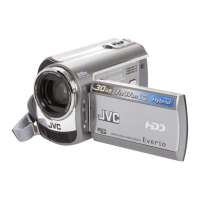
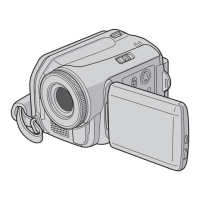
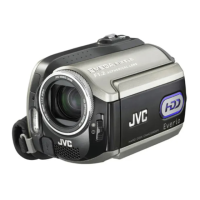
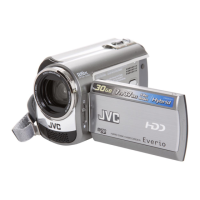
JVC GZ-MG230 - User Manual

JVC GZ-MG230
76 pages
Print Icon
To Next Page IconTo Next Page
Loading...
ENGLISH
EN
HARD DISK CAMCORDER
Dear Customer
Thank you for purchasing
this hard disk camera. Before
use, please read the safety
information and precautions
contained in pages 2 and 3 to
ensure safe use of this product.
For Future Reference:
Enter the Model No. (located on
the bottom of the camera) and
Serial No. (located on the battery
pack mount of the camera)
below.
Model No.
Serial No.
GUIDEBOOK
GZ-MG230
U

Table of Contents

Questions and Answers

  • J
    janice55Sep 10, 2025
    How to fix JVC Camcorder if playback cannot be performed?
    • R
      Ryan BishopSep 10, 2025
      If playback cannot be performed on your JVC Camcorder, ensure that you have selected the recording medium properly. To watch images on a TV, set the TV's input mode or channel to the appropriate setting for video playback.
  • B
    Brian EvansAug 23, 2025
    Why no display appears on my JVC Camcorder?
    • E
      Elizabeth AlvarezAug 23, 2025
      If no display appears on your JVC Camcorder, it might have turned off automatically to save power. If using the battery, close and reopen the LCD monitor. If using the AC adapter, try zooming. You might also need to adjust the brightness of the LCD monitor.
  • J
    Jason MorrisonAug 25, 2025
    Why my JVC GZ-MG230 Camcorder power does not turn on or the battery life is short?
    • H
      henryroblesAug 25, 2025
      If your JVC Camcorder doesn't turn on or the battery life is short, ensure you're using the camera within appropriate operating temperatures. The battery might also be worn out and need replacing.
  • G
    gavin93Aug 26, 2025
    Why the access/charge lamp on my JVC Camcorder doesn't light during charging?
    • J
      Jennifer FoxAug 26, 2025
      If the access/charge lamp on your JVC Camcorder doesn't light during charging, it could be due to extremely high or low temperatures, which can stop charging to protect the battery. Charge it in a place with a temperature of 10°C to 35°C (50°F to 95°F). Also, the lamp won't light if the battery is already fully charged.
  • L
    Lisa RojasAug 27, 2025
    What to do if my JVC GZ-MG230 Camcorder is not recording?
    • D
      Debbie Graham DDSAug 28, 2025
      If your JVC Camcorder isn't recording, the recording medium might be full. Try deleting unnecessary files or replacing the microSD card. Also, make sure you've selected the correct recording medium.
  • M
    Melissa BrownAug 29, 2025
    How to fix JVC GZ-MG230 if the focus is not adjusted automatically?
    • P
      Peter RodriguezAug 29, 2025
      If the focus on your JVC Camcorder isn't adjusting automatically, ensure that [FOCUS] is set to [AUTO]. Also, try cleaning the lens and checking the focus again.
  • Y
    youngjasonSep 18, 2025
    Why the touch sensor does not function on JVC Camcorder?
    • K
      kyle46Sep 18, 2025
      If the touch sensor or sensor button does not function on your JVC Camcorder, make sure to touch the sensors with your finger. The sensors will not work if you touch them with your fingernail or while wearing gloves.
  • C
    Corey SchwartzSep 12, 2025
    Why is JVC GZ-MG230 Camcorder data process too slow?
    • D
      David PageSep 12, 2025
      If the data process is too slow on your JVC Camcorder after turning it on or changing the mode, it may be due to a large number of still images (approximately 1,000 or more) stored on the recording medium. Try copying these files to other devices and then deleting them from the recording medium.
  • T
    Thomas DiazSep 8, 2025
    Why video playback is choppy on JVC GZ-MG230 Camcorder?
    • G
      gyoungSep 8, 2025
      If the same image is displayed for a long time or motion is choppy during video playback on your JVC Camcorder, replace the microSD card, as the card's surface might be damaged. Also, you can try cleaning up or formatting the microSD card.
  • K
    Katie RosarioSep 5, 2025
    Why digital zoom does not work on JVC GZ-MG230?
    • D
      douglas19Sep 5, 2025
      If digital zoom isn't working on your JVC Camcorder, check the settings in [ZOOM]. Also, digital zoom is not available in still image recording mode.

Summary

Safety Precautions

Lithium Battery Safety

Cautions regarding handling, charging, and disposal of lithium batteries.

IMPORTANT SAFETY INSTRUCTIONS

Read This First!

Regarding the Icons in this Manual

Camera

Indications on LCD Monitor

During Video Playback

During Still Image Playback

Necessary Settings before Use

Charging the Battery Pack

Step-by-step guide for charging the camera's battery pack.

Date;Time and Language Settings

When Using a microSD Card

Inserting and Formatting microSD Card

Steps for inserting and formatting a microSD card for use with the camera.

Recording Files

Video Recording

Step-by-step guide for recording video, including stopping and quality settings.

Still Image Recording

Instructions for capturing still photos, including focus and continuous shooting.

Manual Recording

Program AE and Backlight Compensation

Using Program AE modes and adjusting backlight compensation for optimal exposure.

Manual Setting in Function Menu

Adjusting brightness, focus, white balance, and shutter speed manually.

Playing Back Files

Video;Still Image Playback

How to play back recorded video and still images, including controls.

Managing Files

Deleting and Protecting Files

Procedures for deleting, protecting, and managing files on the recording medium.

Playlists

Playing Back Playlists

How to play back created playlists, including playback from specific scenes.

Print Setting

Direct Printing with PictBridge Printer

Connecting and printing still images directly to a PictBridge compatible printer.

Copying Files

Using a DVD Burner to Copy Files

Instructions for copying files from the camera to a DVD burner.

Making a Backup of All Files

Creating backups of all recorded video files onto DVD discs.

Copying Uncopied Video Files

Copying video files that have not been previously copied to DVD discs.

Copying;Moving Files between HDD and microSD

Copying or moving files between the camera's HDD and microSD card.

File Backup on a Windows PC

Connecting the Camera to the PC

Steps for connecting the camera to a PC via USB cable.

Other Windows PC Operations

Creating a DVD-Video

Copying Video Files for DVD Creation

Selecting video files for authoring and burning onto a DVD-Video disc.

File Backup on a Macintosh

Changing the Menu Settings

Basic Settings Configuration

Customizing settings like self-timer, shutter mode, video and image quality.

Troubleshooting

Power and Display Issues

Solutions for problems related to power supply and LCD display not appearing.

Recording and Playback Problems

Troubleshooting recording errors, playback issues, and image quality problems.

Warning Indications

Cautions

AC Adapter and Battery Pack Cautions

Safety precautions for using the AC adapter and battery packs.

JVC GZ-MG230 Specifications

General IconGeneral
TypeHard Disk Drive Camcorder
Video FormatMPEG-2
Image Sensor Size1/6 inch
Optical Zoom32x
Digital Zoom800x
LCD Screen Resolution112, 000 pixels
Focus AdjustmentAuto/Manual
Connector TypeUSB 2.0, AV Output
Battery TypeLithium-ion
Image FormatJPEG
InterfaceUSB 2.0
Recording Media30GB HDD
LCD Screen Size2.7 inches
MicrophoneBuilt-in

Related product manuals