EasyManua.ls Logo

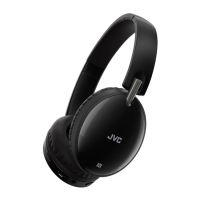
JVC HA-F250BT - User Manual

JVC HA-F250BT
28 pages
Print Icon
To Next Page IconTo Next Page
Loading...
HA-F250BT
WIRELESS HEADPHONES
FUNKKOPFHÖRER
CASQUE SANS FIL
AURICULARES INALÁMBRICOS
CUFFIE SENZA FILI
DRAADLOZE HOOFDTELEFOON
TRÅDLÖSA HÖRLURAR
SŁUCHAWKI BEZPRZEWODOWE
INSTRUCTIONS
BEDIENUNGSANLEITUNG
MANUEL D’INSTRUCTIONS
MANUAL DE INSTRUCCIONES
ISTRUZIONI
GEBRUIKSAANWIJZING
BRUKSANVISNING
INSTRUKCJA OBSŁUGI
INSTRUÇÕES
PŘÍRUČKA K OBSLUZE
VOD NA OBSLUHU
HASZNÁLATI UTASÍTÁSA
ИНСТРУКЦИИ
INSTRUCŢIUNI
UPUTE
NAVODILA
INSTRUKCIJA
JUHISED
LIETOŠANAS PAMĀCĪBA
INSTRUKTIONER
YTTÖOHJEET
ΟΔΗΓΙΕΣ
ISTRUZZJONIJIET
AUSCULTADORES SEM FIOS
BEZDRÁTOVÁ SLUCHÁTKA
BEZDRÔTOVÉ SLÚCHADLÁ
VEZETÉK NÉLKÜLI FEJHALLGATÓK
БЕЗЖИЧНИ СЛУШАЛКИ
CĂŞTI WIRELESS
BEŽIČNE SLUŠALICE
BREZŽIČNE SLUŠALKE
BELAIDĖS AUSINĖS
JUHTMETA KÕRVAKLAPID
BEZVADU AUSTIŅAS
TRÅDLØSE HOVEDTELEFONER
LANGATTOMAT KUULOKKEET
ΑΣΥΡΜΑΤΑ ΑΚΟΥΣΤΙΚΑ
WIRELESS HEADPHONES
© 2017
Question and Answer IconNeed help?

Do you have a question about the JVC HA-F250BT and is the answer not in the manual?

JVC HA-F250BT Specifications

General IconGeneral
BrandJVC
ModelHA-F250BT
CategoryHeadphone
LanguageEnglish

Summary

Safety Instructions

General Safety Precautions

Key 'Do's and Don'ts for safe operation, handling, and environmental protection.

Product Information

Disposal of Electronic Equipment

Guidance on proper disposal of electronic waste and batteries according to regulations.

Cautions and Warnings

Electrical and Physical Safety

Warnings regarding electrical shocks, fire, disassembly, and foreign objects.

User Comfort and Ear Protection

Advice on avoiding skin irritation and hearing damage from usage.

Usage and Maintenance Precautions

Guidelines for correct cable use, ear piece care, and water resistance.

Hearing Protection Warning

Warning against listening at high volume levels for extended periods to prevent hearing damage.

Technical Specifications

Bluetooth and Power Details

Technical specifications including Bluetooth version, range, and power supply.

Device Operations

Device Components

Identification of parts like the power button, indicator, and microphone.

Charging and Power Management

Instructions for charging, turning the device on/off, and battery status.

Bluetooth Connectivity

Steps for pairing the headphones with a Bluetooth-enabled device.

Music and Phone Controls

Using buttons for music playback and managing phone calls.

Fit and Cleaning Tips

Advice on fitting ear pieces for optimal sound and product cleaning.

Related product manuals