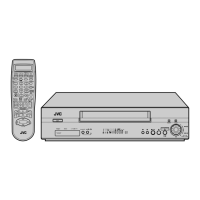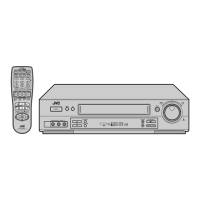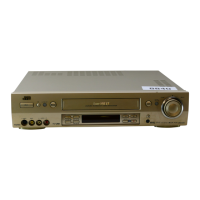

 To Next Page
J
jeffreyhayesAug 14, 2025
Why is my JVC VCR remote control not working?
- AAllison OconnorSep 12, 2025
If the JVC VCR remote control isn't working, the batteries may be dead. Try replacing them with new ones.

Why is my JVC VCR remote control not working?
If the JVC VCR remote control isn't working, the batteries may be dead. Try replacing them with new ones.
How to fix a JVC HR-S8700EU that has no power?
If your JVC VCR isn't receiving power, the mains power cord might be disconnected. Ensure the cord is properly connected.
What to do if JVC VCR playback picture does not appear?
If you're not seeing a picture on your JVC VCR during playback, check your connection type. If using an RF connection, ensure your TV is set to the correct video channel, performing “Video Channel Set” (pg. 74). If using AV or S-VIDEO, make sure your TV is in AV mode.
Why is the JVC VCR playback picture blurred?
If the playback picture on your JVC VCR is blurred or interrupted, or if you see a “USE CLEANING CASSETTE” message, the video heads may be dirty. Use a dry cleaning cassette TCL-2UX or consult your JVC dealer.
What to do if JVC HR-S8700EU VCR tape does not run during recording?
If the tape isn't running when you try to record on your JVC VCR, the “i” indicator might be displayed. Press 4 to turn the “i” indicator off.
How to fix noise during JVC VCR playback?
If you're experiencing noise during normal playback on your JVC VCR, the automatic tracking mode may be engaged. Try switching to manual tracking. (pg. 23)
Why won't my JVC HR-S8700EU VCR power on, even though the clock works?
If the clock on your JVC VCR is working but the recorder won't power on, check if “#” is displayed with “AUTO TIMER” set to “OFF”. If so, press the # button to turn the “#” indicator off.
How to resolve breaks in JVC VCR Hi-Fi soundtrack?
If you notice breaks in the Hi-Fi soundtrack on your JVC VCR, the automatic tracking mode might be engaged. Try using manual tracking. (pg. 23)
Why won't my JVC VCR rewind or fast-forward?
If your JVC VCR tape won't rewind or fast-forward, the tape might already be fully rewound or fast-forwarded. Check the cassette.
Automatic setup for tuner channels, clock, and program numbers.
Automatic setup via TV's T-V Link for channels and program numbers.
Instructions for loading a cassette and starting basic playback.
Guide to loading a cassette, selecting a program, and starting recording.
Procedure for programming timer recordings using SHOWVIEW codes.
Setting timer recordings manually by start time, stop time, and date.
Finding and playing recorded programs by title.
Connecting a camcorder to record video and audio.
Replacing the original audio track with new sound.
 General