April 20, 2004 9:28 am Page 3
— 3 —
Master Page: Right
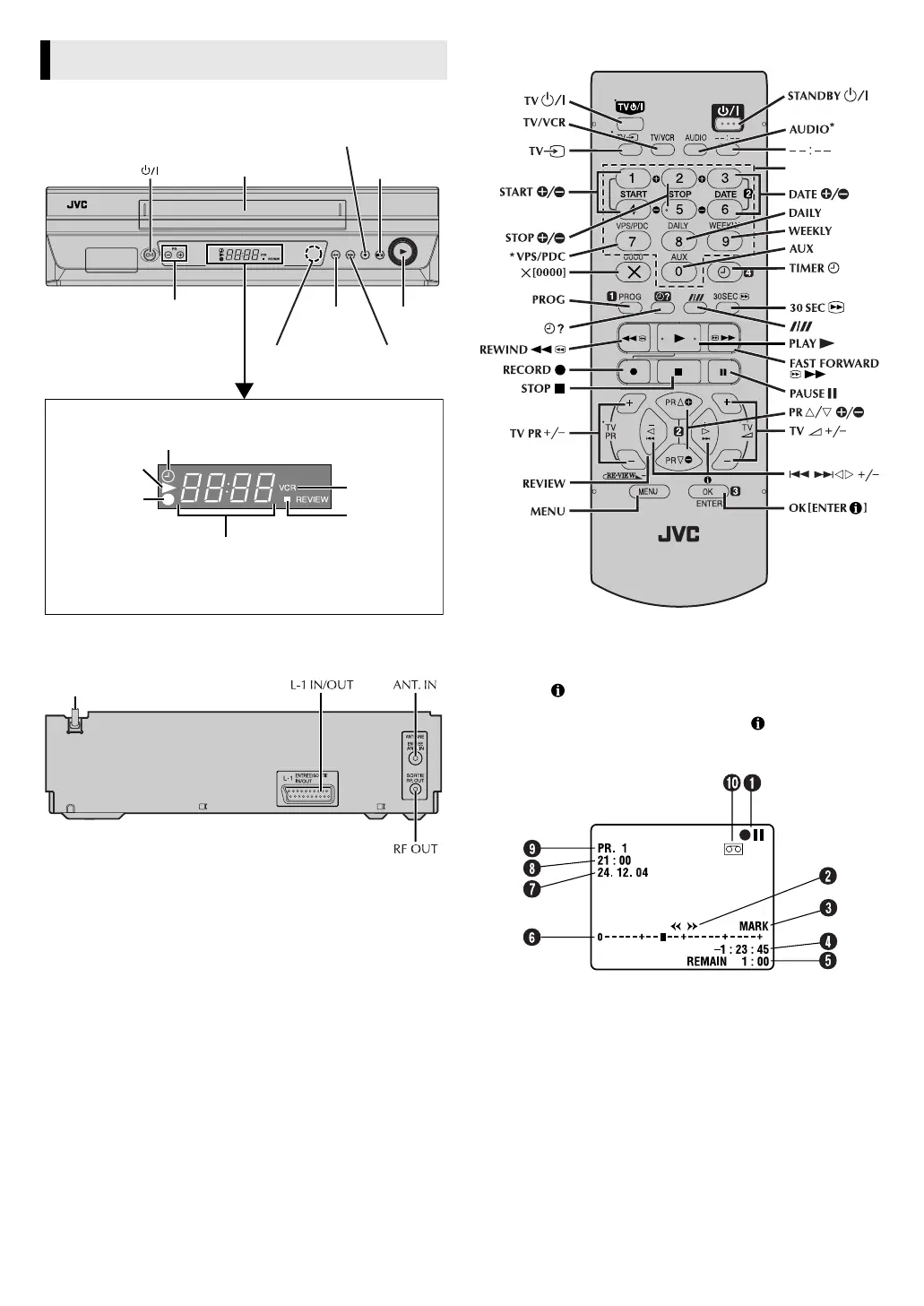
Front Panel
Rear Panel
Remote control
* Does not function with this recorder.
On-screen display
If you press (OK
) on the remote control when “O.S.D.” is set to
“ON” (
墌
12), you can see the current recorder status on the
screen. To clear the on-screen display, press (OK
) again.
The indications are not recorded even if the recorder is in the
recording mode.
A Recorder operation mode
B Tape direction
C Mark indicator
D Time counter
E Tape remaining time
F Tape position*
* The position of “
q
” in relation to “0” (Beginning) or “+” (End) shows
the current position on the tape.
G Current day/month/year
H Clock
I Channel and auxiliary input
J Cassette loaded mark
Buttons, Connectors and Indicators
Cassette loading slot
Display panel
Play indicator
Record
indicator
Timer mode indicator
Channel and auxiliary input/
Clock time*
Infrared beam
receiving window
REVIEW
indicator
VCR indicator
* Each time you press ––:––, the display panel shows the channel
number and the clock time alternatively.
Play 4
Record 7
Rewind
3
Fast
Forward
5
Stop/Eject
0
PR+/–
Mains power cord
number keys
HR-V210_001EN.fm Page 3 Tuesday, April 20, 2004 9:28 AM



 To Next Page