19
3
Start playing the source—FM, AM, or CD player, or
auxiliary equipment connected to AUX jacks.
• When recording a disc, you can also use “Synchronized
Disc Recording” (see below).
4
Start recording.
To stop recording
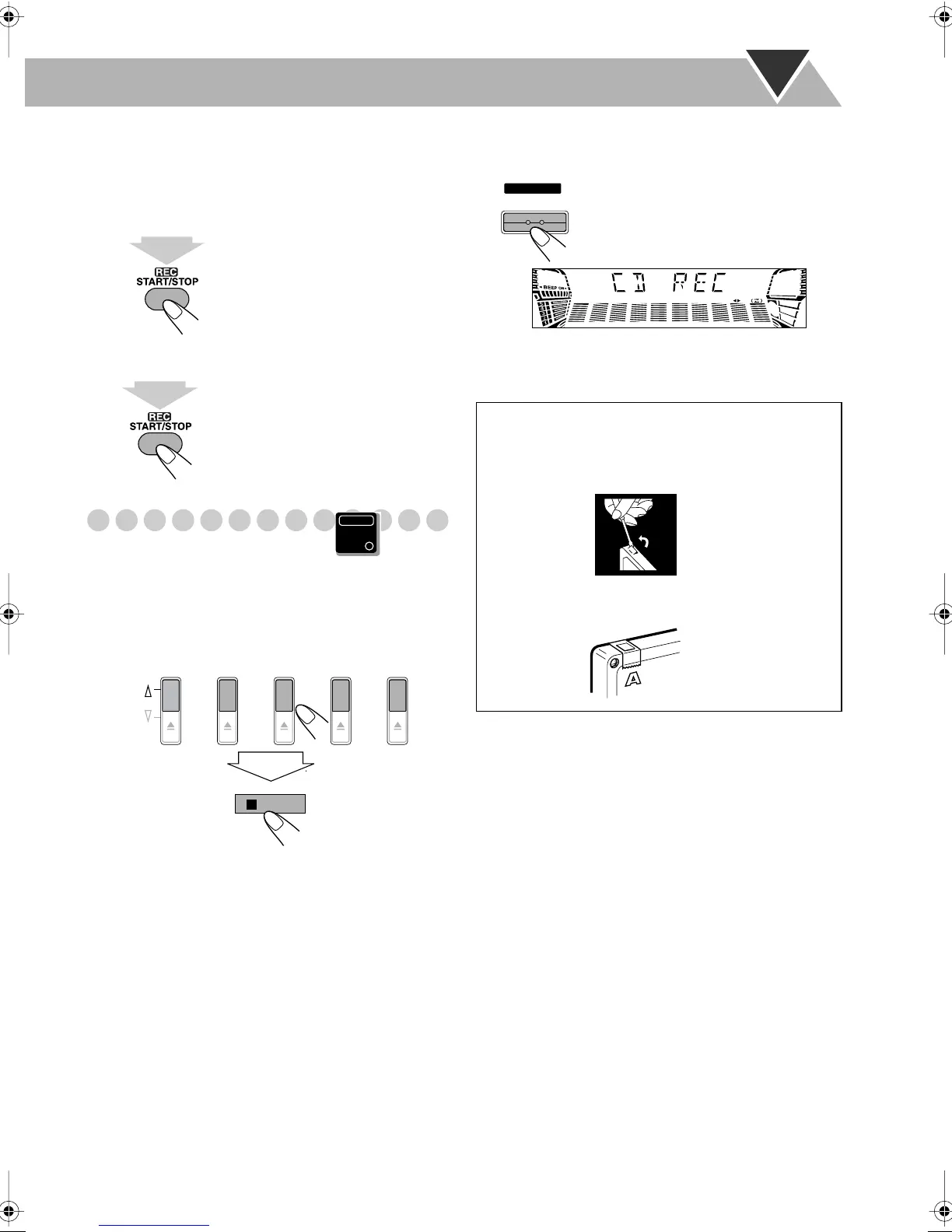
Synchronized Disc Recording
You can start and stop both disc play and tape recording at
the same time.
1
Load a disc and insert a recordable cassette.
2
Select a disc.
• When you record an MP3 disc, you can select a track to
start recording with (see “To select a track to start
playback (MP3 only)” on page 10).
For recording desired tracks on discs:
You can program tracks to record from plural discs
with your preferred order.
• Select Program Play (and make a program (see
page 15)) without starting playback.
3
Change the Reverse mode if necessary (see page 18).
4
Start recording.
• When either CD play or recording ends, both CD player
and the cassette deck stop at the same time.
1
sec.
1
sec.
Main Unit
ONLY
DISC 1
PLAY
EJECT
DISC 2 DISC 3 DISC 4 DISC 5
/BEEP
To protect your recording
Cassettes have two small tabs on the back to protect
from unexpected erasure or re-recording.
To protect your recording,
remove these tabs.
To re-record on a protected tape,
cover the holes with
adhesive tape.
START
DISC REC
HX-GX7.book Page 19 Friday, January 16, 2004 5:25 PM


 To Next Page
 Loading...