EasyManua.ls Logo

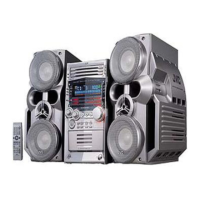
JVC HX-Z30 - User Manual

JVC HX-Z30
70 pages
Print Icon
To Next Page IconTo Next Page
Loading...
GVT0100-001B
[J]
INSTRUCTIONS
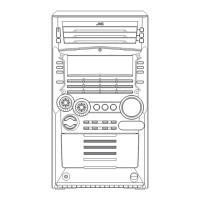
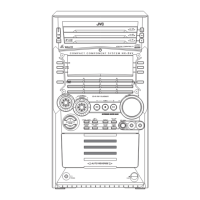
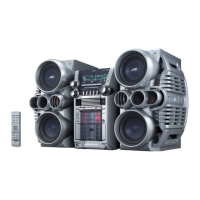
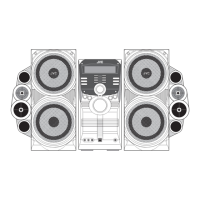
HX-Z30Consists of CA-HXZ30 and SP-HXZ30
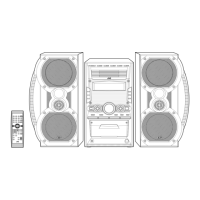
HX-Z10Consists of CA-HXZ10 and SP-HXZ10
COMPACT COMPONENT SYSTEM
SP-HXZ30 SP-HXZ30
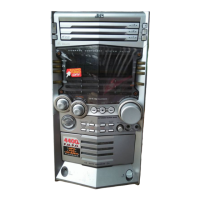
CA-HXZ30
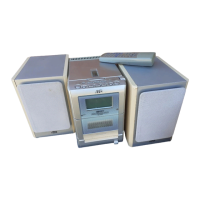
SP-HXZ10 SP-HXZ10CA-HXZ10
For Customer Use:
Enter below the Model No. and Serial No.
which are located either on the rear, bot-
tom or side of the cabinet. Retain this
information for future reference.
Model No.
Serial No.
cover.HX-Z10&30[J]f 03.2.3, 4:45 PM1

Table of Contents

Other manuals for JVC HX-Z30

Questions and Answers

  • C
    Cathy RomeroAug 12, 2025
    What to do if JVC Speaker System remote control is not working?
    • V
      Victoria ClarkAug 12, 2025
      If you are having trouble operating your JVC Speaker System remote control, first ensure that nothing is blocking the path between the remote and the unit's sensor. If there are no obstructions, try replacing the batteries in the remote, as they may be depleted.
  • C
    Casey PorterAug 16, 2025
    Why is my JVC Speaker System radio noisy?
    • J
      Jacqueline CarterAug 16, 2025
      If you are finding it hard to listen to broadcasts on your JVC Speaker System due to noise, make sure the antennas are correctly and securely reconnected. If using an AM loop antenna, try changing its position and direction. For the FM antenna, extend it to find the best position for reception.
  • R
    Rebecca OrtizAug 20, 2025
    What to do if my JVC Speaker System does not play discs?
    • E
      ewhiteAug 20, 2025
      If your JVC Speaker System is not playing a disc, the disc may need to be replaced.
  • H
    Heather PetersonAug 23, 2025
    What to do if JVC Speaker System operations are disabled?
    • T
      Timothy GambleAug 23, 2025
      If you're experiencing issues with your JVC Speaker System and operations are disabled, try unplugging the AC power cord and then plugging it back in.
  • J
    Jessica FrancoAug 27, 2025
    Why is it impossible to record on my JVC Speaker System?
    • P
      pamela88Aug 27, 2025
      If you're unable to record with your JVC Speaker System, try covering the holes on the cassette with adhesive tape.
  • N
    Nicholas BentonAug 31, 2025
    How to cancel the demonstration on a JVC Speaker System?
    • O
      Olivia FinleyAug 31, 2025
      If you are having trouble canceling the demonstration on your JVC Speaker System, press the CANCEL/DEMO button on the unit. If that doesn't work, unplug the AC power cord and then plug it back in.
  • A
    Angel ScottSep 3, 2025
    What to do if my JVC Speaker System says the disc is scratched?
    • D
      Daisy WilsonSep 3, 2025
      If your JVC Speaker System disc is scratched or dirty, you should clean or replace the disc. Also, ensure the AC power cord is plugged in and the trays are unlocked.
  • R
    ronald47Sep 7, 2025
    What to do if JVC Speaker System disc sound is discontinuous?
    • S
      Samuel HoganSep 7, 2025
      If the sound from the disc on your JVC Speaker System is discontinuous, try replacing the disc.

Summary

Introduction and Safety

Introduction

Overview of the manual's organization and general operating precautions.

Warnings, Cautions and Others

Safety warnings and precautions to prevent electric shock, fire, and damage.

Location of Buttons and Controls

Identifies and explains the buttons and controls on the front panel and remote.

Getting Started

Supplied Accessories and Connections

Lists accessories and guides for connecting antennas, speakers, and external equipment.

Demonstration Mode

How to disable or start the unit's automatic demonstration mode.

Core Operations

Common Operations

Basic functions: power, clock, volume, sources, sound modes, bass.

Radio Operations

Tuning, presetting, and playing FM/AM radio stations.

Disc Playback

Loading, playing, programming, random/repeat play, and tray lock for CDs/MP3s.

Tape Playback and Recording

Playing tapes, recording audio, and timer functions.

Advanced Disc Functions

Programming the Playing Order of the Tracks

How to create a custom playback sequence of tracks from discs.

Random and Repeat Play

Playing tracks randomly or repeating tracks, discs, or programs.

Prohibiting Disc Ejection-Tray Lock

How to lock the disc trays to prevent accidental ejection.

Maintenance, Troubleshooting, and Support

Maintenance

Guidance on cleaning and caring for the unit, discs, and tapes.

Troubleshooting

Solutions for common problems and issues encountered with the unit.

Specifications and Warranty

Technical details, warranty information, and service center contacts.

JVC HX-Z30 Specifications

General IconGeneral
TypeMicro Component System
Speaker Impedance6 ohms
Disc PlaybackCD-R/RW, MP3, WMA
TunerFM
BluetoothYes
USB PlaybackMP3, WMA

Related product manuals