EasyManua.ls Logo

JVC HX-Z10C - User Manual

JVC HX-Z10C
64 pages
Print Icon
To Next Page IconTo Next Page
Loading...
GVT0100-002B
[C]
INSTRUCTIONS
MANUEL D’INSTRUCTIONS
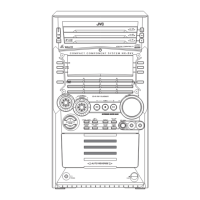
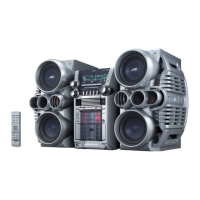
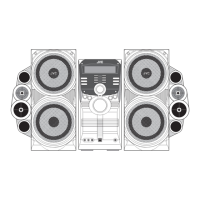
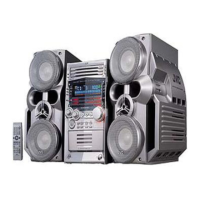
HX-Z30Consists of CA-HXZ30 and SP-HXZ30
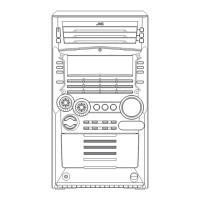
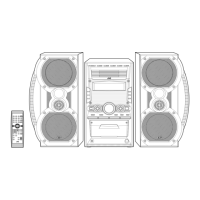
HX-Z10Consists of CA-HXZ10 and SP-HXZ10
COMPACT COMPONENT SYSTEM
SYSTEME DE COMPOSANTS COMPACT
SP-HXZ30 SP-HXZ30
CA-HXZ30
SP-HXZ10 SP-HXZ10CA-HXZ10
For Customer Use:
Enter below the Model No. and Serial No.
which are located either on the rear, bot-
tom or side of the cabinet. Retain this
information for future reference.
Model No.
Serial No.
English
Français
cover.HX-Z10&30[C]ff.p65 03.7.1, 11:21 AM1

Table of Contents

Questions and Answers

  • S
    Sarah BryantAug 16, 2025
    What to do if JVC Speaker System remote control not working?
    • P
      Patricia CardenasAug 16, 2025
      If you are unable to operate your JVC Speaker System using the remote control, there might be an obstruction blocking the path between the remote control and the sensor on the unit. Remove any obstructions that may be in the way. Alternatively, the batteries in the remote control may be depleted. Try replacing the batteries with fresh ones.
  • P
    Paige OrtegaAug 19, 2025
    Why is there no sound coming from my JVC Speaker System?
    • C
      caincindyAug 19, 2025
      If you are not getting any sound from your JVC Speaker System, the connections may be incorrect or loose. Check all connections to ensure they are properly connected.
  • R
    Robert BellAug 22, 2025
    How to fix noisy broadcasts on JVC Speaker System?
    • S
      Stephen HamptonAug 22, 2025
      If you're experiencing noise that makes it hard to listen to broadcasts on your JVC Speaker System, consider the following: Ensure that the antennas are correctly and securely reconnected. Also, try changing the position and direction of the AM loop antenna if it is too close to the unit. Finally, make sure the FM antenna is properly extended to the best position.
  • M
    Mr. Joshua HooperAug 26, 2025
    What to do if operations are disabled on JVC Speaker System?
    • F
      frenchjohnAug 26, 2025
      If the operations on your JVC Speaker System are disabled, unplug the AC power cord from the power outlet, and then plug it back in.
  • N
    Nina RuizAug 28, 2025
    How to cancel demonstration mode on JVC Speaker System?
    • B
      Bryan BlakeAug 28, 2025
      If you're unable to cancel the demonstration mode on your JVC Speaker System, it's possible that a button other than CANCEL/DEMO was pressed. Press the CANCEL/DEMO button on the unit.
  • M
    milleraustinAug 31, 2025
    What to do if the disc sound is discontinuous on JVC Speaker System?
    • B
      Bradley FisherAug 31, 2025
      If the disc sound is discontinuous on your JVC Speaker System, replace the disc.
  • K
    Kenneth RodriguezSep 3, 2025
    What to do if the disc is scratched on JVC Speaker System?
    • R
      Rebecca DeckerSep 3, 2025
      If the disc is scratched or dirty, clean or replace the disc.
  • L
    Luis HudsonSep 6, 2025
    Why cassette holders cannot be opened on JVC Speaker System?
    • T
      Tina MillerSep 6, 2025
      If the cassette holders cannot be opened, it may be because the small tabs on the back of the cassette are removed. Cover the holes with adhesive tape.
  • N
    njohnsonSep 9, 2025
    What happens if the disc is placed upside down in JVC Speaker System?
    • T
      Tyler ThomasSep 9, 2025
      If the disc is placed upside down, place the disc with the label side up.
  • S
    Shane ThompsonSep 12, 2025
    What to do if the disc trays will not open on JVC Speaker System?
    • B
      Brandon CollinsSep 12, 2025
      If the disc trays will not open or close, unlock the trays.

JVC HX-Z10C Specifications

General IconGeneral
BrandJVC
ModelHX-Z10C
CategoryStereo System
LanguageEnglish

Related product manuals