7OPERATIONS
ENGLISH
*
1
Also known as “Control dial” in this manual.
*
2
You can still adjust the volume during pause when the selected source is “
DISC/USB/USB (iPod)/IPOD
.”
Before resume playback, check to be sure that you have not raise the volume level too much.
*
3
You cannot select these sources if they were disabled in the Menu (see < SRC SELECT> in “Menu operations” on
page 42).
*
4
You cannot select these sources if they are not ready or not connected.
*
5
When connecting the iPod/iPhone to the USB input jack for the first time, “
USB
” appears on the display first, then
“
iPod
” appears on the top left corner of the display.
*
6
The current clock time is displayed if <CLOCK DISP> is set to <CLOCK OFF> (see page 39).
*
7
You can use this function only when <IPOD MODE> is available for the connected iPod (see page 50).
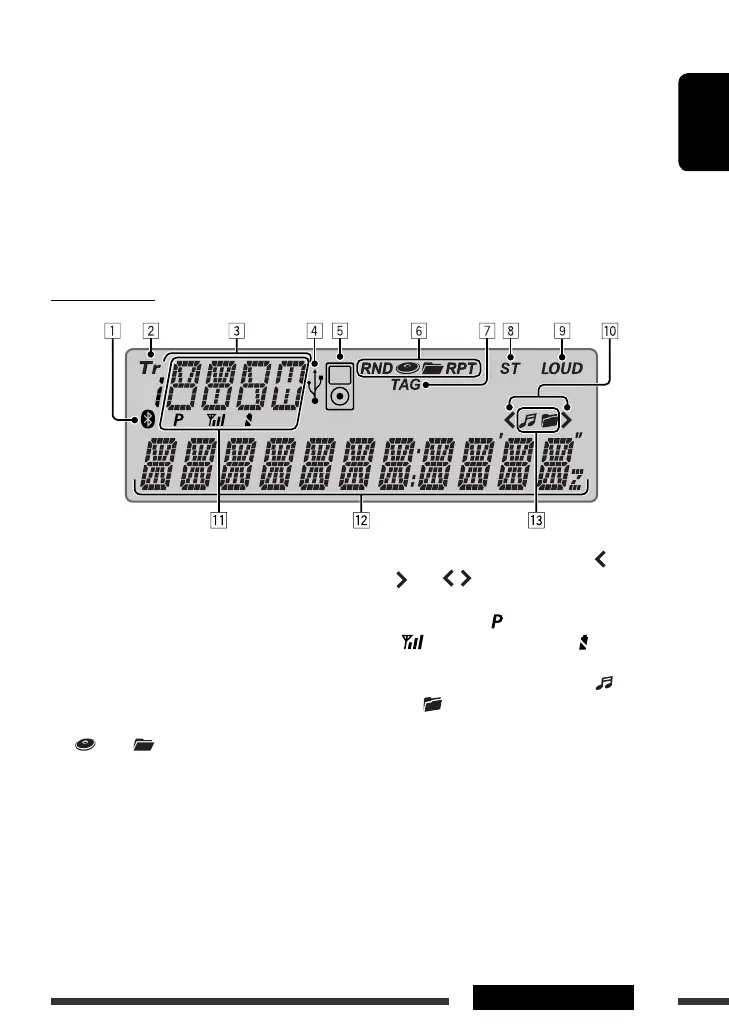
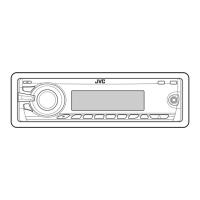
Display window
1 Bluetooth indicator
2 Tr (track) indicator
3 Source display / Disc number / Track number /
Folder number / Title number / PBC indicator /
Time countdown indicator / Setting and list
operation information
4 USB indicator
5 iPod indicator
6 Playback mode / item indicators— RND (random),
(disc), (folder), RPT (repeat)
7 TAG (Tag information) indicator
8 ST (stereo) indicator
9 LOUD (loudness) indicator
p Menu hierarchy position indicator— (bottom),
(top), (middle)
q Status of Bluetooth device
(Device number, [ : 1 – 5]; signal strength,
[ : 0 – 3]*; battery reminder, [ : 0 – 3]*)
w Main display
e Disc/device information indicators— (track/
file), (folder)
* As the number increases, the signal/battery power
becomes stronger.
EN02-09_KD-ADV6580[J]f.indd 7EN02-09_KD-ADV6580[J]f.indd 7 2/24/09 11:57:25 AM2/24/09 11:57:25 AM


 To Next Page