1-28 (No.MA254)
4.6.4 Service mode 4
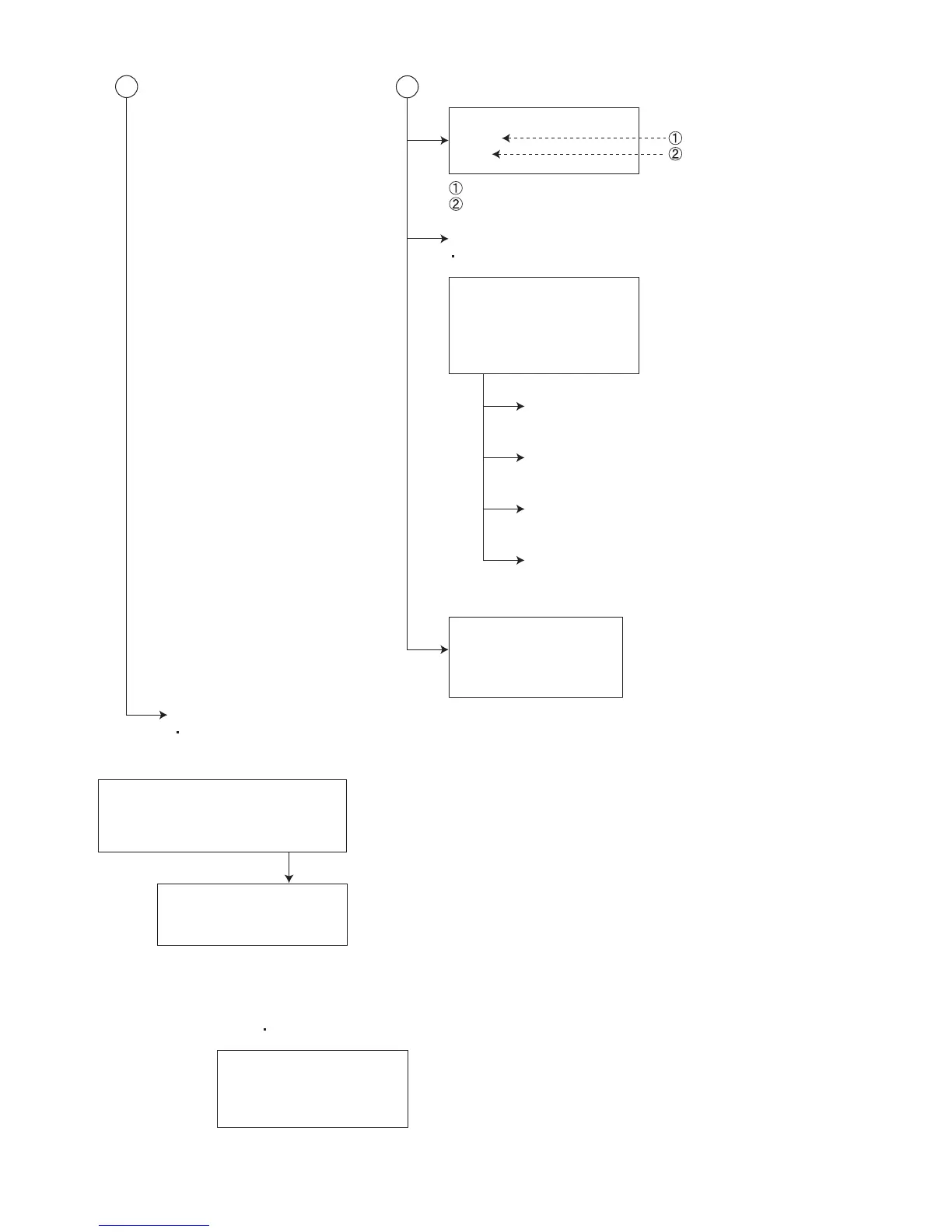
DVD NTSC/PAL
NTSC
PAL
JD4 output picture setting (NTSC)
JD4 output picture setting (PAL)
DVD CHECK MODE
See "DVD CHECK MODE" for details.
B
C
ERROR READ
DVD ERROR READ
CH ERROR READ
MECHA ERROR READ
READ ALL
ERROR CLEAR
DVD ERROR CLEAR
CH ERROR CLEAR
MECHA ERROR CLEAR
Clear of each error history
A screen returns to
following indication
after clear completion.
RUNNING MODE
See "Running mode" for details.
DVD picture change
DVD ERROR READ
Reading of a DVD unit error history
CH ERROR READ
Reading of a CD changer error history
MECHA ERROR READ
Reading of a CD changer error history
READ ALL
Reading of a main micon EEPROM
(All contents)
Keep this state more 2 seconds
while continuing pressing the
[BACK] button, [MENU] button
and [SRC] button sequentially.
Screen indication
SERVICE MODE 4
RDS S MODE
MONITOR S MODE
Exchanging it operate s menu of a service mode with the [UP] button
and [DOWN] button. Operate choice of a menu with a [ENT] button.
RDS S MODE
RDS service mode (Only RDS model)
MONITOR S MODE
R/W CHROMA 1
R/W CHROMA 3
DATA CLEA
*See "Monitor adjustment" for details.
CHROMA DATA read/write of NTSC/PAL signal processing IC
CHROMA DATA read/write of TFT driver IC
Clear of CHROMA DATA of 1,3 (return to an initial value)


 To Next Page