ENGLISH
29SETTINGS
Indication Item
( : Initial)
Setting, [reference page]
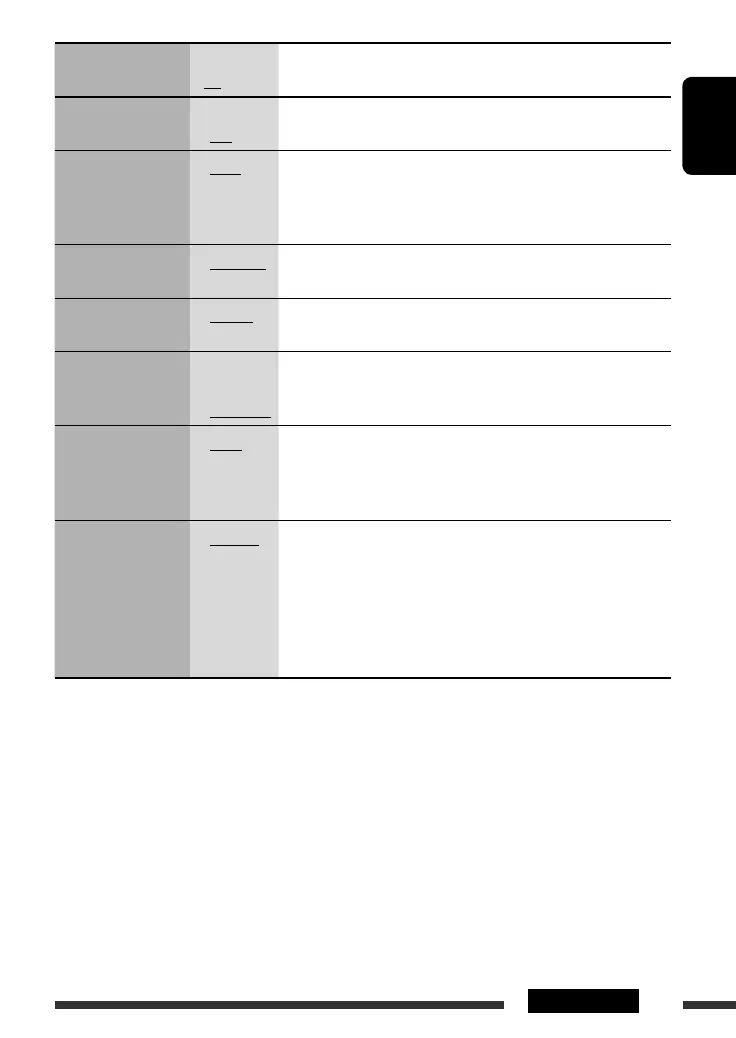
DIMMER
Dimmer
• ON
• OFF
: Dims the display illumination.
: Cancels.
SCROLL *
5
Scroll
• ONCE
• AUTO
• OFF
: Scrolls the track information once.
: Repeats scrolling (at 5-second intervals).
: Cancels. (Holding DISP can scroll the display regardless of the
setting.)
EXT IN *
6
External input
• CHANGER
• EXT IN
: To use a JVC CD changer, [21], or an Apple iPod/a JVC D. player, [24].
: To use any other external component than the above, [25].
TAG DISP
Tag display
• TAG ON
• TAG OFF
: Shows the tag while playing MP3/WMA/WAV tracks.
: Cancels.
AMP GAIN
Amplifier gain control
• LOW PWR
• HIGH PWR
: VOL 00 – VOL 30 (Select if the maximum power of each speaker is
less than 50 W to prevent damaging the speaker.)
: VOL 00 – VOL 50
IF BAND
Intermediate
frequency band
• AUTO
• WIDE
: Increases the tuner selectivity to reduce interference noises between
adjacent stations. (Stereo effect may be lost.)
: Subject to interference noises from adjacent stations, but sound
quality will not be degraded and the stereo effect will remain.
AREA
Tuner channel interval
• AREA US
• AREA EU
• AREA SA
: When using in North/Central/South America. AM/FM intervals are
set to 10 kHz/200 kHz.
: When using in any other areas except North/Central/South America.
AM/FM intervals are set to 9 kHz/50 kHz (100 kHz during auto
search).
: When using in South American countries. AM/FM intervals are set to
10 kHz/100 kHz.
*
5
Some characters or symbols will not be shown correctly (or will be blanked) on the display.
*
6
Displayed only when one of the following sources is selected—FM, AM, DISC, SIRIUS/XM, or AUX IN.
EN22-29_ADV5380[J]f.indd 29EN22-29_ADV5380[J]f.indd 29 12/22/06 9:09:03 AM12/22/06 9:09:03 AM


 To Next Page