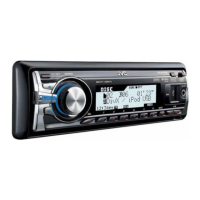
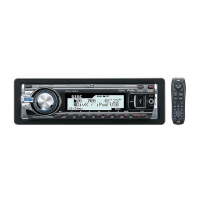
10
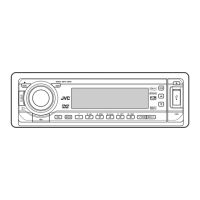
2 5/∞ buttons
• TUNER: Selects the preset stations.
• DISC:
– DVD-Video: Selects the title.
– DVD-VR: Selects the program/playlist.
– DivX/MPEG Video/MP3/WMA/WAV: Selects
the folders if included.
• USB:
– DivX/MPEG Video/MP3/WMA/WAV: Selects
the folders if included.
• CD-CH: Selects the folders if included.
• IPOD:
–
5 : Enters the main menu (then 5 / ∞ /
4 / ¢ work as menu
selecting buttons.)
5 : Returns to the previous menu.
∞ : Confirms the selection.
– ∞ : Pauses or resumes playback.
4 / ¢ buttons
• TUNER:
– Searches for stations automatically if pressed
briefly.
– Searches for stations manually if pressed and
held.
• DISC/USB/USB-iPod/CD-CH:
– Reverse skip/forward skip if pressed briefly.
– Reverse search/forward search if pressed and
held.
• BT-AUDIO: Reverse skip/forward skip if pressed
briefly.
• IPOD:
– Reverse skip/forward skip if pressed briefly.
– Reverse search/forward search if pressed and
held.
In menu selecting mode:
– Selects an item if pressed briefly. (Then, press
∞ to confirm the selection.)
– Skips 10 items at a time if pressed and held.
3 VOL (volume) + / – buttons
• Adjusts the volume level.
2nd VOL (volume) buttons
• Adjust the volume level through the 2nd AUDIO
OUT plug when pressed with SHIFT button (see
page 25).
4 *
2
ASPECT button
• Not applicable for this unit.
5*
1
PHONE button
• Answer incoming calls.
• Enters “Redial” menu when a Bluetooth phone
is connected [Hold].
6 *
2
SETUP button
• Enters disc setup menu (during stop).
7 *
2
TOP M (menu) button
• DVD-Video/DivX: Shows the disc menu.
• DVD-VR: Shows the Original Program screen.
• VCD: Resumes PBC playback.
• USB-iPod: Enters the search mode menu (see
page 34).
8 *
2
OSD (on-screen display) button
• Shows the on-screen bar.
9 SHIFT button
• Functions with other buttons.
p DISP (display) button
• Changes the display information.
q 1 / ¡ buttons
• DVD-Video: Slow motion playback (during
pause).
• DVD-VR/VCD: Forward slow motion playback
(during pause).
• DISC/USB/USB-iPod: Reverse search/forward
search.
w*
1
SOURCE button
• Selects the source.
EN10-17_KD-DV7406_005A_f.indd 10EN10-17_KD-DV7406_005A_f.indd 10 2/12/08 2:01:40 PM2/12/08 2:01:40 PM


 To Next Page