EasyManua.ls Logo

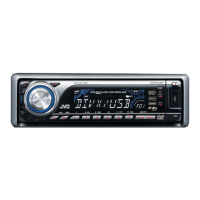
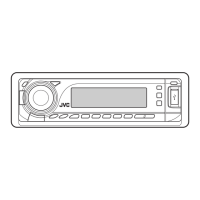
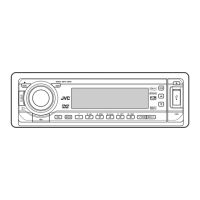
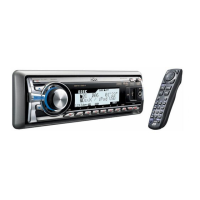
JVC KD-DV7306 - User Manual

JVC KD-DV7306
64 pages
Print Icon
To Next Page IconTo Next Page
Loading...
For canceling the display demonstration, see page 7.
For installation and connections, refer to the separate manual.
INSTRUCTIONS
GET0449-005A
[A]
KD-DV7306/KD-DV7305
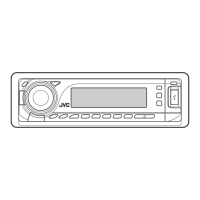
DVD/CD RECEIVER
Cover_KD-DV7306_005A_f.indd 1Cover_KD-DV7306_005A_f.indd 1 2/6/07 12:14:59 PM2/6/07 12:14:59 PM

Other manuals for JVC KD-DV7306

Questions and Answers

  • V
    Vanessa UnderwoodSep 6, 2025
    Why won't my JVC KD-DV7306 pair with my Bluetooth device?
    • C
      christopher49Sep 6, 2025
      If the unit does not pair with the Bluetooth device, enter the same PIN code for both the unit and target device. Alternatively, select the device name from “SPECIAL,” then try to connect again.
  • R
    rhonda67Aug 25, 2025
    How to stop Bluetooth audio from skipping on my JVC KD-DV7306?
    • J
      Joy AcostaAug 25, 2025
      If the sound is interrupted or skipped during playback of a Bluetooth audio device on your JVC Car Receiver, try the following: 1. Reduce the distance between the unit and the Bluetooth audio device. 2. Disconnect the device connected for “BT-PHONE.” 3. Turn off, then turn on the unit. 4. If the sound is not yet restored, connect the device again.
  • J
    Jennifer ChapmanAug 25, 2025
    Why is there no sound when connecting an iPod nano to my JVC KD-DV7306?
    • D
      Debra KleinAug 26, 2025
      If no sound can be heard when connecting an iPod nano to your JVC Car Receiver, disconnect the headphones from the iPod nano. Also, update the firmware version of the iPod nano.
  • G
    Gregory CookSep 14, 2025
    Why does JVC KD-DV7306 Bluetooth audio skip?
    • G
      greenmariahSep 14, 2025
      If your JVC Car Receiver is skipping or interrupting sound during playback from a Bluetooth audio device, try the following: 1. Reduce the distance between the unit and the Bluetooth audio device. 2. Disconnect the device connected for 'BT-PHONE.' 3. Turn the unit off, then on again. 4. If the sound is still not restored, connect the device again.
  • N
    npatrickSep 23, 2025
    Why is my JVC KD-DV7306 CD changer not working?
    • C
      Crystal StevensSep 23, 2025
      If the CD changer does not work at all with your JVC Car Receiver, reset the unit.
  • R
    rmillerSep 10, 2025
    What does “RESET 8” mean on my JVC KD-DV7306 display?
    • A
      Alicia DavisSep 10, 2025
      If “RESET 8” appears on the display of your JVC Car Receiver, connect this unit and the CD changer correctly and press the reset button of the CD changer.
  • P
    Patricia WalshSep 1, 2025
    Why does my JVC Car Receiver take so long to read files?
    • V
      Veronica RobinsonSep 1, 2025
      If your JVC Car Receiver requires a longer readout time, it could be due to the complexity of the folder/file configuration. Avoid using too many hierarchy levels, folders, and empty folders. Also, readout time can vary depending on the USB device; try turning the power off and on again.
  • C
    Christopher NelsonSep 2, 2025
    Why can't my Bluetooth device detect my JVC KD-DV7306 Car Receiver?
    • C
      Cindy MorganSep 2, 2025
      If your Bluetooth device does not detect the JVC Car Receiver, disconnect any currently connected devices and search again, as the unit can only connect with one Bluetooth cellular phone and one Bluetooth audio device at a time.
  • R
    Renee WatsonSep 18, 2025
    Why won't my JVC KD-DV7306 Car Receiver pair with Bluetooth?
    • C
      Christina SolisSep 18, 2025
      If your JVC Car Receiver is not pairing with the target Bluetooth device, enter the same PIN code for both the unit and target device or select the device name from 'SPECIAL,' then try to connect again.
  • R
    Robert SandersAug 28, 2025
    What does 'RESET 1' - 'RESET 7' mean on my JVC Car Receiver?
    • E
      Ebony AllenAug 29, 2025
      If your JVC Car Receiver displays “RESET 1” – “RESET 7”, press the reset button of the CD changer.

JVC KD-DV7306 Specifications

General IconGeneral
BrandJVC
ModelKD-DV7306
CategoryCar Receiver
LanguageEnglish

Related product manuals