
 To Next Page
A
afrancisSep 18, 2025
How to fix DAB tuner on JVC Receiver?
- LLisa TaylorSep 18, 2025
If the DAB tuner does not work at all with your JVC Receiver, reconnect this unit and the DAB tuner correctly. Then, reset the unit.



How to fix DAB tuner on JVC Receiver?
If the DAB tuner does not work at all with your JVC Receiver, reconnect this unit and the DAB tuner correctly. Then, reset the unit.
What to do if JVC Receiver does not work?
If your JVC Receiver is completely unresponsive, try resetting the unit.
How to fix distorted sound on JVC Receiver?
If the sound from your JVC Receiver is distorted, deactivate the equalizer either on the unit or on the connected iPod/D. player.
How to fix 'RESET 8' error on JVC Receiver?
If “RESET 8” appears on the display of your JVC Receiver, connect this unit and the CD changer correctly and press the reset button of the CD changer.
Why does JVC Receiver playback stop?
If playback stops on your JVC Receiver, restart the playback operation if the headphones are disconnected during playback.
Why won't iPod/D. player controls work after disconnecting from JVC Receiver?
If the iPod’s or D. player’s controls do not work after disconnecting from your JVC Receiver, reset the iPod or D. player.
Why does my JVC Receiver say 'NO FILE' or 'NO USB'?
If “NO FILE” or “NO USB” appears on the display of your JVC Receiver while listening to a USB device, connect a USB device that contains tracks encoded in an appropriate format.
How to fix 'noSIGNAL' error on JVC Receiver?
If “noSIGNAL” appears on the display of your JVC Receiver, move to an area with stronger signals.
Why is the sound interrupted on my JVC Receiver when listening to a USB device?
If the sound is sometimes interrupted while listening to a USB device on your JVC Receiver, it may be because MP3/WMA/AAC/WAV tracks have not been properly copied onto the USB device. Try copying the tracks again. Also, avoid using too many hierarchy, folders, and empty folders. Finally, turn the power off and on again.
Why does my JVC Receiver say 'NO IPOD' or 'NO DP'?
If your JVC Receiver displays “NO IPOD” or “NO DP”, check the connecting cable and its connection. Also, make sure the battery of the iPod or D. player is charged.
 General
| Category | Car Receiver |
|---|---|
| Brand | JVC |
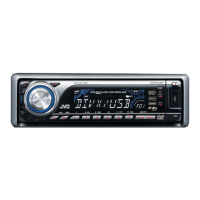
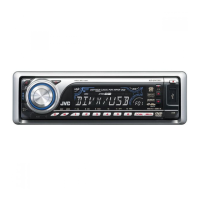
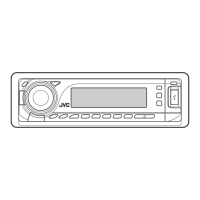
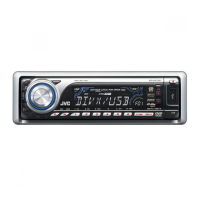
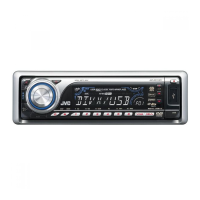
| Model | KD-DV7301 |
| Type | DVD Receiver |
| Display Type | LCD |
| Touchscreen | No |
| Max Power Output | 50W x 4 |
| RMS Power Output | 22W x 4 |
| AM/FM Tuner | Yes |
| Aux Input | Yes |
| Subwoofer Preamp RCA Output | Yes |
| Remote Control | Yes |
| Detachable Face | Yes |
| Bluetooth | No |
| ID3 Tag Display | Yes |
| Playback Formats | DVD, CD, MP3, WMA |
| USB Port | Yes |
| Preamp Outputs | 3 (Front, Rear, Subwoofer) |
| Preamp RCA Outputs | Front, Rear, Subwoofer |