EasyManua.ls Logo

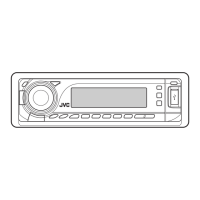
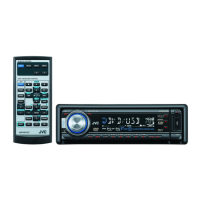
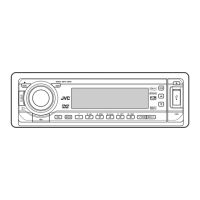
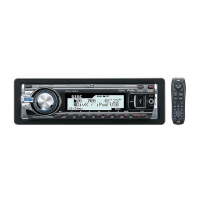
JVC KD-DV7304 - User Manual

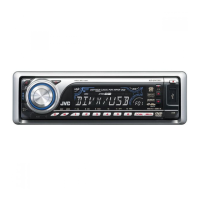
JVC KD-DV7304
60 pages
Print Icon
To Next Page IconTo Next Page
Loading...
For canceling the display demonstration, see page 7.
For installation and connections, refer to the separate manual.
INSTRUCTIONS
GET0450-001A
[UI]
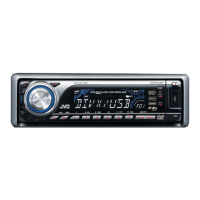
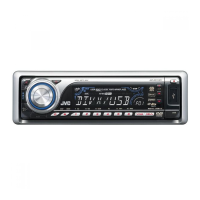
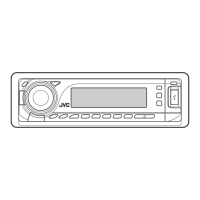
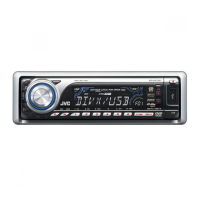
KD-DV7304
DVD/CD RECEIVER
Cover_KD-DV7304[UI]f.indd 1Cover_KD-DV7304[UI]f.indd 1 2/13/07 4:04:32 PM2/13/07 4:04:32 PM

Questions and Answers

  • A
    Angela GilmoreSep 12, 2025
    Why does my JVC KD-DV7304 Car Receiver show 'PLEASE' and 'EJECT'?
    • A
      adamstylerSep 12, 2025
      If “PLEASE” and “EJECT” appear alternately on the display of your JVC Car Receiver while listening to a disc, insert a disc that contains tracks encoded in an appropriate format.
  • E
    Edwin FreemanAug 25, 2025
    Why is there static noise on my JVC KD-DV7304 radio?
    • D
      David SmithAug 25, 2025
      If you are experiencing static noise while listening to the radio on your JVC Car Receiver, ensure that the antenna is firmly connected.
  • M
    Michael OlsenAug 25, 2025
    What to do if Bluetooth sound is skipping on JVC KD-DV7304 Car Receiver?
    • C
      christineschroederAug 26, 2025
      If the sound is interrupted or skipped during playback of a Bluetooth audio device on your JVC Car Receiver, try the following: 1. Reduce the distance between the unit and the Bluetooth audio device. 2. Disconnect the device connected for “BT-PHONE.” 3. Turn the unit off, then on again. 4. If the sound is still not restored, connect the device again.
  • P
    Peter CurrySep 23, 2025
    Why are album names displayed incorrectly on my JVC Car Receiver?
    • S
      stevensonjoshuaSep 23, 2025
      If correct characters are not displayed (e.g. album name) on your JVC Car Receiver, this unit can only display letters (upper case), numbers, and a limited number of symbols.
  • R
    Raven HeathSep 12, 2025
    How to reduce echo on JVC KD-DV7304?
    • R
      Ryan WilliamsSep 12, 2025
      If echo or noise occurs on your JVC Car Receiver, adjust the microphone unit position.
  • B
    Brooke HughesSep 18, 2025
    Why is there no sound when connecting iPod nano to JVC KD-DV7304?
    • R
      Rebecca BrownSep 18, 2025
      If no sound can be heard when connecting an iPod nano to your JVC Car Receiver, disconnect the headphones from the iPod nano and update the firmware version of the iPod nano.
  • R
    ramirezconnorSep 5, 2025
    What does 'NO IPOD' mean on my JVC Car Receiver?
    • L
      Lisa WarrenSep 5, 2025
      If “NO IPOD” or “NO DP” appears on the display of your JVC Car Receiver, check the connecting cable and its connection. Also, ensure the battery is charged.
  • A
    Aaron EvansSep 6, 2025
    Why can't my JVC KD-DV7304 play recordable discs?
    • J
      Jim TylerSep 6, 2025
      If recordable/rewritable discs cannot be played back on your JVC Car Receiver, insert a finalized disc and finalize the discs with the component which you have used for recording.
  • D
    dylansmithSep 18, 2025
    What does 'ERROR 01' mean on my JVC Car Receiver display?
    • C
      Charles AdamsSep 18, 2025
      If “ERROR 01” appears on the display of your JVC Car Receiver when connecting a D. player, disconnect the adapter from the D. player, then connect it again.
  • J
    jason78Aug 30, 2025
    Why is the phone sound quality poor on my JVC KD-DV7304 Car Receiver?
    • M
      Matthew ParkerAug 30, 2025
      If the phone sound quality is poor on your JVC Car Receiver, try reducing the distance between the unit and the Bluetooth audio device. Also, move the car to a location with better signal reception.

JVC KD-DV7304 Specifications

General IconGeneral
TypeDVD Receiver
DisplayYes
DVD PlaybackYes
CD PlaybackYes
MP3 PlaybackYes
WMA PlaybackYes
Radio TunerAM/FM
Output Power50W x 4
Video Outputs1
USB InputYes
BluetoothNo
Remote ControlYes
Detachable FaceYes
Subwoofer Preamp OutputYes
Display TypeLCD
CD-R/RW PlaybackYes
Radio Data System (RDS)Yes
Auxiliary InputYes
Audio Outputs2
Preamp Outputs3

Related product manuals