EasyManua.ls Logo

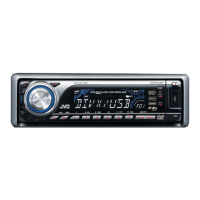
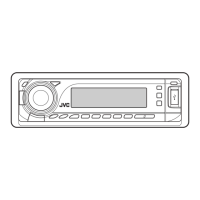
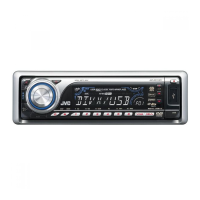
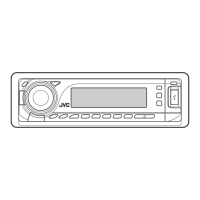
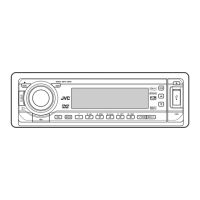
JVC KD-DV7304 - User Manual

JVC KD-DV7304
60 pages
Print Icon
To Next Page IconTo Next Page
Loading...
For canceling the display demonstration, see page 7.
For installation and connections, refer to the separate manual.
INSTRUCTIONS
GET0450-001A
[UI]
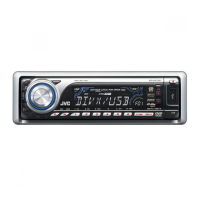
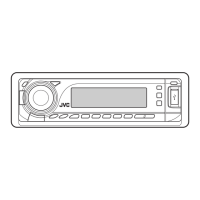
KD-DV7304
DVD/CD RECEIVER
Cover_KD-DV7304[UI]f.indd 1Cover_KD-DV7304[UI]f.indd 1 2/13/07 4:04:32 PM2/13/07 4:04:32 PM

Questions and Answers

  • K
    Kevin SpencerAug 31, 2025
    Why is there no picture on my JVC KD-DV7304 monitor?
    • L
      Lisa RodriguezAug 31, 2025
      If no playback picture appears on the monitor of your JVC Car Receiver, connect the video cord correctly. Also, ensure you select the correct input on the monitor. Check if the parking brake wire is connected properly.
  • E
    Edwin FreemanAug 25, 2025
    Why is there static noise on my JVC KD-DV7304 radio?
    • D
      David SmithAug 25, 2025
      If you are experiencing static noise while listening to the radio on your JVC Car Receiver, ensure that the antenna is firmly connected.
  • M
    Michael OlsenAug 25, 2025
    What to do if Bluetooth sound is skipping on JVC KD-DV7304 Car Receiver?
    • C
      christineschroederAug 26, 2025
      If the sound is interrupted or skipped during playback of a Bluetooth audio device on your JVC Car Receiver, try the following: 1. Reduce the distance between the unit and the Bluetooth audio device. 2. Disconnect the device connected for “BT-PHONE.” 3. Turn the unit off, then on again. 4. If the sound is still not restored, connect the device again.
  • D
    Darlene AndrewsAug 26, 2025
    Why won't my JVC KD-DV7304 play the disc?
    • G
      gwalkerAug 26, 2025
      If a disc cannot be played back in your JVC Car Receiver, make sure that you insert the disc correctly.
  • S
    Scott GardnerAug 27, 2025
    Why JVC KD-DV7304 Car Receiver doesn't detect Bluetooth device?
    • H
      hollandjosephAug 27, 2025
      If your JVC Car Receiver doesn't detect the Bluetooth device, check the Bluetooth settings of the device and try searching from the Bluetooth device. After the device detects the unit, select “OPEN” on the unit to connect the device.
  • S
    Shelly ObrienAug 27, 2025
    How to fix distorted sound on JVC Car Receiver?
    • L
      Luis BurnsAug 27, 2025
      If the sound is distorted on your JVC Car Receiver, deactivate the equalizer either on the unit or the iPod/D. player.
  • R
    rmcdonaldAug 28, 2025
    Why is sound interrupted when playing USB on JVC KD-DV7304?
    • S
      smithelizabethAug 28, 2025
      If sound is sometimes interrupted while listening to a USB device on your JVC Car Receiver, and the MP3/WMA/WAV tracks have not been properly copied into the USB device, copy MP3/WMA/WAV tracks again into the USB device and try again.
  • P
    psmithAug 29, 2025
    Why won't my Bluetooth device find my JVC KD-DV7304 Car Receiver?
    • C
      Christine GarzaAug 29, 2025
      If the Bluetooth device does not detect the JVC Car Receiver unit, disconnect currently connected device and search again. The unit can be connected with one Bluetooth cellular phone and one Bluetooth audio device at a time.
  • A
    Anthony KerrAug 29, 2025
    How to pair JVC Car Receiver with Bluetooth device?
    • K
      kreynoldsAug 29, 2025
      If the JVC Car Receiver does not pair with the Bluetooth device, enter the same PIN code for both the unit and target device. You can also select the device name from “SPECIAL,” then try to connect again.
  • J
    jason78Aug 30, 2025
    Why is the phone sound quality poor on my JVC KD-DV7304 Car Receiver?
    • M
      Matthew ParkerAug 30, 2025
      If the phone sound quality is poor on your JVC Car Receiver, try reducing the distance between the unit and the Bluetooth audio device. Also, move the car to a location with better signal reception.

JVC KD-DV7304 Specifications

General IconGeneral
TypeDVD Receiver
DisplayYes
DVD PlaybackYes
CD PlaybackYes
MP3 PlaybackYes
WMA PlaybackYes
Radio TunerAM/FM
Output Power50W x 4
Video Outputs1
USB InputYes
BluetoothNo
Remote ControlYes
Detachable FaceYes
Subwoofer Preamp OutputYes
Display TypeLCD
CD-R/RW PlaybackYes
Radio Data System (RDS)Yes
Auxiliary InputYes
Audio Outputs2
Preamp Outputs3

Related product manuals