EasyManua.ls Logo

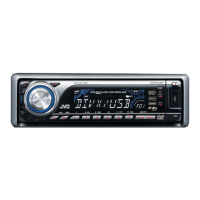
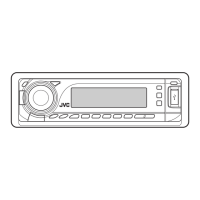
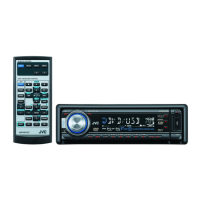
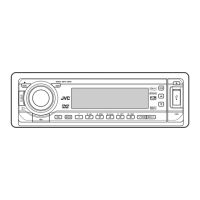
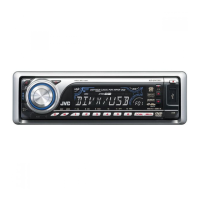
JVC KD-DV7304 - User Manual

JVC KD-DV7304
60 pages
Print Icon
To Next Page IconTo Next Page
Loading...
For canceling the display demonstration, see page 7.
For installation and connections, refer to the separate manual.
INSTRUCTIONS
GET0450-001A
[UI]
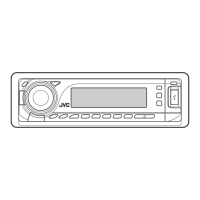
KD-DV7304
DVD/CD RECEIVER
Cover_KD-DV7304[UI]f.indd 1Cover_KD-DV7304[UI]f.indd 1 2/13/07 4:04:32 PM2/13/07 4:04:32 PM

Questions and Answers

  • D
    Daniel FrostAug 25, 2025
    How to restore sound on JVC KD-DV7304 Car Receiver speakers?
    • M
      Melissa DavisAug 25, 2025
      To restore sound to the speakers of your JVC Car Receiver, first, adjust the volume to the optimum level. If that doesn't work, check the cords and connections to ensure they are properly connected.
  • J
    James GreeneSep 1, 2025
    What to do if CD changer doesn't work with JVC KD-DV7304 Car Receiver?
    • T
      Tyler MoranSep 1, 2025
      If the CD changer does not work at all with your JVC Car Receiver, reset the unit.
  • J
    John RamirezSep 1, 2025
    Why is my iPod not working with my JVC KD-DV7304 Car Receiver?
    • K
      Kayla ReidSep 2, 2025
      If your iPod or D. player does not turn on or work with the JVC Car Receiver, check the connecting cable and its connection. Also, update the firmware version and charge the battery.
  • O
    Oscar GrahamSep 2, 2025
    Why are sound and pictures distorted on JVC KD-DV7304 Car Receiver?
    • M
      Michael FrazierSep 2, 2025
      If the sound and pictures are sometimes interrupted or distorted on your JVC Car Receiver, stop playback while driving on rough roads. You can also try changing the disc or checking the cords and connections.
  • J
    Julie LeeSep 3, 2025
    Why does my JVC Car Receiver display 'NO FILE' or 'NO USB'?
    • W
      William Anderson DDSSep 3, 2025
      If “NO FILE” or “NO USB” appears on the display of your JVC Car Receiver while listening to a USB device, connect a USB device that contains tracks encoded in an appropriate format. The total number of tracks recorded on the USB device could not be accessed properly.
  • B
    Brian HoffmanSep 4, 2025
    Why are the pictures wavy on my JVC Car Receiver?
    • J
      Jim BushSep 4, 2025
      If the monitor shows black and white wavy pictures on your JVC Car Receiver, select an appropriate video format (PAL/NTSC) for your monitor.
  • D
    Dawn ThompsonSep 4, 2025
    Why won't my JVC Car Receiver play certain tracks?
    • C
      Christina AndrewsSep 4, 2025
      If tracks cannot be played back on your JVC Car Receiver, record the tracks using a compliant application in the appropriate discs. Add the extension code , , , , , , , or to the file names.
  • R
    ramirezconnorSep 5, 2025
    What does 'NO IPOD' mean on my JVC Car Receiver?
    • L
      Lisa WarrenSep 5, 2025
      If “NO IPOD” or “NO DP” appears on the display of your JVC Car Receiver, check the connecting cable and its connection. Also, ensure the battery is charged.
  • A
    Aaron EvansSep 6, 2025
    Why can't my JVC KD-DV7304 play recordable discs?
    • J
      Jim TylerSep 6, 2025
      If recordable/rewritable discs cannot be played back on your JVC Car Receiver, insert a finalized disc and finalize the discs with the component which you have used for recording.
  • N
    Nicholas ReyesSep 7, 2025
    Why is my JVC KD-DV7304 generating noise?
    • B
      Brandon PerrySep 7, 2025
      If noise is generated on your JVC Car Receiver, and the track played back is not an MP3/WMA/WAV track, skip to another track. Do not add the extension code , , or to non-MP3/WMA/WAV tracks.

JVC KD-DV7304 Specifications

General IconGeneral
TypeDVD Receiver
DisplayYes
DVD PlaybackYes
CD PlaybackYes
MP3 PlaybackYes
WMA PlaybackYes
Radio TunerAM/FM
Output Power50W x 4
Video Outputs1
USB InputYes
BluetoothNo
Remote ControlYes
Detachable FaceYes
Subwoofer Preamp OutputYes
Display TypeLCD
CD-R/RW PlaybackYes
Radio Data System (RDS)Yes
Auxiliary InputYes
Audio Outputs2
Preamp Outputs3

Related product manuals