
 To Next Page
J
johnandersonAug 31, 2025
How to fix 'RESET 8' error on JVC Receiver iPod/D. player?
- AAudrey GrimesAug 31, 2025
If “RESET 8” appears on the display of your JVC Receiver, check the connection between the adapter and this unit.



How to fix 'RESET 8' error on JVC Receiver iPod/D. player?
If “RESET 8” appears on the display of your JVC Receiver, check the connection between the adapter and this unit.
How to fix 'RESET 1' to 'RESET 7' error on JVC Receiver iPod/D. player?
If “RESET 1” – “RESET 7” appears on the display of your JVC Receiver, disconnect the adapter from both this unit and the iPod/D. player, then connect it again.
How to fix 'NO FILES' or 'NO TRACK' on JVC Receiver?
If “NO FILES” or “NO TRACK” appears on the display of your JVC Receiver, import tracks to the iPod or D. player.
How to fix 'RESET 8' error on JVC Receiver DAB tuner?
If “RESET 8” appears on the display of your JVC Receiver, connect this unit and the DAB tuner correctly and reset the unit.
How to fix 'RESET 1' to 'RESET 7' error on JVC Receiver?
If “RESET 1” – “RESET 7” appears on the display of your JVC Receiver, press the reset button of the CD changer.
How to fix 'RESET 8' error on JVC Receiver?
If “RESET 8” appears on the display of your JVC Receiver, connect this unit and the CD changer correctly and press the reset button of the CD changer.
How to fix distorted sound on JVC Receiver?
If the sound from your JVC Receiver is distorted, deactivate the equalizer either on the unit or on the connected iPod/D. player.
What to do if JVC Receiver does not work?
If your JVC Receiver is completely unresponsive, try resetting the unit.
 General
| Category | Car Receiver |
|---|---|
| Brand | JVC |
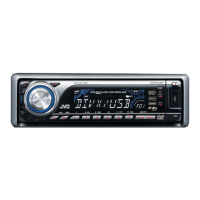
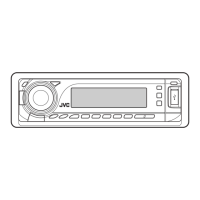
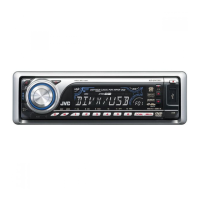
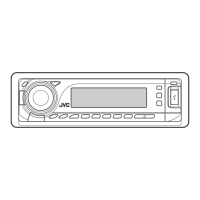
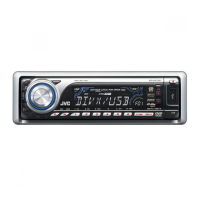
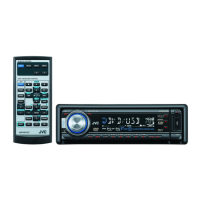
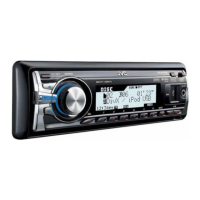
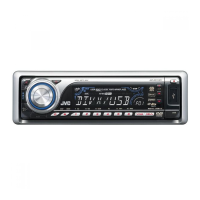
| Model | KD-DV7301 |
| Type | DVD Receiver |
| Display Type | LCD |
| Touchscreen | No |
| Max Power Output | 50W x 4 |
| RMS Power Output | 22W x 4 |
| AM/FM Tuner | Yes |
| Aux Input | Yes |
| Subwoofer Preamp RCA Output | Yes |
| Remote Control | Yes |
| Detachable Face | Yes |
| Bluetooth | No |
| ID3 Tag Display | Yes |
| Playback Formats | DVD, CD, MP3, WMA |
| USB Port | Yes |
| Preamp Outputs | 3 (Front, Rear, Subwoofer) |
| Preamp RCA Outputs | Front, Rear, Subwoofer |