EasyManua.ls Logo

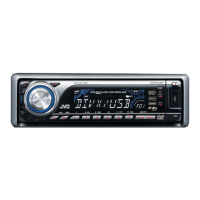
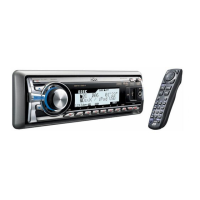
JVC KD-DV7306 - User Manual

JVC KD-DV7306
64 pages
Print Icon
To Next Page IconTo Next Page
Loading...
For canceling the display demonstration, see page 7.
For installation and connections, refer to the separate manual.
INSTRUCTIONS
GET0449-005A
[A]
KD-DV7306/KD-DV7305
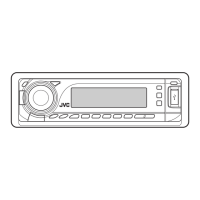
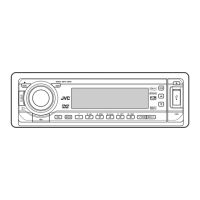
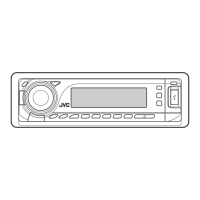
DVD/CD RECEIVER
Cover_KD-DV7306_005A_f.indd 1Cover_KD-DV7306_005A_f.indd 1 2/6/07 12:14:59 PM2/6/07 12:14:59 PM

Other manuals for JVC KD-DV7306

Questions and Answers

  • S
    Sierra RobertsSep 4, 2025
    Why can't recordable discs be played on my JVC KD-DV7306?
    • R
      Rhonda BishopSep 4, 2025
      If recordable/rewritable discs cannot be played back on your JVC Car Receiver, insert a finalized disc. If the issue persists, finalize the discs with the component used for recording.
  • C
    Chloe Sanchez MDSep 4, 2025
    Why can't I control the connected audio device on my JVC KD-DV7306?
    • K
      Katherine YoderSep 4, 2025
      If the connected audio device cannot be controlled with your JVC Car Receiver, check whether the connected audio device supports AVRCP (Audio Video Remote Control Profile).
  • V
    vhillSep 5, 2025
    Why is sound interrupted when listening to a USB device on my JVC KD-DV7306?
    • D
      dglennSep 5, 2025
      If the sound is sometimes interrupted while listening to a USB device on your JVC Car Receiver, and MP3/WMA/WAV tracks have not been properly copied into the USB device, copy MP3/WMA/WAV tracks again into the USB device, and try again.
  • J
    john70Sep 5, 2025
    Why is there no playback picture on my JVC KD-DV7306 monitor?
    • M
      Manuel BrownSep 5, 2025
      If no playback picture (DVD-Video/DVD-VR/DivX/MPEG/VCD) appears on the monitor of your JVC Car Receiver, connect the video cord correctly. Also, select the correct input on the monitor.
  • V
    Vanessa UnderwoodSep 6, 2025
    Why won't my JVC KD-DV7306 pair with my Bluetooth device?
    • C
      christopher49Sep 6, 2025
      If the unit does not pair with the Bluetooth device, enter the same PIN code for both the unit and target device. Alternatively, select the device name from “SPECIAL,” then try to connect again.
  • L
    Lisa WaltersSep 6, 2025
    How to reduce echo or noise on my JVC Car Receiver?
    • N
      Nicole ThomasSep 6, 2025
      If echo or noise occurs on your JVC Car Receiver, adjust the microphone unit position.
  • S
    sleeSep 7, 2025
    How to fix distorted sound on my JVC KD-DV7306?
    • S
      Steven Lyons IIISep 7, 2025
      If the sound is distorted on your JVC Car Receiver, deactivate the equalizer either on this unit or the iPod/D. player.
  • K
    Kristen LloydSep 7, 2025
    Why is there no sound when playing DivX/MPEG video files on my JVC KD-DV7306?
    • W
      Whitney AllenSep 7, 2025
      If no sound can be heard when a picture is displayed while playing a DivX/MPEG Video file on your JVC Car Receiver, record the audio track using MP3 or Dolby Digital as the audio stream of DivX files. Alternatively, record the audio track using MPEG1 Audio Layer 2 as the audio stream for MPEG Video files.

JVC KD-DV7306 Specifications

General IconGeneral
BrandJVC
ModelKD-DV7306
CategoryCar Receiver
LanguageEnglish

Related product manuals