EasyManua.ls Logo

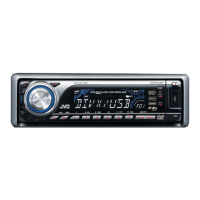
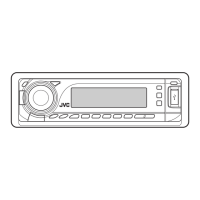
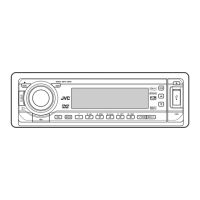
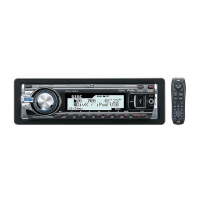
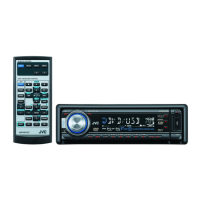
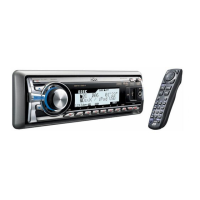
JVC KD-DV7306 - User Manual

JVC KD-DV7306
64 pages
Print Icon
To Next Page IconTo Next Page
Loading...
For canceling the display demonstration, see page 7.
For installation and connections, refer to the separate manual.
INSTRUCTIONS
GET0449-005A
[A]
KD-DV7306/KD-DV7305
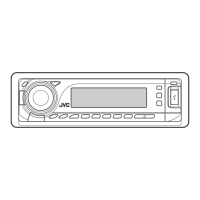
DVD/CD RECEIVER
Cover_KD-DV7306_005A_f.indd 1Cover_KD-DV7306_005A_f.indd 1 2/6/07 12:14:59 PM2/6/07 12:14:59 PM

Other manuals for JVC KD-DV7306

Questions and Answers

  • R
    rhonda67Aug 25, 2025
    How to stop Bluetooth audio from skipping on my JVC KD-DV7306?
    • J
      Joy AcostaAug 25, 2025
      If the sound is interrupted or skipped during playback of a Bluetooth audio device on your JVC Car Receiver, try the following: 1. Reduce the distance between the unit and the Bluetooth audio device. 2. Disconnect the device connected for “BT-PHONE.” 3. Turn off, then turn on the unit. 4. If the sound is not yet restored, connect the device again.
  • J
    Jennifer ChapmanAug 25, 2025
    Why is there no sound when connecting an iPod nano to my JVC KD-DV7306?
    • D
      Debra KleinAug 26, 2025
      If no sound can be heard when connecting an iPod nano to your JVC Car Receiver, disconnect the headphones from the iPod nano. Also, update the firmware version of the iPod nano.
  • S
    Sandra GreenAug 26, 2025
    How to fix JVC Car Receiver when no sound from speakers?
    • B
      Brittany SandersAug 26, 2025
      If you can't hear sound from the speakers of your JVC Car Receiver, first, make sure the volume is at an audible level. If the volume is okay, check all the cords and connections to ensure they are properly connected.
  • W
    Wendy SerranoAug 26, 2025
    Why does my JVC KD-DV7306 say 'NO DISC'?
    • L
      Lauren FosterAug 27, 2025
      If your JVC Car Receiver displays 'NO DISC,' insert a disc into the magazine.
  • B
    bryan12Aug 27, 2025
    What to do if JVC KD-DV7306 sound and pictures are distorted?
    • T
      Tanya HopkinsAug 27, 2025
      If your JVC Car Receiver is interrupting or distorting sound and pictures, try the following: 1. Stop playback while driving on rough roads. 2. Change the disc. 3. Check the cords and connections.
  • E
    Erin SilvaAug 27, 2025
    Why does my JVC KD-DV7306 Car Receiver say 'NO FILE' or 'NO USB'?
    • S
      Sarah FordAug 27, 2025
      If your JVC Car Receiver displays “NO FILE” or “NO USB” while listening to a USB device, connect a USB device that contains tracks encoded in an appropriate format.
  • S
    Susan McdanielAug 27, 2025
    How to improve phone sound quality on JVC KD-DV7306 Car Receiver?
    • A
      Amber KentAug 28, 2025
      If your JVC Car Receiver is experiencing poor phone sound quality, reduce the distance between the unit and the Bluetooth audio device and move the car to a place where you can get a better signal reception.
  • L
    Lindsay PayneAug 28, 2025
    What does 'RESET 8' mean on my JVC KD-DV7306 Car Receiver?
    • C
      Cameron WilsonAug 28, 2025
      If your JVC Car Receiver is displaying “RESET 8”, connect this unit and the CD changer correctly and press the reset button of the CD changer.
  • R
    Robert SandersAug 28, 2025
    What does 'RESET 1' - 'RESET 7' mean on my JVC Car Receiver?
    • E
      Ebony AllenAug 29, 2025
      If your JVC Car Receiver displays “RESET 1” – “RESET 7”, press the reset button of the CD changer.
  • M
    Melissa WestAug 29, 2025
    Why is there static noise when listening to the radio on my JVC Car Receiver?
    • J
      Jessica MartinAug 29, 2025
      If you are experiencing static noise while listening to the radio on your JVC Car Receiver, ensure the antenna is firmly connected.

JVC KD-DV7306 Specifications

General IconGeneral
BrandJVC
ModelKD-DV7306
CategoryCar Receiver
LanguageEnglish

Related product manuals