19ENGLISH
3
]
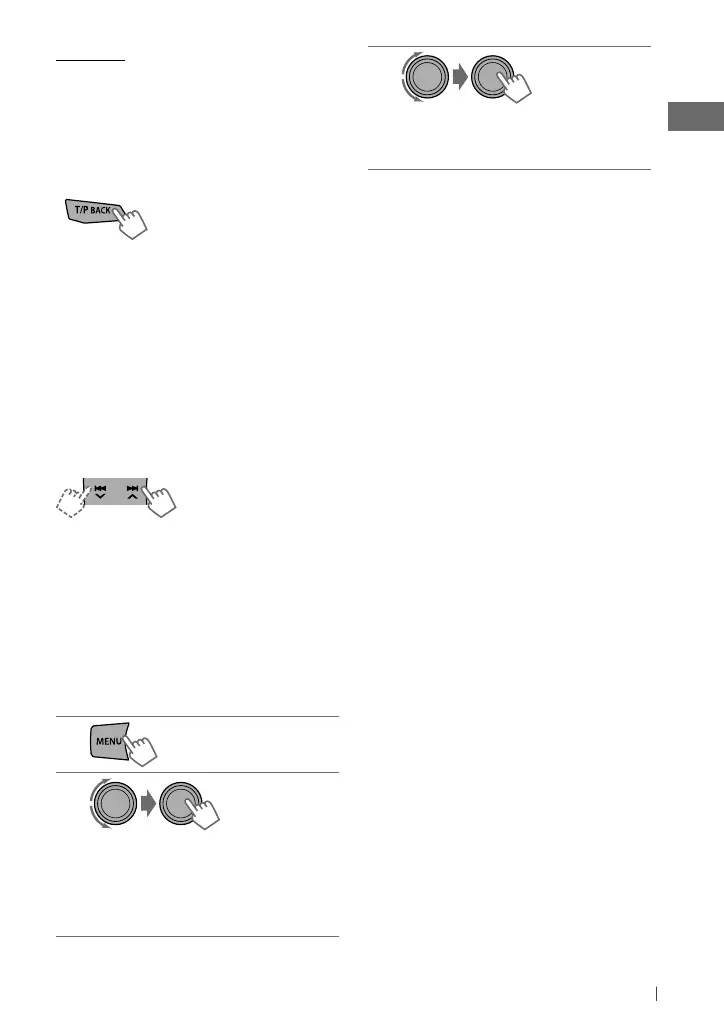
Select the desired track.
Repeat this step until the desired track
is selected.
• If the selected menu contains many tracks,
you can fast search (±10, ±100, ±1 000)
through the menu by turning the control dial
quickly.
• To return to the previous menu, press
T/P BACK.
You can also use the search menu (A to Z and
0 to 9) to scroll through the desired menu.
After you have selected your desired menu (in
step 2 on the left column)....
1
Press
5
/
∞
to show the search menu.
The first character of the current file name
appears.
2
Press
5
/
∞
to select your desired
character. Then press the control dial to
confirm.
The track list with the selected character
appears.
3
Turn the control dial to select your
desired track. Then press the control dial
to confirm.
• Only the existing characters will be shown on
the search menu.
• Press and hold
5
/
∞
to continuously change
the character of the search menu.
• If your iPod/iPhone contains many tracks,
searching take some time.
• Searching may not work on some of the layers
of the selected menu.
[Hold]
Cautions:
• Avoid using the iPod/iPhone if it might hinder
your safety driving.
• Make sure all important data has been backed
up to avoid losing the data.
Selecting the control terminal
]
<Headunit Mode/ iPod Mode/
Application Mode>
• For details, see <iPod
Switch> setting on
page 25.
Basic operations
Applicable under <Headunit Mode/
iPod Mode>.
For <Application Mode>, applicable only for
some audio applications.
[Press] Selects track/
chapter.
[Hold] Fast-forwards or
reverses the track.
Using the remote controller
2
/
3
: [Press] Selects track/chapter.
[Hold] Fast-forwards or reverses the
track.
Selecting a track from the menu
Not applicable under <
iPod
Mode/
Application Mode
>.
1
2
]
Select the desired menu.
Playlists
j
Artists
j
Albums
j
Songs
j
Podcasts
j
Genres
j
Composers
j
Audiobooks
j
(back to
the beginning)
Continued...
EN02-29_KD-R821BT_003A_2.indd 19EN02-29_KD-R821BT_003A_2.indd 19 1/13/11 5:17:18 PM1/13/11 5:17:18 PM



 To Next Page
 Loading...