EasyManua.ls Logo

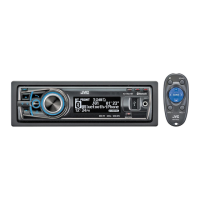
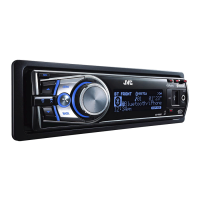
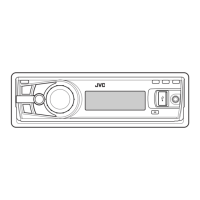
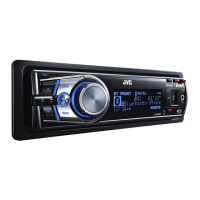
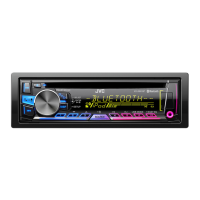
JVC KD-R921BT - User Manual

JVC KD-R921BT
67 pages
Print Icon
To Next Page IconTo Next Page
Loading...
ENGLISH
FRANÇAIS
GET0720-003A
[E/EU]
EN, FR
0211DTSMDTJEIN© 2011 Victor Company of Japan, Limited
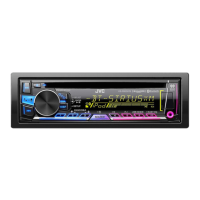
KD-R921BT
CD RECEIVER / RÉCEPTEUR CD
For canceling the display demonstration, see page 4. / Pour annuler la démonstration des
affichages, référez-vous à la page 4.
INSTRUCTIONS
MANUEL D’INSTRUCTIONS
For installation and connections, refer to the separate manual.
Pour l’installation et les raccordements, se référer au manuel séparé.
Dear Customer,
This apparatus is in conformance with the valid
European directives and standards regarding
electromagnetic compatibility and electrical safety.
European representative of Victor Company of
Japan, Limited is:
JVC Technical Services Europe GmbH
Postfach 10 05 04
61145 Friedberg
Germany
Cher(e) client(e),
Cet appareil est conforme aux directives et
normes européennes en vigueur concernant la
compatibilité électromagnétique et à la sécurité
électrique.
Représentant européen de la société Victor
Company of Japan, Limited:
JVC Technical Services Europe GmbH
Postfach 10 05 04
61145 Friedberg
Allemagne
Having TROUBLE with operation?
Please reset your unit
Refer to page of How to reset your unit
Vous avez des PROBLÈMES de fonctionnement?
Réinitialisez votre appareil
Référez-vous à la page intitulée Comment réinitialiser votre appareil
CoverRear_KD-R921BT_003A_f.indd 1-2CoverRear_KD-R921BT_003A_f.indd 1-2 2/16/11 10:24:45 AM2/16/11 10:24:45 AM

Questions and Answers

  • G
    Gabriella HartSep 15, 2025
    Why 'Not Support' appears and track skips on JVC Car Receiver?
    • R
      richard25Sep 15, 2025
      If “Not Support” appears on the display and the track skips on your JVC Car Receiver, skip to the next track encoded in an appropriate format or to the next non-copy-protected WMA track.
  • L
    Larry ChenAug 25, 2025
    What to do if my JVC KD-R921BT does not work?
    • B
      Bruce RasmussenAug 25, 2025
      If your JVC Car Receiver is not working at all, try resetting the unit.
  • J
    Jenna HallAug 25, 2025
    Why is my JVC KD-R921BT not detecting Bluetooth device?
    • A
      Alicia BeardAug 26, 2025
      If your JVC Car Receiver is not detecting any Bluetooth devices, try searching from the Bluetooth device again. If that doesn't work, reset the unit and then search from the Bluetooth device again.
  • D
    Danielle JonesAug 26, 2025
    Why JVC KD-R921BT Car Receiver pairing cannot be made?
    • A
      Amy GonzalezAug 27, 2025
      If you are unable to pair your device with the JVC Car Receiver, make sure you have entered the same PIN code on both the unit and the target device. If the problem persists, disconnect the Bluetooth device and try pairing again.
  • Q
    qjimenezSep 16, 2025
    What does 'HW Error' mean on JVC Car Receiver?
    • A
      Andrea CooperSep 16, 2025
      Reset the unit and try the operation again. If “HW Error” appears again, consult your nearest JVC IN-CAR ENTERTAINMENT dealer.
  • J
    Jonathan ChandlerSep 23, 2025
    Why JVC KD-R921BT does not respond when copying the phonebook?
    • D
      denise41Sep 23, 2025
      You may have tried to copy the same entries (as stored) to the unit. Press DISP or T/P BACK to exit.
  • A
    amber77Sep 7, 2025
    Why tracks do not play in order on JVC KD-R921BT?
    • E
      Erica JonesSep 8, 2025
      If tracks do not play back in the order you intended on your JVC Car Receiver, note that the playback order is determined when the files are recorded.
  • B
    Brittany WebbSep 8, 2025
    Why tracks/folders are not played in order on JVC KD-R921BT Car Receiver?
    • J
      Jennifer SpenceSep 9, 2025
      If tracks or folders are not played back in the order you intended on your JVC Car Receiver, the playback order is determined by the file name. Folders with numbers at the beginning of their names are sorted numerically. Folders without numbers are sorted according to the file system of the USB device.
  • A
    Ashley ElliottSep 2, 2025
    How to stop noise generated on JVC KD-R921BT?
    • D
      Darlene ReynoldsSep 2, 2025
      If noise is generated on your JVC Car Receiver, skip to another track or change the disc.
  • C
    Christian HerreraAug 31, 2025
    What does 'Connection Error' mean on JVC KD-R921BT Car Receiver?
    • A
      Alan FordAug 31, 2025
      If “Connection Error” appears on the display of your JVC Car Receiver, it means the device is registered but the connection has failed. Use to connect the device again.

Summary

Instructions

Canceling the display demonstration

How to turn off the unit's automatic display demonstration sequence.

Setting the clock

Guide for setting the unit's internal clock time and format.

Preparing the remote controller

Instructions for inserting the battery and initial use of the remote.

About discs

Information on compatible discs, handling, and discs that cannot be used.

Basic operations

Overview of essential controls and functions of the main unit.

Listening to the radio

Steps for tuning, preset stations, and improving FM reception.

Listening to a disc

Guide on playing CDs, basic operations, and track selection.

Listening to a USB device

How to connect and play music files from USB storage devices.

Using Bluetooth devices

Connecting and pairing Bluetooth devices for wireless audio and calls.

Using a Bluetooth mobile phone

Making calls, managing contacts, and using phone features via Bluetooth.

Using a Bluetooth audio player

Streaming audio wirelessly from Bluetooth-enabled devices.

Listening to an iPod;iPhone

Connecting and controlling Apple iPod/iPhone devices for playback.

Listening to the other external components

Connecting and using external audio sources via the AUX input.

Sound adjustment

Customizing sound modes, EQ settings, and speaker timing.

Menu operations

Navigating through the unit's settings menus for various options.

Troubleshooting

Solutions for common issues and error messages encountered with the unit.

Specifications

Technical data, dimensions, power requirements, and compatibility information.

JVC KD-R921BT Specifications

General IconGeneral
Maximum Output Power50W x 4
RMS Power22W x 4
BluetoothYes
USB PortYes
AUX InputYes
CD PlaybackYes
MP3 PlaybackYes
WMA PlaybackYes
AAC PlaybackYes
FLAC PlaybackNo
AM/FM TunerYes
Subwoofer ControlYes
Display TypeLCD
Detachable FaceplateYes
Remote ControlYes
TypeCar Receiver
Preamp Outputs2

Related product manuals