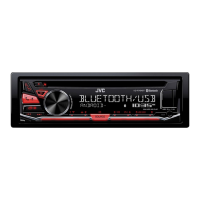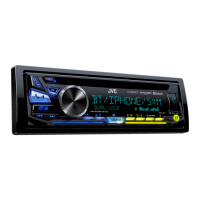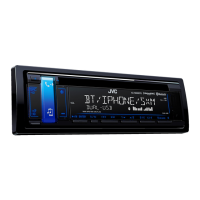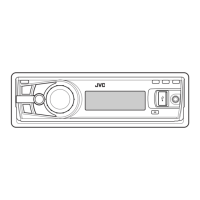
EasyManua.ls Logo

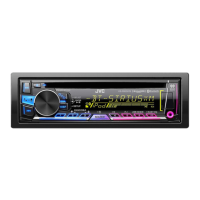
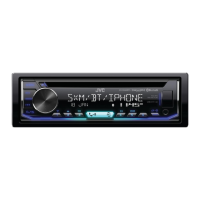
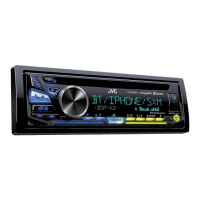
JVC KD-R980BTS - User Manual

JVC KD-R980BTS
108 pages
Print Icon
To Next Page IconTo Next Page
Loading...
Data Size: B6L (182 mm x 128 mm)
Book Size: B6L (182 mm x 128 mm)
ENGLISH
FRANÇAIS
ESPAÑOL
B5A-1322-00 [K]
KD-R980BTS / KD-R880BT
CD RECEIVER
INSTRUCTION MANUAL
RÉCEPTEUR CD
MANUEL D’INSTRUCTIONS
RECEPTOR CON CD
MANUAL DE INSTRUCCIONES
For customer Use:
Enter below the Model No. and Serial No. which are
located on the top or bottom of the cabinet. Retain this
information for future reference.
Model No.
Serial No.
JS_JVC_KD_R980BTS_K_C.indd 1JS_JVC_KD_R980BTS_K_C.indd 1 20/5/2016 1:40:49 PM20/5/2016 1:40:49 PM

Questions and Answers

  • A
    Ashley MccoySep 10, 2025
    What to do if JVC Car Receiver says “CANNOT PLAY”?
    • C
      Cathy LopezSep 10, 2025
      If your JVC Car Receiver displays “CANNOT PLAY”, make sure your Android device contains playable audio files. Reconnect the Android device, or restart the Android device.
  • N
    Nancy ContrerasAug 23, 2025
    What to do if JVC Car Receiver says “BT DEVICE NOT FOUND”?
    • M
      Michael HernandezAug 23, 2025
      If your JVC Car Receiver displays “BT DEVICE NOT FOUND”, turn on Bluetooth from your device and connect manually.
  • G
    Gregory LopezAug 25, 2025
    Why is playback intermittent on my JVC Car Receiver?
    • F
      fjohnsonAug 25, 2025
      If you're experiencing intermittent playback or sound skipping with your JVC Car Receiver, try turning off the power saving mode on your Android device.
  • D
    Dakota PerryAug 26, 2025
    How to fix pairing issues on JVC KD-R980BTS?
    • S
      Scott SpearsAug 27, 2025
      If you are unable to make a pairing with your JVC Car Receiver, verify that you have entered the same PIN code on both the unit and the Bluetooth device. If the problem continues, delete the pairing information from both the unit and the Bluetooth device, and then try pairing again.
  • J
    Justin KingAug 28, 2025
    How to fix no sound during playback on JVC KD-R980BTS?
    • K
      Kimberly SwansonAug 28, 2025
      If you cannot hear sound during playback on your JVC Car Receiver, try the following: * Reconnect the Android device. * If in [AUDIO MODE], launch any media player application on the Android device and start playback. * If in [AUDIO MODE], relaunch the current media player application or use another media player application. * Restart the Android device. If the problem persists, the connected Android device may not be able to route the audio signal to the unit.
  • S
    Stephanie AlexanderAug 29, 2025
    What to do if JVC Car Receiver detects no Bluetooth device?
    • P
      Paul SmithAug 29, 2025
      To resolve the issue of no Bluetooth device being detected by your JVC Car Receiver, search from the Bluetooth device again or reset the unit.
  • D
    Daniel LevineSep 18, 2025
    What does “NOT SUPPORT” mean on JVC KD-R980BTS?
    • D
      Desiree NicholsonSep 18, 2025
      If the JVC Car Receiver displays “NOT SUPPORT”, it means that the connected phone does not support the Voice Recognition feature.
  • T
    Tiffany PageSep 12, 2025
    Why can't I playback in AUTO MODE on JVC KD-R980BTS Car Receiver?
    • K
      Kevin AdamsSep 12, 2025
      If you are unable to playback in [AUTO MODE] on your JVC Car Receiver, ensure that the JVC MUSIC PLAY APP is installed on the Android device. Reconnect the Android device and select the appropriate control mode. If the problem persists, the connected Android device may not support [AUTO MODE].
  • R
    Roger SmithSep 8, 2025
    Why can’t I control Bluetooth player on JVC KD-R980BTS?
    • E
      Elizabeth HansenSep 8, 2025
      If the connected Bluetooth audio player cannot be controlled with your JVC Car Receiver, check whether the connected Bluetooth audio player supports Audio/Video Remote Control Profile (AVRCP). If not, disconnect and connect the Bluetooth player again.
  • R
    robert29Sep 5, 2025
    What to do if JVC Car Receiver says “PLEASE WAIT”?
    • B
      Brett DaySep 5, 2025
      If your JVC Car Receiver shows “PLEASE WAIT” and the message does not disappear, turn the unit off and then on, and connect the device again.

Summary

Safety and Regulatory Information

Usage Caution and FCC Compliance

Important safety warnings and adherence to FCC regulations for RF energy.

Initial Setup Guide

Radio Operation

Media Playback (CD, USB, iPod, Android)

Connecting and Playing Media

Guide to connecting and playing audio from various media sources.

Pandora Streaming Service

Pandora Setup and Listening

Steps for setting up and enjoying Pandora internet radio via the unit.

iHeartRadio Streaming Service

SiriusXM Satellite Radio

Bluetooth Device Integration

Pairing and Connecting Devices

Instructions for pairing and establishing Bluetooth connections with devices.

Bluetooth Calling Features

Bluetooth Audio Streaming

Bluetooth App Control

AUX Input and Audio Settings

Detailed Audio Settings

Troubleshooting Common Problems

Symptom-Remedy Guide

Lists common issues and their corresponding solutions for unit operation.

Installation and Connection

Unit Mounting and Wiring

Step-by-step instructions for physically installing the unit and connecting its wiring.

JVC KD-R980BTS Specifications

General IconGeneral
BrandJVC
ModelKD-R980BTS
CategoryCar Receiver
DIN SizeSingle DIN
RMS Power Bandwidth20 Hz - 20 kHz
BluetoothYes
USB PortYes
USB InputYes
AUX InputYes
CD PlayerYes
Radio TunerAM/FM
Preamp Outputs3 (Front, Rear, Subwoofer)
Preamp Voltage4 Volts
Display TypeLCD
SIRI CompatibilityYes
Android CompatibilityYes
Pandora ControlYes
Spotify ControlYes
iHeartRadio ControlYes
HD RadioNo
Remote ControlYes
Built-in MicrophoneYes
Steering Wheel ControlYes
EQ Settings13-Band Graphic EQ
Faceplate SecurityDetachable
RMS Power Output22W x 4
Peak Output50 watts x 4 channels
Compatible FormatsMP3, WMA, WAV
Power Output50W x 4
DisplayVariable Color

Related product manuals