INFORMATION (For U.S.A.)
This equipment has been tested and found to comply with the limits for a Class B digital device, pursuant to Part 15 of
the FCC Rules. These limits are designed to provide reasonable protection against harmful interference in a residential
installation. This equipment generates, uses, and can radiate radio frequency energy and, if not installed and used
in accordance with the instructions, may cause harmful interference to radio communications. However, there is no
guarantee that interference will not occur in a particular installation. If this equipment does cause harmful interference
to radio or television reception, which can be determined by turning the equipment off and on, the user is encouraged to
try to correct the interference by one or more of the following measures:
– Reorient or relocate the receiving antenna.
– Increase the separation between the equipment and receiver.
– Connect the equipment into an outlet on a circuit different from that to which the receiver is connected.
– Consult the dealer or an experienced radio/TV technician for help.
Caution
Changes or modifications not approved by JVC could void the user’s authority to operate the equipment.
IMPORTANT FOR LASER PRODUCTS
1. CLASS 1 LASER PRODUCT
2. CAUTION: Do not open the top cover. There are no user serviceable parts inside the unit; leave all servicing to qualified
service personnel.
3. CAUTION: (For U.S.A.) Visible and/or invisible class II laser radiation when open. Do not stare into beam.
(For Canada) Visible and/or invisible class 1M laser radiation when open. Do not view directly with optical
instruments.
4. REPRODUCTION OF LABEL: CAUTION LABEL, PLACED OUTSIDE THE UNIT.
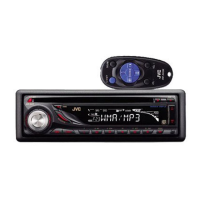
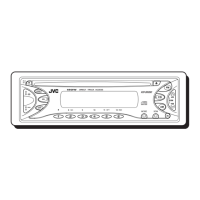
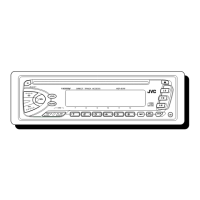
KD-S15
CD RECEIVER: INSTRUCTIONS/INSTALLATION
GET0561-001A
[J]
0508DTSMDTJEIN
EN
© 2008 Victor Company of Japan, Limited
For customer Use:
Enter below the Model No. and Serial No. which
are located on the top or bottom of the cabinet.
Retain this information for future reference.
Model No.
Serial No.
To keep discs clean
Wipe in a straight line from center of disc to
edge. Do not use liquid cleaners, thinners, or
benzene.
To play new discs
Remove any rough areas from the inner and
outer edges of the disc.
MAINTENANCE
How to clean the connectors
Wipe the connectors with
a cotton swab or cloth
moistened with alcohol.
Moisture condensation
Moisture may condense on the lens inside the unit. Eject
the disc and leave the unit turned on for a few hours until
the moisture has evaporated.
Do not use the following discs:
General
• This unit has been designed to reproduce CDs/CD Texts,
and CD-Rs (Recordable)/CD-RWs (Rewritable) in audio CD
(CD-DA).
• After ejecting a disc, “NO DISC” appears and you cannot
operate some of the buttons. Insert another disc or press
SRC to select another playback source.
Playing a CD-R or CD-RW
• Use only “finalized” CD-Rs or CD-RWs.
• This unit can play back multi-session discs; however,
unclosed sessions will be skipped while playing.
• Some CD-Rs or CD-RWs may not be played back on this
unit:
– Discs are dirty or scratched.
– Moisture condensation has occurred on the lens inside
the unit.
– The pickup lens inside the unit is dirty.
– The files on the CD-R/CD-RW are written using the
“Packet Write” method.
– There are improper recording conditions (missing data,
etc.) or media conditions (stained, scratched, warped,
etc.).
• CD-RWs may require a longer readout time since the
reflectance of CD-RWs is lower than that of regular CDs.
Basic operations
• By pressing SRC on the unit, you can also turn on the
power. If the source is ready, playback also starts.
• If you turn off the power while listening to a disc, disc
play will start from where it had been stopped previously
next time you turn on the power.
• When no disc is loaded in the unit, you cannot select “CD”
as the playback source.
Tuner operations
• During SSM search...
– All previously stored stations are erased and the
stations are stored anew.
– Received stations are preset in No. 1 (lowest
frequency) to No. 6 (highest frequency).
– When SSM is over, the station stored in No. 1 will be
automatically tuned in.
Disc operations
Caution for DualDisc playback
• The Non-DVD side of a “DualDisc” does not comply with
the “Compact Disc Digital Audio” standard. Therefore, the
use of Non-DVD side of a DualDisc on this product may
not be recommended.
MORE ABOUT THIS UNIT
Warped disc Sticker and sticker residue Stick-on label
Detaching the control panel
Attaching the control panel
How to reset your unit
Reset the unit after installation is complete.
• Your preset adjustments will also be erased.
How to forcibly eject a disc
• Be careful not to drop the disc when it ejects.
• If this does not work, reset your unit.
PREPARATIONS
Finish
Enter PSM menu.
Select an item.
Adjust.
Basic settings
Deactivate the display
demonstration.
Adjust the hour. Adjust the minute.
Cancel the display
demonstration
Set the clock
Thank you for purchasing a JVC product.
Please read all instructions carefully before operation, to ensure your complete understanding and to obtain the best
possible performance from the unit.
Installation/connection are explained at the last section of this manual (reverse page, indicated with
symbol).
Unusual shape
Single CD—8 cm (3-3/16”) disc
[European Union only]
Connectors
C-thru Disc (semi-transparent disc)
Transparent or semi-transparent
parts on its recording area
For safety...
• Do not raise the volume level too much, as this will block
outside sounds, making driving dangerous.
• Stop the car before performing any complicated
operations.
Temperature inside the car...
If you have parked the car for a long time in hot or cold
weather, wait until the temperature in the car becomes
normal before operating the unit.
Warning
If you need to operate the unit while driving, be sure to
look around carefully or you may be involved in a traffic
accident.
Caution on volume setting
Discs produce very little noise compared with other sources.
Lower the volume before playing a disc to avoid damaging
the speakers by the sudden increase of the output level.
EN_KD-S15[J]_f.indd 1EN_KD-S15[J]_f.indd 1 5/13/08 5:15:51 PM5/13/08 5:15:51 PM

 Need help?
 General

 To Next Page