EasyManua.ls Logo

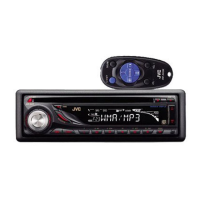
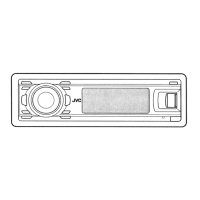
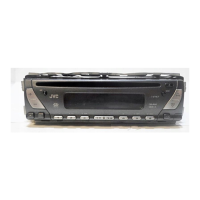
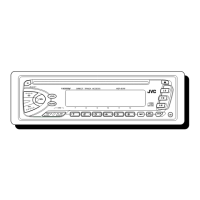
JVC KD-S10 - User Manual

JVC KD-S10
25 pages
Print Icon
To Next Page IconTo Next Page
Loading...
GET0171-001B
[J]
For customer Use:
Enter below the Model No. and
Serial No. which are located on
the top or bottom of the cabinet.
Retain this information for future
reference.
Model No.
Serial No.
For installation and connections, refer to the separate manual.
Para la instalación y las conexiones, refiérase al manual separado.
Pour l’installation et les raccordements, se référer au manuel séparé.
ENGLISH
ESPAÑOL
FRANÇAIS
KD-S5050/KD-S10
CD RECEIVER
RECEPTOR CON CD
RECEPTEUR CD
INSTRUCTIONS
MANUAL DE INSTRUCCIONES
MANUEL DINSTRUCTIONS
SE
L
D
IS
P
78
9
10
11
12
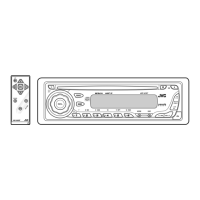
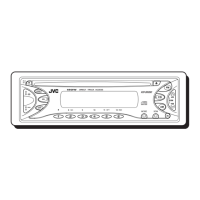
KD-S5050
DIRECT
TRACK ACCESS
SEL
D
I
S
P
78
9
10
11
12
KD-S10
DIRECT
TRACK ACCESS
Cover-KD-S5050-KD-S10[J] 11/11/03, 15*493

Questions and Answers

  • S
    Sara SanchezAug 13, 2025
    Why is there no sound coming from my JVC Car Receiver speakers?
    • T
      Tamara KhanAug 13, 2025
      If you cannot hear sound from the speakers, it may be because the volume level is set too low. Adjust the volume to a higher, more audible level. Also, check that all the connections are correctly and firmly in place.
  • C
    Catherine HumphreyAug 17, 2025
    What to do if my JVC Car Receiver CD automatically ejects?
    • A
      Anthony FigueroaAug 17, 2025
      If the CD automatically ejects, it is likely that the CD was inserted upside down. Make sure to insert the CD correctly.
  • J
    Jennifer HendersonAug 21, 2025
    What to do if my JVC Car Receiver is making static noise while listening to the radio?
    • A
      Angela GarciaAug 21, 2025
      If you are experiencing static noise while listening to the radio, the antenna may not be connected properly. Ensure the antenna is firmly connected to the receiver.
  • J
    Joseph DominguezAug 25, 2025
    What to do if my JVC KD-S10 Car Receiver CD sound is sometimes interrupted?
    • A
      Angela GarciaAug 25, 2025
      If the CD sound is interrupted, consider the following possibilities: * If you are driving on rough roads, stop playback until you are on a smoother surface. * The CD may be scratched, try changing the CD. * The connections may be incorrect; check the cords and connections. * Ensure a CD is inserted into the loading slot.
  • L
    lelliottAug 28, 2025
    Why my JVC Car Receiver does not work at all?
    • D
      David PittsAug 28, 2025
      If the unit is not working, the built-in microcomputer may have malfunctioned due to noise or another issue. To reset the unit, hold the SEL (Select) button and press the (Standby/On Attenuator) button for more than 2 seconds. Note that this will erase the clock setting and preset stations stored in memory.
  • M
    Mary ScottSep 1, 2025
    What to do if my JVC KD-S10 Car Receiver CD can be neither played back nor ejected?
    • J
      jaimephillipsSep 1, 2025
      If a CD cannot be played back or ejected, it might be locked. Unlock the CD. Alternatively, the CD player itself may have malfunctioned. While holding the (Standby/On Attenuator) button, press the / (Eject) button for more than 2 seconds. Be careful not to drop the CD when it ejects.
  • H
    hmitchellSep 5, 2025
    Why won't my JVC Car Receiver play CD-R discs?
    • P
      pstanleySep 5, 2025
      If a CD-R cannot be played back, it may not be finalized. Insert a finalized CD-R or finalize the CD-R with the component used for recording.
  • E
    Erin SmithSep 8, 2025
    Why SSM (Strong-station Sequential Memory) automatic preset does not work on my JVC KD-S10 Car Receiver?
    • M
      meghan32Sep 9, 2025
      If the SSM automatic preset is not working, it is likely because the radio signals are too weak. In this case, store the stations manually.

JVC KD-S10 Specifications

General IconGeneral
CD PlaybackYes
USB PortNo
BluetoothNo
Display TypeLCD
DIN SizeSingle DIN
CEA-2006 CompliantNo
CD-R/RW PlaybackYes
Presets18 FM, 6 AM
TunerFM/AM

Related product manuals