Need help?
Do you have a question about the JVC KD-S32 and is the answer not in the manual?
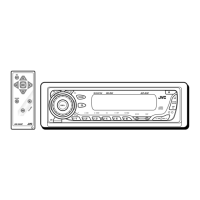
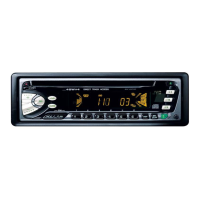
Detailed breakdown of the car stereo's control panel buttons and indicators.
Step-by-step guide for inserting the CR2025 battery into the remote control.
Overview of the remote control's buttons and their functions.
Essential steps for powering on/off, adjusting volume, and changing sources.
How to tune into FM/AM stations, search, and manual tuning.
Steps for saving favorite radio stations using automatic or manual presetting.
How to select and listen to previously stored radio stations.
How to insert and play audio CDs, CD Text, MP3, and WMA discs.
Explains file structure and characteristics of MP3 and WMA discs.
Instructions for playing discs using an external CD changer.
Covers advanced disc playback features like skipping tracks.
How to switch displayed information like track title or folder name.
How to set repeat and random play modes for discs.
How to choose pre-defined equalizer settings like Rock, Pop, etc.
Manual adjustment of bass, treble, fader, and balance.
Guide to changing settings like display demonstration and clock adjustment.
How to connect and play external devices like iPod or D. player.
Introduction to SIRIUS satellite radio service and features.
How to preset SIRIUS radio channels for quick access.
How to select and listen to stored SIRIUS radio channels.
Instructions for cleaning electrical connectors to ensure good contact.
Advice on cleaning discs to prevent playback issues.
How to prepare new discs for playback by rubbing edges.
Proper methods for handling and storing discs to prevent damage.
Covers power, source selection, and tuner station storage details.
Discusses disc compatibility, insertion, and CD-R/RW playback.
Common issues and solutions for sound, unit operation, and radio reception.
Solutions for problems related to CD, CD-R/RW playback and disc errors.
Troubleshooting tips for MP3/WMA files, character display, and playback order.
Remedies for common CD changer errors like "NO DISC" or "RESET".
Solutions for SIRIUS radio issues like "NO SIGNAL" or update problems.
Technical details on power output, impedance, and tone control range.
Technical specifications for the CD player, including format support and response.
Technical details for FM/AM tuner sensitivity, selectivity, and frequency ranges.
General specifications like power requirements, operating temperature, and dimensions.
 General
| Brand | JVC |
|---|---|
| Model | KD-S32 |
| Category | Car Receiver |
| Language | English |

 To Next Page