EasyManua.ls Logo

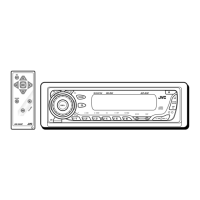
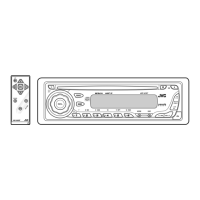
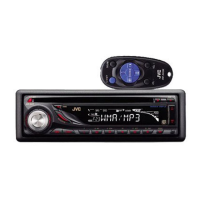
JVC KD-S35 - User Manual

JVC KD-S35
46 pages
Print Icon
To Next Page IconTo Next Page
Loading...
ENGLISHESPAÑOL
CD RECEIVER KD-S35
RECEPTOR CON CD KD-S35
For canceling the display demonstration, see page 6.
Para cancelar la demostración en pantalla, consulte la página 6.
For installation and connections, refer to the separate manual.
Para la instalación y las conexiones, refiérase al manual separado.
INSTRUCTIONS
MANUAL DE INSTRUCCIONES
GET0563-001A
[J]
For customer Use:
Enter below the Model
No. and Serial No. which
are located on the top or
bottom of the cabinet. Retain
this information for future
reference.
Model No.
Serial No.
Cover_KD-S35[J]_1.indd 1Cover_KD-S35[J]_1.indd 1 5/5/08 3:25:14 PM5/5/08 3:25:14 PM


Other manuals for JVC KD-S35

Questions and Answers

  • C
    Chase WrightSep 23, 2025
    Why does JVC KD-S35 Car Receiver display “CANNOT PLAY”?
    • M
      Matthew ReyesSep 23, 2025
      If “CANNOT PLAY” appears on the display of your JVC Car Receiver, disconnect and reconnect the cable to the iPod again, as a communication error might have occurred.
  • S
    Scott WarrenAug 23, 2025
    Why is there static noise on my JVC KD-S35 radio?
    • K
      Katie FinleyAug 23, 2025
      If you are experiencing static noise while listening to the radio on your JVC Car Receiver, ensure that the antenna is firmly connected.
  • K
    Kevin CostaAug 25, 2025
    Why my iPod doesn't work with JVC KD-S35 Car Receiver?
    • N
      navarromaryAug 26, 2025
      If your iPod does not turn on or is not working with the JVC Car Receiver, check the connecting cable and its connection. Also, ensure that the iPod's battery is charged and that the firmware is up to date.
  • C
    Cassandra WilliamsAug 26, 2025
    What to do if JVC Car Receiver says “NO IPOD”?
    • M
      Michael EvansAug 27, 2025
      If “NO IPOD” appears on the display of your JVC Car Receiver, verify the connection of the connecting cable. Additionally, ensure that the iPod's battery is charged.
  • J
    johnsonnicholasAug 27, 2025
    How to fix distorted sound on JVC KD-S35 Car Receiver?
    • M
      Michael MurphyAug 27, 2025
      If the sound from your JVC Car Receiver is distorted, try deactivating the equalizer settings either on the unit itself or on the connected iPod.
  • T
    Tommy WrightSep 17, 2025
    Why JVC Car Receiver does not display correct characters?
    • J
      johnjohnsonSep 18, 2025
      If the correct characters are not displayed (e.g., album name) on your JVC Car Receiver, the unit can only display letters (upper case), numbers, and a limited number of symbols.
  • S
    shawmelissaSep 14, 2025
    Why is the elapsed playing time incorrect on JVC Car Receiver?
    • J
      James KellySep 14, 2025
      If the elapsed playing time is not correct on your JVC Car Receiver, this is caused by how the tracks are recorded on the disc. This sometimes occurs during playback.
  • W
    Wesley WalkerSep 15, 2025
    What does “NO FILES” mean on JVC KD-S35 Car Receiver display?
    • K
      Kyle ThomasSep 16, 2025
      If “NO FILES” appears on the display of your JVC Car Receiver, import tracks to the iPod.
  • R
    Robert CollinsSep 6, 2025
    Why is my JVC Car Receiver generating noise?
    • R
      Richard SmithSep 6, 2025
      If noise is generated by your JVC Car Receiver, skip to another track or change the disc. Make sure you do not add the extension code or to non-MP3 or WMA tracks.
  • J
    Jessica HarrisSep 3, 2025
    What does “NO DISC” mean on JVC KD-S35?
    • J
      Joseph BentonSep 3, 2025
      If “NO DISC” appears on the display of your JVC Car Receiver, insert a playable disc into the loading slot.

Summary

Product Information and Safety

Laser Product Precautions

Detailed safety guidelines for handling Class 1 laser products.

Basic Unit Operations

Resetting and Disc Ejection Procedures

Steps for resetting the unit and forcing disc ejection.

Control Panel Overview

Component Identification and Display

Overview of the control panel buttons, indicators, and display window.

Remote Controller Guide

Battery Installation and Safety Warnings

Instructions for installing the remote battery and associated safety precautions.

Getting Started

Basic Operations and Settings

Initial setup, power on/off, source selection, volume, and basic settings like clock.

Radio Operations

Storing Radio Stations in Memory

Automatic and manual methods for saving radio stations.

Radio and Disc Operations

Disc Playback and Location

Playing discs, stopping, ejecting, and locating tracks/folders.

iPod Operations

Connecting and Basic Control

Steps for connecting an iPod and basic volume control.

iPod Menu Navigation

Navigating iPod Menus and Selecting Items

How to enter, browse, and select items within the iPod menu.

Sound Adjustments

Adjusting Sound Characteristics

Fine-tuning Fader, Balance, Loudness, and other sound settings.

Custom Sound Modes

Unit Operation Details

Troubleshooting Guide

General, Radio, and Disc Problems

Solutions for common issues with power, radio, and disc playback.

Playback Troubleshooting

Product Specifications

JVC KD-S35 Specifications

General IconGeneral
TypeCD Receiver
Tuner TypeAM/FM
BluetoothNo
Aux InputYes
Display TypeLCD
Subwoofer OutputYes
Detachable FaceYes
CD PlayerYes
MP3 PlaybackYes
WMA PlaybackYes
Preset Stations18 FM, 6 AM
Remote ControlNo
Channels4
Signal-to-Noise Ratio90 dB
Max Power Output50W x 4
RMS Power22W x 4
USB PortYes
Output Power22W RMS x 4
Dimensions7" x 2" x 6"

Related product manuals