EasyManua.ls Logo

JVC KD-S35 - User Manual

JVC KD-S35
46 pages
Print Icon
To Next Page IconTo Next Page
Loading...
ENGLISHESPAÑOL
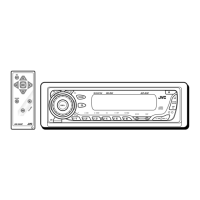
CD RECEIVER KD-S35
RECEPTOR CON CD KD-S35
For canceling the display demonstration, see page 6.
Para cancelar la demostración en pantalla, consulte la página 6.
For installation and connections, refer to the separate manual.
Para la instalación y las conexiones, refiérase al manual separado.
INSTRUCTIONS
MANUAL DE INSTRUCCIONES
GET0563-001A
[J]
For customer Use:
Enter below the Model
No. and Serial No. which
are located on the top or
bottom of the cabinet. Retain
this information for future
reference.
Model No.
Serial No.
Cover_KD-S35[J]_1.indd 1Cover_KD-S35[J]_1.indd 1 5/5/08 3:25:14 PM5/5/08 3:25:14 PM


Other manuals for JVC KD-S35

Questions and Answers

  • J
    Jerome ReeseSep 7, 2025
    Why does JVC KD-S35 Car Receiver take long readout time?
    • C
      Christopher FarmerSep 7, 2025
      If your JVC Car Receiver requires a longer readout time and “READING” keeps flashing on the display, avoid using too many hierarchical levels and folders.
  • B
    Benjamin MartinAug 22, 2025
    How to fix sound not working on JVC KD-S35?
    • J
      Joseph ClarkAug 22, 2025
      If you cannot hear any sound from the speakers of your JVC Car Receiver, first, make sure that the volume is adjusted to an audible level. If the sound is still not present, check all cords and connections to ensure they are properly connected.
  • F
    Frederick PierceSep 4, 2025
    How to fix JVC KD-S35 not skipping tracks on CD-R/CD-RW?
    • D
      Derek PerkinsSep 5, 2025
      If tracks on your CD-R/CD-RW cannot be skipped on the JVC Car Receiver, finalize the CD-R/CD-RW with the component you used for recording.
  • J
    Jessica HarrisSep 3, 2025
    What does “NO DISC” mean on JVC KD-S35?
    • J
      Joseph BentonSep 3, 2025
      If “NO DISC” appears on the display of your JVC Car Receiver, insert a playable disc into the loading slot.
  • A
    Angela BarberSep 2, 2025
    Why JVC KD-S35 Car Receiver cannot play back disc?
    • M
      Melissa DavisSep 2, 2025
      If your JVC Car Receiver is unable to play a disc, ensure that the MP3/WMA tracks are recorded in a format compliant with ISO 9660 Level 1, Level 2, Romeo, or Joliet. Also, add the extension code or to the file names.
  • A
    adamcarterAug 31, 2025
    Why JVC KD-S35 Car Receiver cannot play CD-R/CD-RW?
    • V
      vmillerAug 31, 2025
      If your JVC Car Receiver is unable to play a CD-R or CD-RW, ensure that the disc has been finalized.
  • J
    jbennettAug 30, 2025
    What to do if JVC Car Receiver disc sound is interrupted?
    • E
      estesfrankAug 30, 2025
      If the disc sound is sometimes interrupted on your JVC Car Receiver, consider the following: 1. Stop playback while driving on rough roads. 2. Try changing the disc. 3. Check the cords and connections.
  • B
    brownvincentAug 29, 2025
    How to fix JVC Car Receiver not playing disc?
    • D
      David GrantAug 29, 2025
      If your JVC Car Receiver is unable to play a disc, make sure the disc is inserted correctly.
  • J
    johnsonnicholasAug 27, 2025
    How to fix distorted sound on JVC KD-S35 Car Receiver?
    • M
      Michael MurphyAug 27, 2025
      If the sound from your JVC Car Receiver is distorted, try deactivating the equalizer settings either on the unit itself or on the connected iPod.
  • C
    Cassandra WilliamsAug 26, 2025
    What to do if JVC Car Receiver says “NO IPOD”?
    • M
      Michael EvansAug 27, 2025
      If “NO IPOD” appears on the display of your JVC Car Receiver, verify the connection of the connecting cable. Additionally, ensure that the iPod's battery is charged.

Summary

Product Information and Safety

Laser Product Precautions

Detailed safety guidelines for handling Class 1 laser products.

Basic Unit Operations

Resetting and Disc Ejection Procedures

Steps for resetting the unit and forcing disc ejection.

Control Panel Overview

Component Identification and Display

Overview of the control panel buttons, indicators, and display window.

Remote Controller Guide

Battery Installation and Safety Warnings

Instructions for installing the remote battery and associated safety precautions.

Getting Started

Basic Operations and Settings

Initial setup, power on/off, source selection, volume, and basic settings like clock.

Radio Operations

Storing Radio Stations in Memory

Automatic and manual methods for saving radio stations.

Radio and Disc Operations

Disc Playback and Location

Playing discs, stopping, ejecting, and locating tracks/folders.

iPod Operations

Connecting and Basic Control

Steps for connecting an iPod and basic volume control.

iPod Menu Navigation

Navigating iPod Menus and Selecting Items

How to enter, browse, and select items within the iPod menu.

Sound Adjustments

Adjusting Sound Characteristics

Fine-tuning Fader, Balance, Loudness, and other sound settings.

Custom Sound Modes

Unit Operation Details

Troubleshooting Guide

General, Radio, and Disc Problems

Solutions for common issues with power, radio, and disc playback.

Playback Troubleshooting

Product Specifications

JVC KD-S35 Specifications

General IconGeneral
TypeCD Receiver
Tuner TypeAM/FM
BluetoothNo
Aux InputYes
Display TypeLCD
Subwoofer OutputYes
Detachable FaceYes
CD PlayerYes
MP3 PlaybackYes
WMA PlaybackYes
Preset Stations18 FM, 6 AM
Remote ControlNo
Channels4
Signal-to-Noise Ratio90 dB
Max Power Output50W x 4
RMS Power22W x 4
USB PortYes
Output Power22W RMS x 4
Dimensions7" x 2" x 6"

Related product manuals