8
ENGLISH
RADIO OPERATIONS
3
Start searching a station.
When a station is received, searching
stops.
To stop searching before a station is received,
press the same button you have pressed for
searching.
To search stations of higher
frequencies.
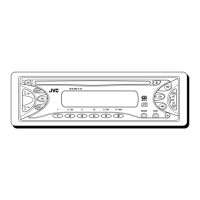
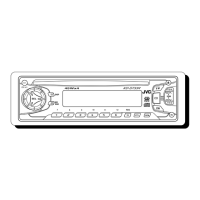
45Wx4
KD-S785
7
89
10
11
12
DISP
LOUD
RPT RND SCM
∞
SCAN
MO
TUNER
Tuner
(FM1 – 3, AM)
CD
TUNER
5BAND
FM1 FM2 FM3
AM
To search stations of lower
frequencies.
Listening to the radio
You can use either automatic searching or manual
searching to tune in to a particular station.
Searching a station automatically:
Auto search
1
Select the tuner as the source.
• The last selected station is tuned in.
2
Select the band (FM1 – 3, AM) if
neccessary.
Note:
This receiver has three FM bands (FM1, FM2,
FM3). You can use any one of them to listen to an
FM broadcast.
The last selected band appears.
Audio (see page 25) or volume level indicator
EN08-11KD-S785[U]f.pm5 3/14/02, 9:498



 To Next Page