19
ENGLISH
2
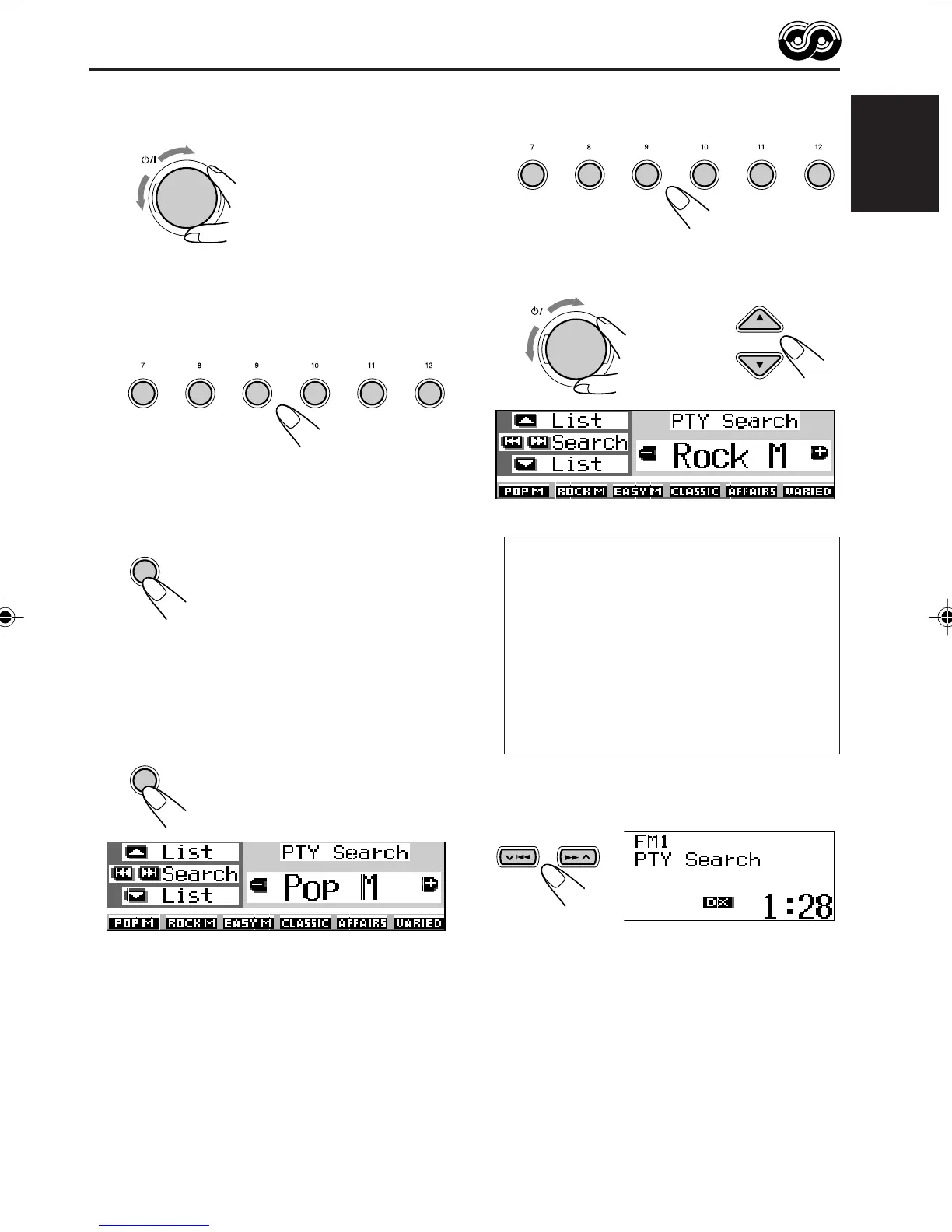
To select one of your favorite
programme type
or
To select any one of the twenty-nine
PTY codes
How to use the
5
(up) or
∞
(down) button
By pressing 5 (up) or ∞ (down) repeatedly,
you can show the list of your preset PTY codes
and all twenty-nine PTY codes (six PTY codes
at a time). First, the list of your stored PTY
codes appears, then all twenty-nine PTY codes
(six PTY codes at a time) appears in sequence.
Press the number button to select your desired
PTY code on the list currently shown on the
display.
3
Start PTY search for your favorite
programme.
• If there is a station broadcasting a programme
of the same PTY code as you selected, that
station is tuned in.
• If there is no station broadcasting a
programme of the same PTY code as you
selected, the station will not change.
Note:
In some areas, the PTY search will not work correctly.
Ex.: When “Rock M” is selected
The last selected PTY code appears.
ATT
345621
T/P
T/P
345621
ATT
2
Select one of the twenty-nine PTY
codes. (See page 21.)
Selected code name
appears on the display.
3
Press and hold the number button
for more than 2 seconds to store the
PTY code selected into the preset
number you want.
Selected preset number flashes for a while.
4
Press and hold T/P for more than 2
seconds to exit from this mode.
To search your favorite programme type
1
Press and hold T/P for more than 2
seconds while listening to an FM
station.
EN15-21SH9101[E_EX]f.p65 03.2.27, 22:5519



 To Next Page