
 To Next Page

C
Courtney GomezSep 12, 2025
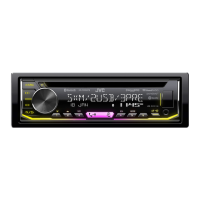
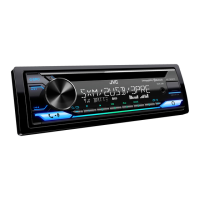
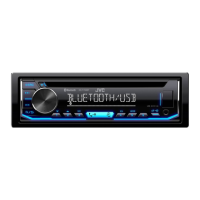
Why is playback order not as intended on JVC KD-T706BT Car Receiver?
- Llisa65Sep 12, 2025
The playback order on your JVC Car Receiver is determined by the order in which files were recorded (disc) or the file name (USB).

Why is playback order not as intended on JVC KD-T706BT Car Receiver?
The playback order on your JVC Car Receiver is determined by the order in which files were recorded (disc) or the file name (USB).
What to do if JVC Car Receiver disc cannot be ejected?
If the disc cannot be ejected from your JVC Car Receiver, press and hold the eject button to forcibly eject the disc. Be careful not to drop the disc when it is ejected.
What to do if JVC KD-T706BT is not detecting Bluetooth device?
If your JVC Car Receiver is not detecting a Bluetooth device, try searching from the Bluetooth device again. You can also try resetting the unit.
Why is the Bluetooth connection unstable on my JVC KD-T706BT?
If the Bluetooth connection between the Bluetooth device and the unit is unstable on your JVC Car Receiver, delete the unused registered Bluetooth device from the unit.
Why is elapsed playing time not correct on my JVC KD-T706BT Car Receiver?
The correctness of the elapsed playing time on your JVC Car Receiver depends on the recording process earlier (disc/USB).
What does “CANNOT PLAY” mean on Android device with JVC KD-T706BT?
If “CANNOT PLAY” appears on your JVC Car Receiver when using an Android device, make sure the Android device contains playable audio files. You can also try reconnecting or restarting the Android device.
Why is phone sound quality poor on JVC KD-T706BT Car Receiver?
If the phone sound quality is poor on your JVC Car Receiver, reduce the distance between the unit and the Bluetooth device. You can also move the car to a place where you can get a better signal reception.
What to do if JVC KD-T706BT displays “PLEASE WAIT”?
If “PLEASE WAIT” appears on your JVC Car Receiver, the unit is preparing to use the Bluetooth function. If the message does not disappear, turn off and turn on the unit, then connect the device again.
What does “DISCONNECTED” mean on JVC Car Receiver?
If “DISCONNECTED” appears on your JVC Car Receiver, USB is disconnected from the head unit. Please make sure the device is connected properly through USB.
What does “NO DEVICE” mean on JVC KD-T706BT?
If “NO DEVICE” appears on your JVC Car Receiver, connect a device (USB/iPod/iPhone), and change the source to USB/iPod/iPhone again.
Crucial instructions and warnings for proper and safe product usage.
Identification and explanation of buttons and indicators on the unit's front panel.
Steps to configure the unit's internal clock and calendar.
Initial configuration of essential system parameters and preferences.
Instructions on how to find FM/AM radio stations.
Guide to establishing a Bluetooth connection with a device.
Features and operations related to using a mobile phone via Bluetooth.
Connecting and playing audio wirelessly via Bluetooth.
Streaming music from Spotify via Bluetooth connection.
 General
| Brand | JVC |
|---|---|
| Model | KD-T706BT |
| Type | Car Receiver |
| DIN Size | 1 DIN |
| RMS Power Bandwidth | 20Hz - 20kHz |
| Bluetooth | Yes |
| USB Port | Yes |
| AUX Input | Yes |
| CD Player | Yes |
| Radio Tuner | AM/FM |
| MP3 Playback | Yes |
| WMA Playback | Yes |
| AAC Playback | Yes |
| Display Type | LCD |
| Display Color | White |
| Button Color | Variable Color |
| Remote Control | Yes |
| Preamp Outputs | 2-channel |
| Preamp Voltage | 2.5 Volts |
| Sub Preamp Output | Yes |
| Detachable Face | Yes |
| iPod Compatibility | Yes |
| Satellite Radio Ready | No |
| HD Radio | No |
| SiriusXM Ready | No |
| Memory Card Slot | No |
| Navigation | No |
| RMS Power Output | 22 Watts x 4 |
| Peak Output | 50W x 4 |
| Power Output | 50 Watts x 4 |
| Equalizer | 13-Band Graphic Equalizer |