EasyManua.ls Logo

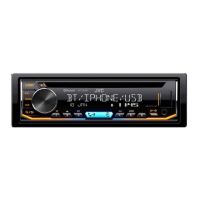
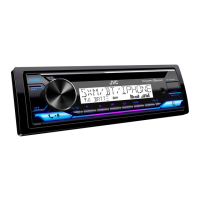
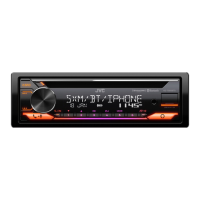
JVC KD-T920BTS - User Manual

JVC KD-T920BTS
67 pages
Print Icon
To Next Page IconTo Next Page
Loading...
Data Size: B6L (182 mm x 128 mm)
Book Size: B6L (182 mm x 128 mm)
ENGLISH
FRANÇAIS
ESPAÑOL
B5A-3880-00 [K]
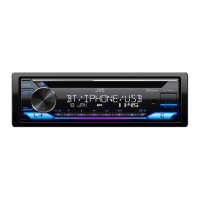
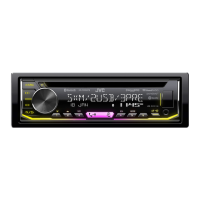
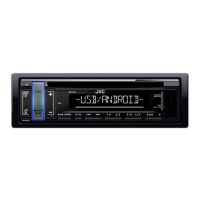
KD-T925BTS / KD-T920BTS / KD-T720BT
CD RECEIVER
INSTRUCTION MANUAL
RÉCEPTEUR CD
MANUEL D’INSTRUCTIONS
RECEPTOR CON CD
MANUAL DE INSTRUCCIONES
For customer Use:
Enter below the Model No. and Serial No. which are
located on the top or bottom of the cabinet. Retain this
information for future reference.
Model No.
Serial No.
KD_T925BTS_K_B5A-3880-00_Cover_3rd Draft.indd 1KD_T925BTS_K_B5A-3880-00_Cover_3rd Draft.indd 1 4/8/2021 10:47:19 PM4/8/2021 10:47:19 PM

Other manuals for JVC KD-T920BTS

Questions and Answers

  • M
    Michele Martinez MDJul 29, 2025
    How to fix JVC KD-T920BTS when Bluetooth audio player cannot be controlled?
    • B
      brandonbutlerJul 29, 2025
      If you can't control the connected Bluetooth audio player, first verify that it supports Audio/Video Remote Control Profile (AVRCP). If it does, try disconnecting and then reconnecting the Bluetooth player to your JVC Car Receiver.
  • D
    Darren KingAug 2, 2025
    Why is the Bluetooth connection unstable on my JVC Car Receiver?
    • G
      Gail Williams DDSAug 2, 2025
      To stabilize the Bluetooth connection on your JVC Car Receiver, delete any unused registered Bluetooth devices from the unit.
  • L
    lauren44Aug 7, 2025
    What to do if Alexa gives the wrong response on my JVC KD-T920BTS?
    • K
      Kelly JohnsonAug 7, 2025
      If Alexa provides an incorrect response, it might have misunderstood your request or missed part of what you said. Please try again, ensuring you speak clearly and completely.
  • M
    Matthew OwenAug 12, 2025
    What to do if “ERROR” appears on JVC KD-T920BTS Car Receiver?
    • S
      Stephen CabreraAug 12, 2025
      If you see an “ERROR” message on your JVC Car Receiver, try the operation again. If the “ERROR” message continues to appear, verify that the device supports the function you are trying to use.
  • T
    Thomas JohnsonAug 17, 2025
    What to do if JVC Car Receiver stuck on “PLEASE WAIT” message?
    • M
      Megan DunlapAug 18, 2025
      If you see a “PLEASE WAIT” message that doesn't disappear, turn your JVC Car Receiver off and then on again. Then, reconnect the device.
  • J
    Jennifer WilliamsonAug 22, 2025
    Why is Alexa not responding on my JVC KD-T920BTS Car Receiver?
    • B
      Billy WebbAug 22, 2025
      The lack of response from Alexa after voice input may be due to Amazon cloud's inability to analyze the voice input.

Summary

Before Use

Important Safety Information

Essential safety guidelines and warnings for proper product usage.

Basics

Getting Started

Initial Setup and Configuration

Guide for initial setup, including crossover type confirmation and clock/date configuration.

CD;USB;iPod

SiriusXM Radio

SiriusXM Service Setup

Steps to set up and activate the SiriusXM satellite radio service.

JVC Remote Application

Bluetooth

Bluetooth Device Pairing and Profiles

Details on pairing Bluetooth devices, supported profiles, and audio codecs.

Bluetooth Phone Operations

How to use Bluetooth for hands-free calling, managing calls, and conversations.

AMAZON ALEXA

Alexa Voice Control Setup

Guide to setting up and connecting the unit with Amazon Alexa.

Audio Settings

Troubleshooting

General and Radio Problem Solving

Troubleshooting steps for general unit malfunctions and radio reception issues.

Media and Connectivity Issue Resolution

Guidance on resolving errors related to media playback and device connectivity.

Installation;Connection

Installation Components and Procedure

Overview of required parts and the basic procedure for installing the unit in a vehicle.

Wiring and Component Connectivity

Detailed wiring diagram and instructions for connecting the unit and external components.

JVC KD-T920BTS Specifications

General IconGeneral
BrandJVC
ModelKD-T920BTS
TypeCar Receiver
DIN SizeSingle DIN
Power Output50W x 4
RMS Power Output22W x 4
BluetoothYes
USB PortYes
Aux InputYes
CD PlayerYes
AM/FM TunerYes
Display TypeLCD
Detachable FaceplateYes
Built-in EqualizerYes
Equalizer Bands13-Band
Remote ControlYes
Audio Formats SupportedMP3, WMA, AAC, WAV, FLAC
SiriusXM ReadyYes
Pandora ControlYes
iHeartRadio ControlYes
Spotify ControlYes
HD RadioNo
Radio Data System (RDS)Yes
Subwoofer OutputYes
Steering Wheel Control CompatibleYes
Wireless RemoteYes
Peak Power Output50W x 4
USB InputFront
Preamp Outputs3
Color customizationYes

Related product manuals