EasyManua.ls Logo

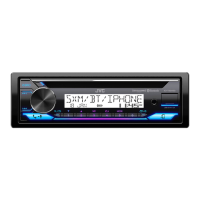
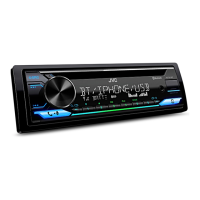
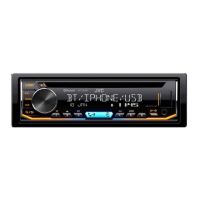
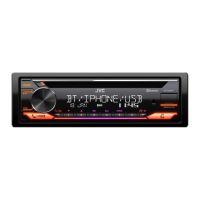
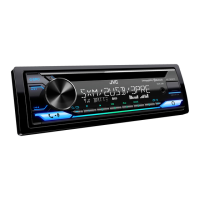
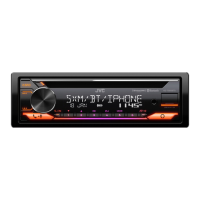
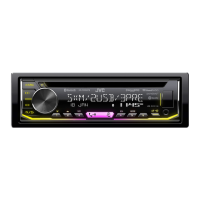
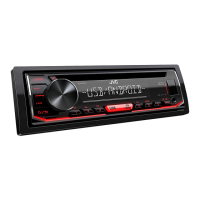
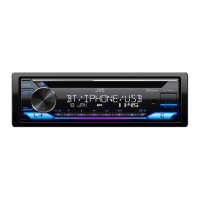
JVC KD-T952BT - User Manual

JVC KD-T952BT
116 pages
Print Icon
To Next Page IconTo Next Page
Loading...
Data Size: B6L (182 mm x 128 mm)
Book Size: B6L (182 mm x 128 mm)
ENGLISH
B5A-3835-00 [M]
KD-T952BT / KD-T752BT
CD RECEIVER
INSTRUCTION MANUAL
JS_JVC_KD_T952BT_M_C00.indd 1JS_JVC_KD_T952BT_M_C00.indd 1 24/2/2021 4:22:34 PM24/2/2021 4:22:34 PM

Questions and Answers

  • S
    Steven WellsSep 14, 2025
    Why is Bluetooth audio skipping on my JVC KD-T952BT Car Receiver?
    • J
      John HunterSep 14, 2025
      If sound is being interrupted or skipped during playback of a Bluetooth audio player on your JVC Car Receiver: 1. Reduce the distance between the unit and the Bluetooth audio player. 2. Turn off, then turn on the unit and try to connect again. 3. Other Bluetooth devices might be trying to connect to the unit.
  • B
    Brian NicholsAug 25, 2025
    How to eject disc from JVC KD-T952BT?
    • Z
      zfullerAug 25, 2025
      If your JVC Car Receiver is not ejecting the disc, press and hold to forcibly eject the disc. If this does not solve the problem, reset the unit.
  • T
    Theresa GordonAug 25, 2025
    Why won't my JVC KD-T952BT Car Receiver pair with Bluetooth?
    • C
      Cody RobersonAug 26, 2025
      If you are unable to pair a Bluetooth device with your JVC Car Receiver, ensure you have entered the same PIN code on both the unit and the Bluetooth device. If the problem persists, delete the pairing information from both devices and perform the pairing process again.
  • H
    hernandezrebeccaAug 26, 2025
    What to do if “PROTECTING SERVICE” appears on JVC KD-T952BT?
    • D
      dillonrebeccaAug 27, 2025
      If your JVC Car Receiver displays “PROTECTING SERVICE”, the unit needs to be inspected by a professional. Send the unit to the nearest service center.
  • D
    Donna WrightSep 15, 2025
    Why can't I control Bluetooth from my JVC KD-T952BT?
    • H
      hendricksmarySep 15, 2025
      If the connected Bluetooth audio player cannot be controlled by your JVC Car Receiver, check whether the connected Bluetooth audio player supports Audio/Video Remote Control Profile (AVRCP). You can also try disconnecting and reconnecting the Bluetooth player.
  • T
    Tyler BrownSep 23, 2025
    Why are the characters displayed incorrectly on my JVC KD-T952BT Car Receiver?
    • D
      David PaulSep 23, 2025
      This JVC Car Receiver can only display uppercase letters, numbers, and a limited number of symbols. Depending on the display language you have selected, some characters may not be displayed correctly.
  • J
    Jordan PerezSep 7, 2025
    Why is the playback order wrong on my JVC KD-T952BT Car Receiver?
    • M
      melissa31Sep 7, 2025
      If the playback order is not as intended on your JVC Car Receiver, note that for optical discs, files are played in the order they were recorded. For USB devices, folders are played in the order of creation (date and time), and files within each folder are played in alphabetical order.
  • J
    James DavisSep 8, 2025
    Why is the elapsed playing time wrong on JVC KD-T952BT Car Receiver?
    • S
      Shelley JonesSep 8, 2025
      If the elapsed playing time is not correct on your JVC Car Receiver, it depends on the recording process used earlier (disc/USB).
  • L
    Lauren AdamsSep 2, 2025
    Why does “LOADING” appear on JVC Car Receiver when searching?
    • J
      Julie BrownSep 2, 2025
      If your JVC Car Receiver displays “LOADING” when you enter search mode by pressing , the unit is still preparing the iPod/iPhone music list. It may take some time to load, try again later.
  • C
    Caleb RobertsonAug 31, 2025
    How to stop noise from JVC KD-T952BT?
    • M
      Michael EllisAug 31, 2025
      If your JVC Car Receiver is generating noise, skip to another track or change the disc.

JVC KD-T952BT Specifications

General IconGeneral
BrandJVC
ModelKD-T952BT
TypeCar Receiver
DIN SizeSingle DIN
Power Output50 W x 4
RMS Power Output22 W x 4
Peak Output50 W x 4
BluetoothYes
USB PortYes
AUX InputYes
Compatible FormatsMP3, WMA
MP3 PlaybackYes
WMA PlaybackYes
Display TypeLCD
TunerFM/AM
Radio TunerYes
Preamp Outputs3 (Front, Rear, Subwoofer)
Subwoofer OutputYes
Preamp Voltage2.5V
SiriusXM ReadyNo
Pandora ControlYes
Spotify ControlYes
iHeartRadio ControlYes
Android Music PlaybackYes
iPhone Music PlaybackYes
Steering Wheel Control CompatibleYes
Steering Wheel ControlYes
CD PlayerYes
RMS Power Output (CTA-2006)22 Watts x 4 Channels
Equalizer13-Band Graphic Equalizer

Related product manuals