EasyManua.ls Logo

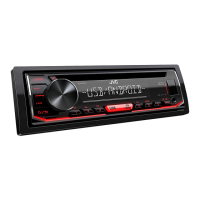
JVC KD-T402 - User Manual

JVC KD-T402
88 pages
Print Icon
To Next Page IconTo Next Page
Loading...
Data Size: B6L (182 mm x 128 mm)
Book Size: B6L (182 mm x 128 mm)
ENGLISH
ESPAÑOL
NEDERLANDS
PORTUGUÊS
B5A-2620-00 [E]
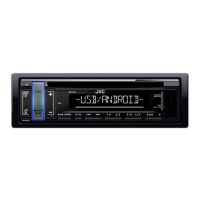
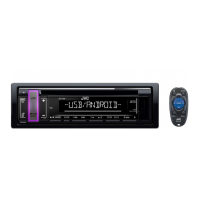
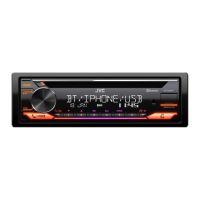
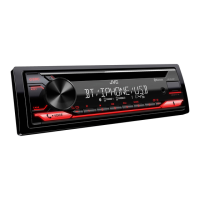
KD-T409 / KD-T402 / KD-T401
CD RECEIVER
INSTRUCTION MANUAL
RECEPTOR CON CD
MANUAL DE INSTRUCCIONES
CD-RECEIVER
GEBRUIKSAANWIJZING
RECEPTOR CD
MANUAL DE INSTRUÇÕES
JS_JVC_KD_T409_E_C.indd 1JS_JVC_KD_T409_E_C.indd 1 5/25/2018 1:35:18 PM5/25/2018 1:35:18 PM

Other manuals for JVC KD-T402

Questions and Answers

  • D
    Danielle BrownAug 14, 2025
    How to fix sound not working on my JVC Car Receiver?
    • T
      Timothy WilliamsonAug 14, 2025
      If you cannot hear any sound from your JVC Car Receiver, first, adjust the volume to the desired level. If the issue persists, check the cords and connections to ensure they are properly connected.
  • I
    Ivan MckayAug 18, 2025
    What to do if there is no sound during Android playback on JVC Car Receiver?
    • E
      Elizabeth CooperAug 18, 2025
      If you're not getting any sound during playback on your JVC Car Receiver with an Android device, try these steps: * Reconnect the Android device. * Launch a media player app on the Android device and start playback. * Relaunch the current media player app or try a different one. * Restart the Android device. * If USB connection doesn't work, try connecting the Android device through the auxiliary input jack.
  • V
    vhernandezAug 21, 2025
    How to eject a stuck disc from JVC KD-T402 Car Receiver?
    • F
      fletcherdianaAug 21, 2025
      If the disc cannot be ejected from your JVC Car Receiver, press and hold to forcibly eject the disc. Be careful not to drop the disc when it is ejected.
  • J
    Joseph CrawfordAug 25, 2025
    Why is the radio reception poor on my JVC KD-T402 Car Receiver?
    • J
      Jeremiah WillisAug 26, 2025
      If you are experiencing poor radio reception with your JVC Car Receiver, ensure that the antenna is firmly connected.
  • M
    Margaret RojasAug 27, 2025
    How to reduce static noise on JVC KD-T402 radio?
    • S
      Stacey JosephAug 28, 2025
      If you are hearing static noise while listening to the radio on your JVC Car Receiver, adjust the volume to the optimum level.
  • H
    Hunter SmallAug 31, 2025
    Why does my JVC Car Receiver skip during Android playback?
    • J
      Jacqueline HamiltonAug 31, 2025
      If the playback is intermittent, or the sound skips when using an Android device with your JVC Car Receiver, turn off the power saving mode on the Android device.
  • S
    Sharon JohnsonSep 3, 2025
    Why are the characters displayed incorrectly on my JVC KD-T402?
    • A
      Allison JohnsonSep 4, 2025
      Your JVC Car Receiver can only display uppercase letters, numbers, and a limited number of symbols. Also, depending on the selected display language, some characters may not be displayed correctly.
  • J
    Jeanette GomezSep 7, 2025
    Why is the playback order wrong on my JVC KD-T402 Car Receiver?
    • A
      ashleyreedSep 7, 2025
      The playback order on your JVC Car Receiver is determined by the order in which files were recorded (disc) or the file name (USB).
  • J
    Jennifer WrightSep 10, 2025
    What to do if 'IN DISC' appears and disc won't eject from JVC Car Receiver?
    • I
      Isaac GutierrezSep 12, 2025
      If “IN DISC” appears on your JVC Car Receiver and the disc cannot be ejected, ensure nothing is blocking the loading slot when you try to eject the disc.

Summary

Basics and Faceplate Overview

Getting Started and Initial Setup

Radio Operation and Features

Searching and Storing Radio Stations

How to find and save FM/AM radio stations using automatic or manual methods.

Audio Source Playback

Connecting USB and Android Devices

Steps to connect USB mass storage devices and Android phones for playback.

Audio Settings and Sound Customization

Preset and Custom Equalizer Settings

Selecting pre-defined sound profiles or creating and storing custom equalizer settings.

Advanced Audio Controls

Adjusting subwoofer output, loudness, bass boost, and sound tone frequencies.

Speaker and Subwoofer Output Configuration

Setting speaker output modes and optimizing subwoofer performance.

Display Settings and Illumination

Troubleshooting and Problem Solving

General and Radio Troubleshooting

Solutions for sound, source selection, display, and reception problems.

CD;USB and Android Device Issues

Resolving playback errors, device detection, and sound output problems with media sources.

Installation and Connection Warnings

Critical safety precautions and advice regarding unit installation and power supply.

Installation and Wiring

Unit Mounting Procedures

Step-by-step guide for installing the unit in-dash or without a mounting sleeve.

Wiring Connection Guide

Detailed instructions on connecting the wiring harness and ISO connectors, including pinouts.

Technical Specifications

JVC KD-T402 Specifications

General IconGeneral
DIN size1 DIN
EqualizerYes
Impedance4 Ω
Output power350 W
Product colorBlack
Ready for iPodNo
Volume controlRotary
Disc types supportedCD
Audio output channels- channels
Equalizer bands quantity15
Maximum power per channel50 W
Mobile operating systems supportedAndroid
USB version2.0
USB ports quantity1
Audio formats supportedFLAC, MP3, WAV, WMA
AM band range531 - 1611 kHz
FM band range87.5 - 108 MHz
LW band range153 - 279 kHz
Supported radio bandsAM, FM
Preset stations quantity24
Display typeLCD
Illumination colorWhite
Package weight1500 g
Weight and Dimensions IconWeight and Dimensions
Depth158 mm
Width182 mm
Height53 mm
Weight1200 g

Related product manuals