EasyManua.ls Logo

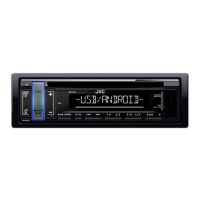
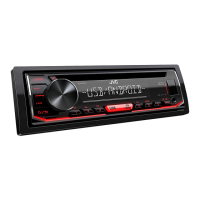
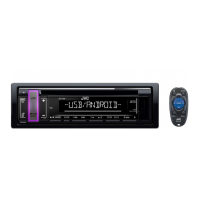
JVC KD-T409 - User Manual

JVC KD-T409
88 pages
Print Icon
To Next Page IconTo Next Page
Loading...
Data Size: B6L (182 mm x 128 mm)
Book Size: B6L (182 mm x 128 mm)
ENGLISH
ESPAÑOL
NEDERLANDS
PORTUGUÊS
B5A-2620-00 [E]
KD-T409 / KD-T402 / KD-T401
CD RECEIVER
INSTRUCTION MANUAL
RECEPTOR CON CD
MANUAL DE INSTRUCCIONES
CD-RECEIVER
GEBRUIKSAANWIJZING
RECEPTOR CD
MANUAL DE INSTRUÇÕES
JS_JVC_KD_T409_E_C.indd 1JS_JVC_KD_T409_E_C.indd 1 5/25/2018 1:35:18 PM5/25/2018 1:35:18 PM

Other manuals for JVC KD-T409

Questions and Answers

  • V
    vlewisAug 15, 2025
    How to fix sound not working on my JVC KD-T409?
    • V
      vbaldwinAug 15, 2025
      If you cannot hear any sound from your JVC Car Receiver, first, adjust the volume to the desired level. If the issue persists, check the cords and connections to ensure they are properly connected.
  • S
    Sarah KleinAug 18, 2025
    What to do if there is no sound during Android playback on JVC Car Receiver?
    • X
      xhuangAug 18, 2025
      If you're not getting any sound during playback on your JVC Car Receiver with an Android device, try these steps: * Reconnect the Android device. * Launch a media player app on the Android device and start playback. * Relaunch the current media player app or try a different one. * Restart the Android device. * If USB connection doesn't work, try connecting the Android device through the auxiliary input jack.
  • R
    Rodney WestAug 21, 2025
    How to eject a stuck disc from JVC KD-T409 Car Receiver?
    • S
      Stephen BellAug 22, 2025
      If the disc cannot be ejected from your JVC Car Receiver, press and hold to forcibly eject the disc. Be careful not to drop the disc when it is ejected.
  • A
    Amanda JacksonAug 26, 2025
    Why is the radio reception poor on my JVC KD-T409 Car Receiver?
    • N
      Natasha McintyreAug 26, 2025
      If you are experiencing poor radio reception with your JVC Car Receiver, ensure that the antenna is firmly connected.
  • D
    David SchwartzAug 28, 2025
    How to reduce static noise on JVC KD-T409 radio?
    • K
      Kimberly ValdezAug 28, 2025
      If you are hearing static noise while listening to the radio on your JVC Car Receiver, adjust the volume to the optimum level.
  • V
    Victoria HamiltonAug 31, 2025
    Why does my JVC KD-T409 skip during Android playback?
    • B
      Brittany JoyceAug 31, 2025
      If the playback is intermittent, or the sound skips when using an Android device with your JVC Car Receiver, turn off the power saving mode on the Android device.
  • S
    Sarah PriceSep 4, 2025
    Why are the characters displayed incorrectly on my JVC Car Receiver?
    • S
      Sydney FrankSep 4, 2025
      Your JVC Car Receiver can only display uppercase letters, numbers, and a limited number of symbols. Also, depending on the selected display language, some characters may not be displayed correctly.
  • P
    patrickmatthewsSep 7, 2025
    Why is the playback order wrong on my JVC KD-T409?
    • C
      Christopher WagnerSep 7, 2025
      The playback order on your JVC Car Receiver is determined by the order in which files were recorded (disc) or the file name (USB).
  • V
    Veronica GarzaSep 12, 2025
    What to do if 'IN DISC' appears and disc won't eject from JVC KD-T409?
    • H
      Heather BrownSep 12, 2025
      If “IN DISC” appears on your JVC Car Receiver and the disc cannot be ejected, ensure nothing is blocking the loading slot when you try to eject the disc.

JVC KD-T409 Specifications

General IconGeneral
Display TypeLCD
Button IlluminationVariable Color
BluetoothYes
USB PortYes
AUX InputYes
CD PlayerYes
MP3 PlaybackYes
WMA PlaybackYes
FLAC PlaybackNo
AM/FM TunerYes
Radio Data System (RDS)Yes
Subwoofer ControlYes
Maximum Power Output50W x 4
RMS Power Output22W x 4
Android Music PlaybackYes
iPhone/iPod Music PlaybackYes
Remote ControlYes
Detachable FaceplateYes
DIN Size1 DIN
Preamp Outputs2

Related product manuals