EasyManua.ls Logo

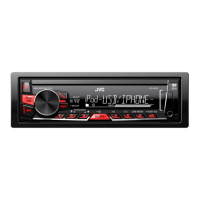
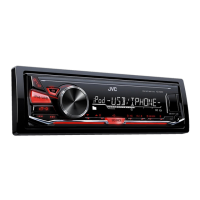
JVC KD-X230 - User Manual

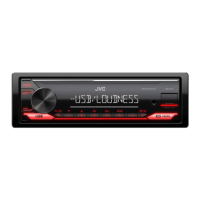
JVC KD-X230
23 pages
Print Icon
To Next Page IconTo Next Page
Loading...
ENGLISH
FRANÇAIS
ESPAÑOL
B5A-0818-00 [K]
KD-X230
DIGITAL MEDIA RECEIVER
INSTRUCTION MANUAL
RÉCEPTEUR MULTIMÉDIA NUMÉRIQUE
MANUEL D’INSTRUCTIONS
RECEPTOR DE MEDIOS DIGITALES
MANUAL DE INSTRUCCIONES
For customer Use:
Enter below the Model No. and Serial No. which are
located on the top or bottom of the cabinet. Retain this
information for future reference.
Model No.
Serial No.
JS_JVC_KD_X230_K_C.indd 1 4/8/2015 12:13:13 PM

Questions and Answers

  • N
    Nicole GallegosAug 30, 2025
    Why I can't hear sound during JVC Receiver playback?
    • L
      Lindsey JohnsonAug 30, 2025
      If you can't hear any sound during playback on your JVC Receiver, try reconnecting the Android device. If in [AUDIO MODE], launch any media player application on the Android device and start playback.
  • J
    Joshua JacksonSep 8, 2025
    Why source cannot be selected on JVC Receiver?
    • A
      amanda78Sep 8, 2025
      If a source cannot be selected on your JVC Receiver, check the [SRC SELECT] setting.
  • M
    Miguel WhiteAug 29, 2025
    Why does my JVC KD-X230 say “CANNOT PLAY” and not detect the device?
    • T
      Tina BassAug 29, 2025
      If your JVC Receiver displays “CANNOT PLAY” and/or the connected device cannot be detected, verify that the connected device is compatible with the unit and that the files are in supported formats. You can also try reattaching the device.
  • L
    Lauren PadillaSep 18, 2025
    What does “CREATE ERR” mean on JVC KD-X230 Receiver?
    • R
      Ryan JonesSep 18, 2025
      The message “CREATE ERR” on your JVC Receiver means that custom station name creation was unsuccessful.
  • A
    Arthur DanielsSep 9, 2025
    Why is the playback order not as intended on JVC Receiver?
    • G
      gloria21Sep 9, 2025
      The playback order on your JVC Receiver is determined by the file name.
  • K
    Kimberly MurphySep 12, 2025
    What does “STATION NOT SELECTED” mean on JVC KD-X230 Receiver?
    • V
      Veronica RogersSep 12, 2025
      The message “STATION NOT SELECTED” on your JVC Receiver means that no station is selected.
  • K
    Kevin GutierrezSep 18, 2025
    What does “LICENSE ERR” mean on JVC Receiver?
    • I
      iparsonsSep 18, 2025
      The message “LICENSE ERR” on your JVC Receiver means that you are trying to access from a country where Pandora is not deliverable.
  • C
    Clinton JohnsonAug 27, 2025
    What to do if “MISWIRING CHECK WIRING THEN PWR ON” appears on JVC KD-X230?
    • I
      Ian JohnstonAug 27, 2025
      If you see the message “MISWIRING CHECK WIRING THEN PWR ON” on your JVC Receiver, turn the power off immediately. Check the speaker wires to ensure the terminals are properly insulated. After checking, turn the power back on.
  • N
    nicholas41Aug 26, 2025
    How to fix JVC Receiver when no sound is coming out?
    • L
      Larry BoothAug 26, 2025
      If you can't hear any sound, first, make sure to adjust the volume to an optimal level. If that doesn't work, check the cords and connections to ensure they are properly connected.
  • C
    Charles Jones Jr.Aug 25, 2025
    How to improve radio reception on JVC KD-X230?
    • R
      robert14Aug 26, 2025
      To improve radio reception on your JVC Receiver, ensure the antenna is firmly connected.

Summary

BEFORE USE

Important Safety Information

Key safety precautions, warnings, and general guidelines for proper and safe product usage.

How to Read This Manual

Instructions and symbols used within the manual to help users understand content and operations.

BASICS

Unit Faceplate and Controls

Overview of the unit's faceplate, including the display, volume knob, and buttons.

Remote Control and Reset

Details on the remote sensor, reset procedure, and battery replacement for the remote.

GETTING STARTED

Initial Setup Procedures

Step-by-step guide for cancelling the demonstration, setting the clock, and configuring basic settings.

RADIO OPERATION

Station Tuning and Presets

Methods for searching, storing, and selecting FM/AM radio stations.

Radio Timer Functionality

Configuration of the radio timer for automatic playback at a scheduled time.

AUXILIARY INPUT AND BLUETOOTH

Connecting Audio Devices

Instructions for connecting portable audio players and Bluetooth devices for audio playback.

USB; IPOD; ANDROID OPERATION

Device Connection and Playback Control

Guide to connecting USB, iPod/iPhone, and Android devices and basic playback operations.

ADVANCED USB;IPOD;ANDROID CONTROL

Control Modes and File Navigation

Selecting control modes, browsing files/folders, and using quick search functions.

PANDORA INTEGRATION

Pandora Setup and Station Management

Steps for preparing and using Pandora, including creating and searching for stations.

IHEARTRADIO INTEGRATION

iHeartRadio Setup and Station Search

Instructions for preparing and using iHeartRadio, including searching for stations.

AUDIO SETTINGS

Equalizer Presets and Customization

Selecting and adjusting equalizer presets like FLAT, ROCK, and custom settings via EASY EQ and PRO EQ.

ADVANCED AUDIO CONFIGURATIONS

Subwoofer and Speaker Output Settings

Configuring subwoofer levels, LPF, phase, and speaker output connections.

Audio Adjustment Features

Adjusting fader, balance, volume, amplifier gain, D.T.EXP, and tel muting for optimal sound.

DISPLAY SETTINGS

Display Illumination Control

Adjusting dimmer, brightness levels, and automatic dimming based on vehicle headlights.

REFERENCES AND SUPPORT

Maintenance and Information Resources

Guidance on unit cleaning, website resources, and supported file/device formats.

DEVICE COMPATIBILITY AND FEATURES

iPod, Android, and App Service Details

Information on iPod/iPhone and Android compatibility, and notes on Pandora/iHeartRadio services.

Display Information Options

Customizing the information displayed on the unit for various sources like FM, USB, and AUX.

TROUBLESHOOTING

Common Issues and Solutions

Troubleshooting steps for general problems, radio reception, and device connectivity issues.

CONTINUED TROUBLESHOOTING

Service and Application Errors

Resolving specific error messages related to Pandora, iHeartRadio, and Android applications.

TECHNICAL SPECIFICATIONS

Unit Performance Specifications

Detailed technical data for tuner, USB, audio, auxiliary, general unit operation, and weight.

INSTALLATION AND CONNECTION

Unit Mounting Procedures

Step-by-step instructions for installing the unit into the vehicle dashboard and removing it.

Basic Wiring and Connection Steps

Fundamental procedures for connecting the unit's wiring harness and power.

WIRING CONNECTIONS

Detailed Wiring Diagram

Visual guide and instructions for connecting the unit's wiring harness, antenna, and remote control.

Installation Best Practices and Parts

Important recommendations for safe installation and a list of included installation parts.

WARRANTY INFORMATION (U.S.A.)

Warranty Details and Service Procedures

Information on JVCKENWOOD USA Corporation, limited warranty terms, service, and product registration.

WARRANTY INFORMATION (CANADA)

Warranty Details and Service Procedures

Information on JVCKENWOOD CANADA INC., express warranty terms, service, and product registration.

JVC KD-X230 Specifications

General IconGeneral
BrandJVC
ModelKD-X230
CategoryReceiver
LanguageEnglish

Related product manuals