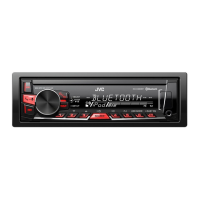
EasyManua.ls Logo

JVC KD-X282DBT - User Manual

JVC KD-X282DBT
44 pages
Print Icon
To Next Page IconTo Next Page
Loading...
Data Size: B6L (182 mm x 128 mm)
Book Size: B6L (182 mm x 128 mm)
ENGLISH
ESPAÑOL
NEDERLANDS
PORTUGUÊS
B5A-3845-00 [E]
KD-X282DBT / KD-X182DB
DIGITAL MEDIA RECEIVER
INSTRUCTION MANUAL
RECEPTOR DE MEDIOS DIGITALES
MANUAL DE INSTRUCCIONES
DIGITALE MEDIAONTVANGER
GEBRUIKSAANWIJZING
RECEPTOR MÉDIA DIGITAL
MANUAL DE INSTRUÇÕES
KD-X282DBT_E_B5A-3845-00_Cover_1st Draft.indd 1KD-X282DBT_E_B5A-3845-00_Cover_1st Draft.indd 1 6/9/2021 11:47:16 PM6/9/2021 11:47:16 PM

Questions and Answers

JVC KD-X282DBT Specifications

General IconGeneral
DIN size1 DIN
Impedance75 Ω
Output power200 W
Product colorBlack
Volume controlRotary
Frequency range531 - 1611 Hz
Disc types supported-
Audio output channels7.1 channels
Maximum power per channel50 W
Signal-to-Noise Ratio (SNR)6.2 dB
Mobile operating systems supportedYes
CD-R playbackNo
Audio formats supportedFLAC, MP3, WAV, WMA
Display typeLCD
Illumination colorRed, White
Bluetooth version4.2
USB port positionFront
Bluetooth profilesAVRCP
USB connector typeUSB Type-A
USB ports quantity1
Bluetooth functionsAudiostreaming, Handsfree calling
FM band range87.5 - 108 MHz
LW band range153 - 279 kHz
FM usable sensitivity6.2
Supported radio bandsDAB, FM, LW, MW
Preset stations quantity42
Hands-free callingKeep your hands on wheel with Bluetooth™ Hands-free calling. After pairing your compatible Bluetooth mobile phone to your TomTom GPS, you’ll be able to see incoming call information, make and answer calls, and talk hands-free through your device. You’ll e
Weight and Dimensions IconWeight and Dimensions
Depth100 mm
Width182 mm
Height53 mm
Weight60 g

Summary

Before Use

How to Read This Manual

Explains how to interpret manual displays, operations, and references.

Basics

Faceplate Overview

Shows and explains the unit's front panel controls and indicators.

Getting Started

Initial Setup Steps

Guides through initial setup for crossover type, clock, date, and basic settings.

Digital Radio

About DAB Broadcasting

Explains what DAB is and its features like digital quality sound.

Digital Radio Operations

Searching and Selecting Services

Covers searching, selecting, and storing DAB radio services.

Digital Radio Settings

Tuner and Program Type Settings

Covers tuner settings like AF, TI, PTY, and program type codes.

Analog Radio

Station Search and Storage

Steps to search, store, and recall radio stations.

USB Operations

Connecting and Basic Playback

Instructions for connecting a USB device and basic playback controls.

USB File Management

Playback Modes and Searching

Covers repeat, random play, quick search, and file selection.

AUX and Remote App

AUX Audio Input

How to connect and listen to audio via the auxiliary input jack.

Bluetooth Introduction

Connection and Microphone Setup

Overview of Bluetooth profiles, codecs, and microphone connection.

Bluetooth Pairing and Settings

Pairing and Compatibility Checks

Steps to pair devices and check compatibility.

Bluetooth Phone Operations

Receiving and Managing Calls

Operations for receiving and managing phone calls via Bluetooth.

Bluetooth Call Quality and Making Calls

Improving Voice Quality and Making Calls

Adjusting voice quality settings and making calls.

Bluetooth Contact Management

Managing Contacts and Voice Dialing

Accessing contacts, dialing, and using voice recognition.

Bluetooth Registered Devices and Modes

Calling Registered Numbers and Mode Settings

Making calls to stored numbers and configuring Bluetooth modes.

Bluetooth Audio and Audio Settings

Bluetooth Audio Playback

How to play audio from a Bluetooth device.

Audio Settings - EQ and Sound Adjustments

EQ Setting and Sound Enhancements

Covers EQ settings, easy EQ, and pro EQ adjustments.

Audio Settings - Advanced Adjustments

Subwoofer, Speaker, and Gain Settings

Details on subwoofer, speaker output, and gain adjustments.

Audio Settings - Crossover and DTA

Crossover, DTA, and Car Settings

Settings for crossover types, digital time alignment, and car parameters.

Audio Settings - Sound Effects and Connections

Sound Effects and Connection Types

Adjusting sound effects and managing speaker/lineout connections.

Audio Settings - Crossover Details

Crossover Frequency and Slope Settings

Detailed settings for crossover frequency, slope, and gain for speakers.

Audio Settings - Subwoofer and 3-Way Crossover

Subwoofer LPF and 3-Way Crossover Setup

Settings for subwoofer LPF and detailed options for 3-way crossover.

Audio Settings - Filter Parameters

Filter Adjustments (HPF, LPF, Q Factor)

Adjustments for High Pass Filter (HPF), Low Pass Filter (LPF), and Q Factor.

Specifications

Model, Bluetooth, and Audio Specs

Technical specifications for the KD-X282DBT, Bluetooth, and audio features.

References and Resources

Maintenance and File Information

Instructions for cleaning, finding more info, playable files, and USB device notes.

Troubleshooting - General and Radio Issues

General, DAB, and Analog Radio Problems

Troubleshooting common issues for general, DAB, and analog radio functions.

Troubleshooting - USB and Bluetooth

USB Playback and Device Errors

Troubleshooting USB playback, device recognition, and error messages.

Bluetooth Connection and Audio Issues

Troubleshooting Bluetooth connection, audio playback, and call quality.

Troubleshooting - Bluetooth Errors and Installation Prep

Bluetooth Error Messages and Connection Stability

Specific Bluetooth error messages and connection instability troubleshooting.

Installation;Connection Safety

Installation Safety Warnings and Cautions

Safety warnings and cautions for installing the unit.

Installation;Connection Procedures

Installation Components and Steps

Lists installation parts and outlines general, in-dash, and sleeve-less installation steps.

Installation;Connection Wiring

Wiring Diagrams and Vehicle Specifics

Explains wiring connections and ISO connector specifics for certain cars.

Specifications - Radio, USB, and Auxiliary

Technical Specifications for Radio, USB, and Aux

Detailed specs for DAB, FM/AM radio, USB, and auxiliary interfaces.

Specifications - Model, Bluetooth, and Audio

Model, Bluetooth, and Audio Specifications

Technical specs for the KD-X282DBT, Bluetooth, and audio features.

Related product manuals