EasyManua.ls Logo

JVC KW-V41BT - User Manual

JVC KW-V41BT
164 pages
Print Icon
To Next Page IconTo Next Page
Loading...
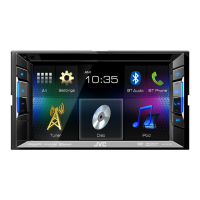
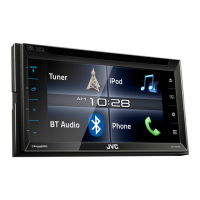
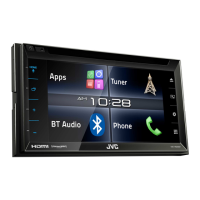
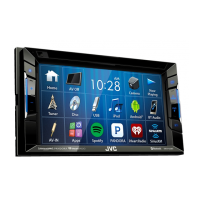
Instruction Manual MONITOR WITH DVD RECEIVER KW-V41BT/KW-V21BT/KW-V11
Having TROUBLE with operation?
Please reset your unit
Refer to page of How to reset your unit
0914EHHMDWJEIN B5A-0222-00 (U)© 2014 JVC KENWOOD Corporation
MONITOR WITH DVD RECEIVER
INSTRUCTION MANUAL
KW-V41BT/KW-V21BT/KW-V11
ENGLISH

Table of Contents

Question and Answer IconNeed help?

Do you have a question about the JVC KW-V41BT and is the answer not in the manual?

Summary

BEFORE USE

IMPORTANT

Crucial information for proper product use and safety.

WARNINGS: (To prevent accidents and damage)

Safety precautions to prevent accidents and damage.

BASICS

Selecting the playback source

Steps to select the desired playback source.

USB

Connecting a USB device

How to connect USB storage devices to the unit.

iPod;iPhone

Connecting iPod;iPhone

How to connect an iPod/iPhone to the unit.

OTHER EXTERNAL COMPONENTS

Using external audio;video players-AV-IN

Connecting and using external AV players.

Using a rear view camera

Connecting and using a rear view camera.

BLUETOOTH (Only for KW-V41 BT;KW-V21 BT)

Connecting Bluetooth devices

Steps to connect Bluetooth devices.

Registering a new Bluetooth device

Process for pairing new Bluetooth devices.

SETTINGS

Sound adjustment

Adjusting audio settings using the equalizer.

Updating the system

Procedures for updating the unit's system software.

<Input> setting screen

Settings for external input sources like iPod/AV-IN.

<Bluetooth Setup>*

Configuring Bluetooth device connection and operations.

CONNECTION;INSTALLATION

Before installing the unit

Important considerations before installing the unit.

WARNING

Critical warnings regarding electrical connections during installation.

Installation procedure

Step-by-step guide for installing the unit.

Connecting wires to terminals

Detailed diagram and explanation of wire connections.

Connecting a USB device;iPod;iPhone

How to connect USB devices and iPod/iPhone.

REFERENCES

Error message list

List of error messages and their remedies.

Troubleshooting

General troubleshooting guide for common issues.

Summary

BEFORE USE

IMPORTANT

Crucial information for proper product use and safety.

WARNINGS: (To prevent accidents and damage)

Safety precautions to prevent accidents and damage.

BASICS

Selecting the playback source

Steps to select the desired playback source.

USB

Connecting a USB device

How to connect USB storage devices to the unit.

iPod;iPhone

Connecting iPod;iPhone

How to connect an iPod/iPhone to the unit.

OTHER EXTERNAL COMPONENTS

Using external audio;video players-AV-IN

Connecting and using external AV players.

Using a rear view camera

Connecting and using a rear view camera.

BLUETOOTH (Only for KW-V41 BT;KW-V21 BT)

Connecting Bluetooth devices

Steps to connect Bluetooth devices.

Registering a new Bluetooth device

Process for pairing new Bluetooth devices.

SETTINGS

Sound adjustment

Adjusting audio settings using the equalizer.

Updating the system

Procedures for updating the unit's system software.

<Input> setting screen

Settings for external input sources like iPod/AV-IN.

<Bluetooth Setup>*

Configuring Bluetooth device connection and operations.

CONNECTION;INSTALLATION

Before installing the unit

Important considerations before installing the unit.

WARNING

Critical warnings regarding electrical connections during installation.

Installation procedure

Step-by-step guide for installing the unit.

Connecting wires to terminals

Detailed diagram and explanation of wire connections.

Connecting a USB device;iPod;iPhone

How to connect USB devices and iPod/iPhone.

REFERENCES

Error message list

List of error messages and their remedies.

Troubleshooting

General troubleshooting guide for common issues.

JVC KW-V41BT Specifications

General IconGeneral
BluetoothYes
USB PortYes
AUX InputYes
DVD PlayerYes
CD PlaybackYes
Backup Camera InputYes
Steering Wheel Control CompatibleYes
Subwoofer OutputYes
Apple CarPlayNo
Android AutoNo
SiriusXM ReadyYes
Radio TunerAM/FM
Audio Formats SupportedMP3, WMA, AAC
iPod/iPhone CompatibilityYes
Android CompatibilityYes
Built-in AmplifierYes
RMS Power Output22 Watts
Peak Power Output50 Watts
Preamp Outputs3 (Front, Rear, Subwoofer)
Equalizer13-band

Related product manuals