2
8
Preparation
GB
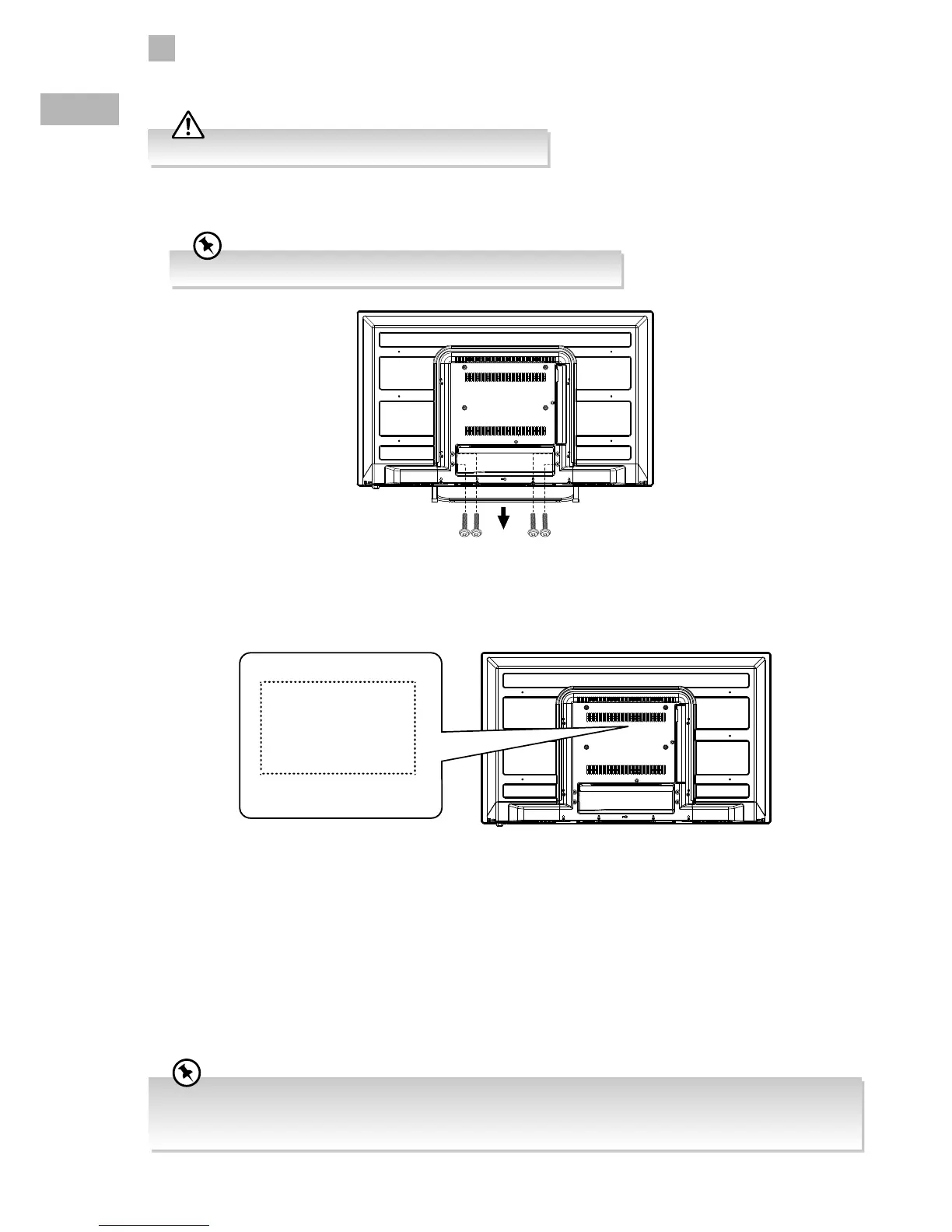
3. To remove the stand assembly, untighten the screws holding the stand assembly at the rear of the TV. Remove the stand
assembly.
4. Before mounting on the wall, untighten the 4 screws inside the mounting holes. This TV is designed to be wall-mounted with
a standard mounting kit (sold separately) designed for flat-panel TVs. Mount this TV according to the instructions included in
the mounting kit. Due to space restrictions, we recommend that you make all connections (refer to page 14-17 and page 50
for details) before mounting on to the wall.
Remove the stand assembly before mounting the TV onto the wall.
Keep all the spare screw should you want to use the stand assembly option.
Mounting the TV to a Wall
• Please read this instruction manual carefully while setting up your TV.
• If you require additional assistance please call our Support Centre:
Norway: 815 56 602 Sweden: 0770 474 700 Denmark: 70 27 87 37 Finland: 020 - 500 6550
200 mm
100 mm
Four mounting holes
(size M4 x 5 screw)



 To Next Page