20
19
23
24
21
22
25
18
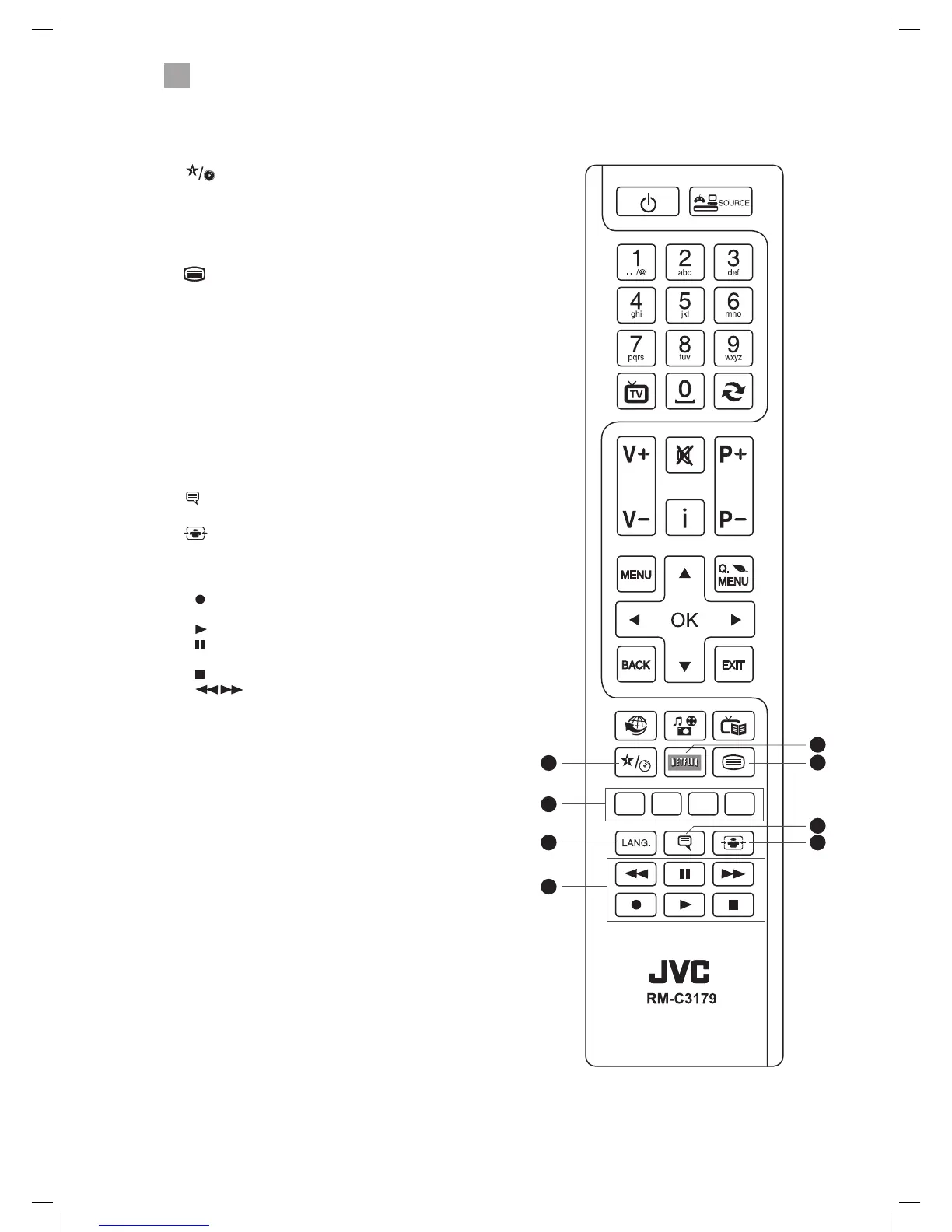
18. (My button 1)
• Press and hold for 5 seconds to set a favourite channel/
source. This button is set to YouTube as a default setting.
19. NETFLIX Button
Connects to Netix for viewing online TV shows and lms
(internet connection required).
20.
Press to enter teletext if available.
21. COLOURED BUTTONS
Access the TELETEXT items (TV mode) or menu options.
TELETEXT (RED)
Accesses TELETEXT.
ZOOM (RED)
To zoom in and out of the picture in DVD mode.
REPEAT (GREEN)
Repeat Chapter, Title or All in DVD mode.
DVD FILM MENU (YELLOW)
Select the Root menu of the DVD playing (DVD mode).
22. LANG.
Selects the Current Language menu.
23.
(Subtitles)
Press to switch subtitles on and o.
24.
(Aspect ratio)
Press to adjust the aspect ratio of the picture.
AUTO - 16:9 - Subtitle - 14:9 - 14:9 Zoom - 4:3 - Cinema.
25. PLAYBACK and RECORD buttons
•
starts a recording, continue to press will add more
recordings.
•
plays a DVD/recording.
pauses a DVD/recording and starts timeshifting in TV
mode if you have a hard drive attached to the USB port.
• stops a DVD or recording.
• searches forwards and backwards when
viewing a DVD/recording.
LT-40C755_IB.indd 14 23/01/2015 11:33



 To Next Page
 Loading...