62
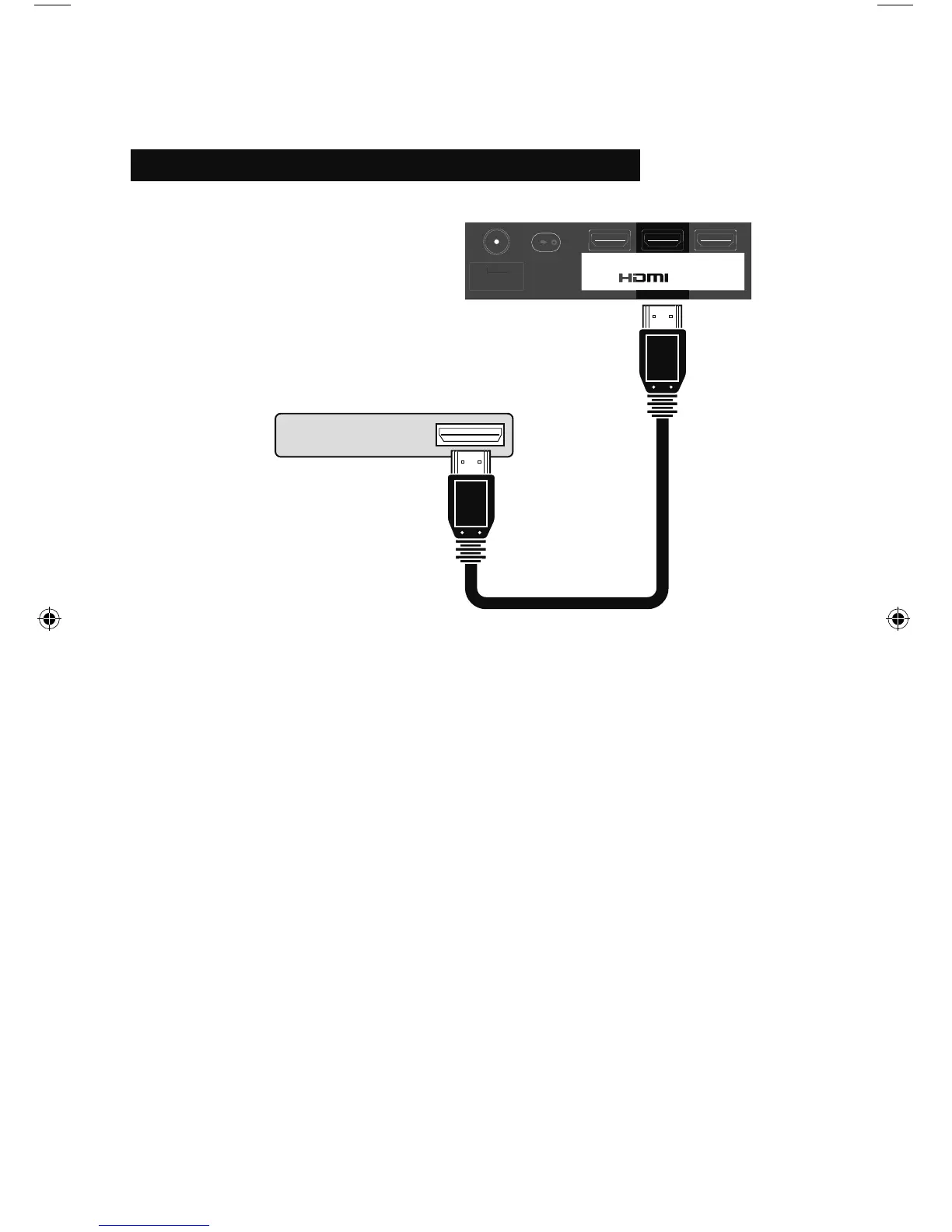
Connect a Blu-ray or HDMI Device
INPUT 1 INPUT 2 INPUT 3
75 Ω
(VHF/UHF)
TV Rear Panel (INPUT 2)
Blu-ray / HDMI Compatible Device
Notes:
• To watch your Blu-ray or HDMI device, make sure your TV is displaying INPUT 1, INPUT 2 or
INPUT 3 by pressing the V1, V2 or V3 button on your remote control.
• Some decoders may not respond depending on the equipment that is connected to the HDMI.
• This TV can accept 480i, 480p, 720p, 1080i and 1080p signals via HDMI.
• This JVC television can accept a variety of HD signals, including 720p, 1080i, 1080p/24Hz,
1080p/30Hz and 1080p/60Hz. Please note that in some cases, a Blu-ray may only offer the
choice of 1080/60i or 1080/24p. In this case, it is necessary to choose the 1080/60i output.
Please refer to your Blu-ray manual for complete details on choosing the correct output.
• Some HDMI Output Devices may fail to detect this TV as a 1080p device. If this occurs,
manually select 1080p on the HDMI Output Device.
Connecting Your Devices
LCT2518-001A-A.indd 62LCT2518-001A-A.indd 62 1/14/09 8:55:33 AM1/14/09 8:55:33 AM



 To Next Page
 Loading...