EasyManua.ls Logo

JVC LT-46G20 - User Manual

JVC LT-46G20
24 pages
Print Icon
To Next Page IconTo Next Page
Loading...
INSTRUCTIONS
LT-24G20
LT-32G3
LT-32G30
LT-42G20
LT-46G20
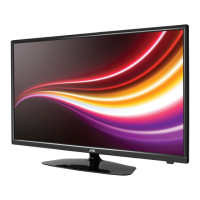
LCD TV
LT-24G20
LT-32G30
LT-42G20
LT-46G20

Questions and Answers

JVC LT-46G20 Specifications

General IconGeneral
Screen Size46 inches
Display TypeLCD
Aspect Ratio16:9
HDMI Ports3
USB Ports1
BacklightCCFL
Resolution1920 x 1080
Weight22.2 kg
Viewing Angle178° (Horizontal & Vertical)
Input PortsComponent, Composite, VGA
Sound Output20W

Summary

Safety precautions

Location of controls

Description of Indicators and Controls

Detailed explanation of the TV's buttons, indicators, and power functions.

Remote Control

Connections

Auto setup

Basic Operation

Channel Selection and List

How to change channels, view the channel list and manage channels.

Teletext Functions

Accessing and using Teletext, including Fastext, subpages and enlargement.

Other convenience functions

Picture Settings

Adjustments for Picture Mode, Brightness, Contrast, Color, Tint, Backlight, etc.

Sound Settings

Options for Sound Mode, Bass/Treble, Balance, and Surround sound.

PC Setup and System Settings

PC Setup

Adjusting settings for PC video input and display.

Media Operation

Music or Movie Playback

PC connection

Connecting an HDMI or a DVI device to the HDMI input

Troubleshooting table

Specifications

Related product manuals