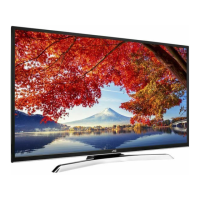
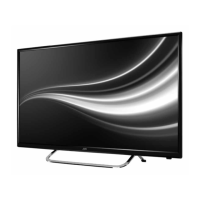
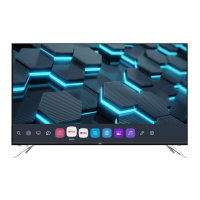
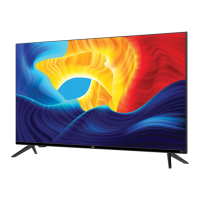
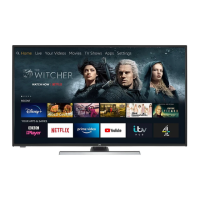
This document is a user manual for the JVC LT-48MA570 LED TV, a 48-inch class (47.6-inch diagonal) television designed for home theater use.
Function Description:
The JVC LT-48MA570 is a super slim LED TV offering a 48-inch wide screen for an immersive home theater experience. It features a native resolution of 1920 x 1080 for Full HD performance, ensuring clear and detailed images. The television includes an integrated ATSC TV tuner for receiving HDTV broadcasts, allowing users to access digital over-the-air channels. It boasts a beautiful color depth with a contrast ratio of 1200:1, contributing to vibrant and lifelike picture quality. For connectivity, it provides multiple HDMI inputs, enabling true digital connections with various external devices. The TV also supports Dolby Audio for enhanced sound quality.
Important Technical Specifications:
- Viewing Picture Size (diagonal): 48" class (47.6" diagonal)
- Resolution: 1920 x 1080
- Aspect Ratio: 16:9
- TV System: ATSC Digital system and NTSC Analog system
- Video Signal System: NTSC
- Receiving Channel: Cable: 1-135 / Air: 2-69 (ATV&DTV)
- Maximum Power Consumption: 98W
- Input Power Voltage: AC 100-240V 50/60Hz
- Audio Output Power (THD ≤ 7%): 2 x 10W
- High-Definition Multimedia Interface (HDMI) Input: x 3
- YCb(Pb)Cr(Pr) Input: x 1
- Composite Video Input: x 1
- Audio Input: x 1
- Headphone Output: x 1
- Optical Output: x 1
- USB 2.0 Input: x 1
- Dimensions (approx) with stand fitted (WxDxH): 1083 x 260 x 678 mm (42.6 x 10.2 x 26.7 inch)
- Net weight with STAND: 10 kg (22.04 lbs)
- Wall Mount Compatibility: 400mm x 200mm mounting hole pattern (requires M6 screws, max 10mm length)
Usage Features:
The TV offers a comprehensive set of features for user interaction and content management.
Front Panel Controls:
- SOURCE: Displays the input source menu; confirms selected items in MENU mode.
- MENU: Displays the main menu.
- V+/V-: Adjusts sound level; adjusts selected items in MENU mode.
- CH+/CH-: Changes channels up/down in TV mode; selects items in MENU mode.
- STANDBY: Turns the unit ON from standby mode and back to standby.
- Remote control sensor: Receives signals from the remote.
- Indicator LED: Red for standby.
- Key board: Provides physical controls.
Remote Control Features:
The infrared remote control provides extensive functionality:
- POWER: Turns the TV on/standby.
- NUMBER KEY: Direct access to programs.
- MENU: Displays the main on-screen menu.
- CURSOR: Navigates within menus.
- EXIT: Exits menus.
- VOL+/-: Adjusts sound level.
- P.M: Switches picture mode.
- SOURCE: Displays and selects available video sources.
- MUTE: Disables/enables sound.
- RECALL: Accesses the previously viewed program.
- ENTER: Confirms selections.
- TV DISPLAY: Displays/removes program information.
- S.M: Switches sound mode (Standard, Music, Movie, Sports, Personal).
- CH+/CH-: Accesses next/previous program.
- ASPECT: Changes picture aspect.
- CH LIST: Displays the channel list.
- EPG: Displays DTV program information.
- FAV: Accesses favorite channels in digital TV mode.
- HDMI/AV: Hot keys to directly go to HDMI/AV sources.
- DTV STRENGTH: Displays DTV signal strength menu.
- TV: Hot key to directly go to TV source.
- SLEEP: Sets the sleep timer.
- CC: Enables/disables the Closed Caption function.
- USB: Selects USB source input.
- MTS: Switches the sound stereo.
- COLOR KEYS: Reserved keys.
The TV's menu system allows for extensive customization:
- PICTURE MENU: Adjusts picture effects like contrast, brightness, color temperature (Normal, Warm, Cool), aspect ratio, noise reduction, and VGA settings (H-Pos, V-Pos, Size, Phase, Auto). Note: Picture Mode changes may affect Energy Star compliance unless "Energy Saving" is selected.
- AUDIO MENU: Adjusts sound effects including sound mode (Standard, Music, Movie, Sports, Personal), auto volume, surround sound, digital output, MTS stereo, and audio languages.
- TIME MENU: Adjusts sleep timer, DST, time format, time zone, and clock settings. Time zone, DST, and clock are available only in ATSC programming.
- OPTION MENU: Adjusts menu language, closed caption settings, setup wizard, HDMI CEC, TTS, restore default, and software update via USB.
- LOCK MENU: Allows changing the password (default 0000) and adjusting V-chip settings for parental control. This includes MPAA movie ratings (N/A, G, PG, PG-13, R, NC-17, X) and TV ratings (TV-Y, TV-Y7, TV-G, TV-PG, TV-14, TV-MA) for both US and Canadian (English and French) systems.
- CHANNEL MENU: Manages digital and analog TV channels, including Air/Cable selection, Auto Scan (scan all, digital only, analog only), Favorite channel management, Show/Hide channels, and DTV signal strength display.
- USB Port Usage: Allows displaying JPEG files from a connected USB device. Users can navigate folders and view pictures.
Connectivity:
- Rear Connections: Power socket, Headphone, Optical, L-Audio In-R, Y/Video, Pb, Pr (Component).
- Side Connections: HDMI3, HDMI2(ARC), HDMI1, VGA, USB, RF.
- PC Connection: Connects via VGA and audio cable. Proper power-on sequence (TV first, then PC) is crucial.
- Antenna Connection: Supports outdoor antennas, twin-lead feeders (300Ω) with an adaptor, and indoor CATV nets via an IEC (female) 75Ω unbalanced input.
- AV Equipment Connection: Supports VCRs, Multi Disc Players, DVD Players, Camcorders, and Video Game consoles via Composite Video (Yellow, White, Red), Component Video (Green, Blue, Red), and HDMI. YPbPr supports formats like 480i, 576i, 480p, 720p, 1080i, 1080p.
Maintenance Features:
- General Safety Warnings: The manual emphasizes critical safety instructions, including warnings against electric shock, fire hazards, exposure to rain/moisture, blocking ventilation, and improper placement. It advises referring all servicing to qualified personnel.
- Battery Precautions: Provides guidelines for remote control battery usage, including avoiding excessive heat, proper polarity, not mixing old/new or different types of batteries, and removing batteries during extended periods of non-use.
- Cleaning: Recommends cleaning the apparatus only with a non-abrasive dry cloth.
- Troubleshooting Guide: Includes a table of common symptoms (Snow, Ghost, Interference, Normal Picture with No Sound, No Picture, No Color, Picture breaking up, No Color with Noise) and corresponding inspection checks (antenna position, volume, power cord, contrast/brightness, color control, retune channel, TV system).
- Pixel Information: Notes that the LED TV panel is built with high precision technology, and occasionally a few non-active pixels (red, green, blue, black, or white) may appear, which does not affect product performance.
- Packaging: Advises keeping the carton and original packaging for future use.
- Model/Serial Number: Recommends recording the model and serial numbers (found on the rear of the TV) and stapling the sales receipt to the manual for future reference.
- Recycling Information: Directs users to customer service for recycling information.
- Universal Remote Control: Advises contacting the remote manufacturer for programming codes if purchasing a universal remote.


 To Next Page
 General