EasyManua.ls Logo

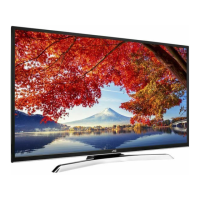
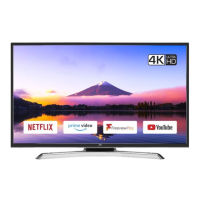
JVC LT-49HW95U - User Manual

JVC LT-49HW95U
264 pages
Print Icon
To Next Page IconTo Next Page
Loading...
LED TV
Operating Instructions
4
5
6
7 8 9
0
OK
EPG LIST
2
3
INFOINFO
AUDIO
SOURCE
QMENU
LT-43HW95U LT-49HW95U
Downloaded from www.vandenborre.be

Table of Contents

Questions and Answers

  • M
    Monique WarrenAug 18, 2025
    What to do if picture is blocking or freezing and sound is breaking up on my JVC LED TV?
    • D
      Daniel BeckerAug 18, 2025
      If your JVC LED TV picture is blocking or freezing and the sound is breaking up, try re-tuning the TV. The aerial may not be suitable for digital TV broadcasts, or you might be in an area with a poor digital TV signal. Consider having an aerial rigger check your aerial system.
  • B
    blackkatherineAug 21, 2025
    How to fix picture interference like spots or streaks on JVC LED TV?
    • C
      carrie93Aug 21, 2025
      If your JVC LED TV is showing picture interference like spots or streaks, try tuning to get a better signal from the same television station and have your aerial system checked. Also, move any interfering electrical equipment further away or turn it off if possible. If you are using digital video equipment, try changing the refresh rate or resolution settings.
  • B
    brianbeckerAug 23, 2025
    Why is my JVC LT-49HW95U LED TV picture grainy (snowy)?
    • E
      eweaverAug 23, 2025
      If you're seeing a grainy or snowy picture on your JVC LED TV, and you have a video recorder, try plugging the aerial directly into the television. If this resolves the issue, the video recorder is likely faulty. It's also possible that there is transmitter trouble or your aerial has moved, is damaged, or disconnected. Have your aerial system checked.
  • C
    coxmadelineAug 26, 2025
    How to eliminate picture interference like wavy lines on JVC LED TV?
    • B
      Brad HarrisAug 26, 2025
      If you observe wavy lines or patterns interfering with the picture on your JVC LED TV, it could be due to other equipment using the same frequency, poor quality cable between the TV and aerial, or your aerial system receiving unwanted signals. Try putting other equipment on stand-by to see if the interference stops, and consider changing the output frequency of the equipment causing the interference. Upgrade to higher quality cable and have your aerial system checked.
  • J
    Jamie LeeAug 27, 2025
    How to fix extra outlines on objects in the picture (ghosts) on JVC LT-49HW95U?
    • A
      Amanda RobinsonAug 27, 2025
      If you're seeing extra outlines (ghosts) on objects in the picture on your JVC LED TV, it could be because the aerial is receiving reflected signals from hills or buildings, or there's a fault in the aerial system. Try tuning in a better signal from the same television station and have your aerial system checked.
  • M
    Melissa PerkinsAug 30, 2025
    How to fix wrong picture size on JVC LT-49HW95U LED TV?
    • C
      Curtis ConwayAug 30, 2025
      If the picture size is wrong, or the source device won't let you set the correct pixel resolution on your JVC LED TV, avoid using old cables and adapter devices; use modern cables. Restart the source device after connecting and powering up the display. You may also need to change the graphics adapter in your computer. Check the compatible video resolutions in the TV's instructions.
  • C
    christiangarciaSep 1, 2025
    Why picture looks squashed or stretched on my JVC LT-49HW95U?
    • M
      Mr. Alexander OdonnellSep 1, 2025
      If the picture on your JVC LED TV looks squashed or stretched even with correct aspect ratio settings, the equipment feeding the display is likely set to the wrong aspect ratio. On that equipment, select the correct output aspect ratio, such as 4:3 (old conventional) or 16:9, or a resolution like 1280 x 720 or 1920 x 1080 pixels to match wide screens.
  • C
    Cameron RichardsonSep 3, 2025
    What to do if there is no sound on my JVC LT-49HW95U?
    • B
      Bethany MyersSep 3, 2025
      If there is no sound on your JVC LED TV, first, ensure that the volume isn't set to the minimum. If it is, increase the volume. Also, check if the mute function is activated and, if so, deactivate it by pressing the mute button.
  • M
    Matthew PerkinsSep 5, 2025
    Why my JVC LED TV is dead - no lights come on and nothing works?
    • B
      Brenda YoungSep 5, 2025
      If your JVC LED TV appears 'dead' with no lights or function, check the power switches on the TV and the power outlet to make sure they are on. Verify that the outlet has power. Inspect the fuse or circuit breaker at your main fuse box, and look for any potential causes before replacing or resetting it.
  • R
    Robert ThomasSep 8, 2025
    Why my JVC LED TV has crackling noises or distorted sound?
    • J
      Jake JohnsonSep 8, 2025
      Crackling noises or distorted sound from your JVC LED TV can be caused by interference from cars, fluorescent lights, video recorders, radio broadcasts, personal computers, or other equipment. Try turning off one piece of equipment at a time to see if the interference clears.

Summary

Warnings

Ventilation Requirements

Ensure proper airflow around the TV for safe operation, maintaining a 10 cm gap.

License Information

Details on digital broadcasting, audio, and multimedia interface technologies used.

Safety Instructions

Important Safety Instructions

Key instructions for safe setup and operation of the TV, including warnings and precautions.

Assembling the Stand

Stand Installation

Step-by-step guide for attaching the TV stand securely to the unit.

Wall Mounting the TV

Instructions for mounting the television onto a wall using a VESA kit.

Main Unit Control

Front Panel Controls

Description of buttons and indicators located on the TV's front panel.

Back View Connections

Identifies ports and connectors on the rear of the TV for various inputs/outputs.

Connection and Setup

Cable Installation Guide

Guidance on connecting various cables for TV setup, including LAN, HDMI, and AV.

Getting Started

Using the Remote Control

How to operate the TV using the remote control, including aiming and distance.

Installing Remote Batteries

Steps for inserting batteries into the remote control and notes on battery usage.

Remote Control Overview

Remote Button Functions

Detailed explanation of each button's function on the original remote control.

Basic Operation

Powering TV On;Off and Initial Setup

Procedures for turning the TV on/off and initial configuration steps.

Programme Selection, Volume, and Input

How to change channels, adjust volume, and select input sources.

Menu Operation

Menu Navigation Basics

Guide on how to move through and select options in the TV menus.

Channel Tuning and Management

Tuning, editing, and managing TV channels, including DTV and Satellite.

Picture and Sound Adjustments

Adjusting visual and audio preferences for optimal viewing.

Network Connectivity Setup

Steps for connecting the TV to wired and wireless networks.

Recording and Playback Functions

Using the PVR for recording and playing back media files.

Program Guide and Timer Settings

Accessing program schedules and setting timer functions.

Home Page

Smart Home Interface Overview

Introduction to the TV's smart home entry interface for accessing features.

Media Playback Features

Reading and playing media files from USB storage devices.

Application Access

Accessing and using installed TV applications like Netflix and Multiscreen.

Teletext

Teletext Navigation and Features

Displaying, selecting pages, and using advanced teletext functions.

Troubleshooting Guide

Analogue TV Issues

Solutions for common sound and picture problems on analogue TV.

Digital TV and General Issues

Troubleshooting digital reception, general display, and remote control problems.

Power, Maintenance, and Disposal

Addressing power issues, cleaning procedures, and proper product disposal.

Product Fiche

Technical Specifications

Detailed specifications of the TV model, including dimensions, power, and resolution.

EU Declaration of Conformity

Product Description and Compliance

Product details and statements of compliance with EU directives and standards.

Regulatory Compliance Statements

Lists directives and standards the product complies with, including RED and RoHS.

Responsible Person Declaration

Identifies the person responsible for the declaration of conformity.

JVC LT-49HW95U Specifications

General IconGeneral
BrandJVC
ModelLT-49HW95U
CategoryLED TV
LanguageEnglish

Related product manuals