Need help?
Do you have a question about the JVC LT-40C890 and is the answer not in the manual?
Safety guidelines and precautions for mounting the TV on a wall.
Instructions on how to safely unpack the television and identify included items.
Step-by-step guide for assembling and attaching the TV stand.
Guide for initial setup when turning the TV on for the very first time.
Instructions for connecting the TV to your network via wired or wireless methods.
Guide to modifying picture modes, brightness, contrast, and other visual parameters.
Options for customizing audio output, including equalizer modes and speaker selection.
Navigating the Programme Guide, selecting channels, and initiating programme recordings.
Functionality to pause live TV and record it onto a USB storage device.
How to record digital TV programmes directly from the main screen to a USB device.
Scheduling future programme recordings using timers for specific channels and times.
Steps to connect the TV to the internet using an Ethernet cable for optimal performance.
Guide to setting up a wireless network connection for the TV.
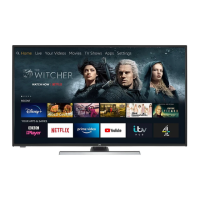
Introduction to Freeview Play services, including catch-up and recommended content.
Launching and managing applications within the Smart TV interface.
Browsing and downloading new applications from the TV's app market.
How to use the TV's built-in internet browser for web surfing.
Detailed steps for configuring privacy settings for smart features and data usage.
Instructions for restoring the TV to its original factory settings, clearing all user data.
Steps for connecting a USB drive or external hard disk for media playback and recording.
Solutions for common problems encountered with the TV, including audio, picture, and smart features.
 General
| Display Type | LED |
|---|---|
| Smart TV | Yes |
| HDMI Ports | 3 |
| USB Ports | 2 |
| Refresh Rate | 60 Hz |
| Built-in Wi-Fi | Yes |
| Screen Size | 40 inches |

 To Next Page