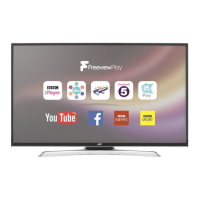
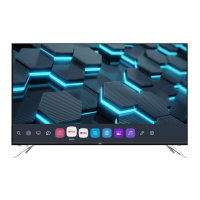
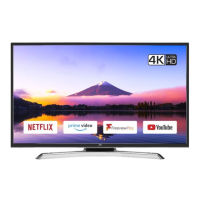
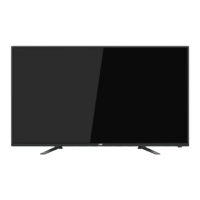
This document serves as an instruction manual for a JVC 4K Ultra-HD LED TV, specifically model LT-43MA770, which is a 43-inch class television with a 42.51-inch diagonal screen. The manual provides essential information for the safe and proper operation, installation, and maintenance of the television.
Function Description
The JVC LT-43MA770 is a modern television designed to deliver a comprehensive home theater experience. It features a 4K Ultra-HD LED display, offering a high-resolution picture for detailed and vibrant visuals. The television incorporates an integrated ATSC TV tuner, enabling reception of HDTV broadcast signals. With multiple HDMI inputs, it supports true digital connections for various external devices. The television also includes Dolby Audio™ technology for enhanced sound quality and is equipped with HDMI (High-Definition Multimedia Interface) for versatile connectivity.
The television's core function is to display video content from various sources, including broadcast television, external media players, and USB devices. It allows users to navigate through channels, adjust picture and sound settings, and access a range of features designed to customize their viewing experience. The included remote control provides convenient access to all these functions, including power, channel selection, volume control, menu navigation, and direct access to different input sources.
Usage Features
The JVC LT-43MA770 offers a user-friendly interface for easy operation. The front panel includes a remote control sensor, an indicator LED, and a keyboard with a rocker switch for basic controls like power, source selection, channel adjustment, and volume. The rear and side panels provide a variety of connection terminals for external equipment, including optical audio out, video input, audio input, HDMI ports (including one with ARC functionality), YPbPr component input, USB 2.0, and an RF antenna input.
For initial setup, the manual guides users through connecting the antenna and power cord. It also details the assembly of the base stand, emphasizing the need for two people due to the TV's size and weight, and the importance of using a soft cloth to protect the screen during assembly. The television supports wall mounting with a separately purchased kit, and specific instructions are provided regarding screw types and dimensions for safe installation.
The remote control is central to operating the television, offering a wide array of buttons for direct access to functions. These include number keys for channel selection, cursor buttons for menu navigation, and dedicated buttons for power, mute, volume, channel, picture mode, sound mode, aspect ratio, sleep timer, closed captioning, and input source selection (TV, AV, HDMI, USB). Special keys are also available for displaying program information, accessing the channel list (CH LIST), electronic program guide (EPG), and favorite channels (FAV).
The on-screen menus allow for extensive customization. The "Picture Menu" enables users to adjust settings such as picture mode (e.g., Natural, Personal), color temperature, aspect ratio, and noise reduction. The "Audio Menu" provides options for sound mode (e.g., Standard, Music, Movie, Sports, Personal), audio language, SPDIF type, surround sound, and auto volume. The "Timer Menu" allows setting a sleep timer, time zone, DST, time format, and clock synchronization. The "Setup Menu" covers settings like menu language, closed captioning, restoring defaults, software updates via USB, CEC (Consumer Electronics Control), EDID switch, and TTS (Text-to-Speech).
The "Channel Menu" facilitates scanning for digital and analog TV channels, managing favorite channels, and displaying DTV signal strength. The "Lock Menu" provides parental control features, allowing users to change passwords and adjust V-chip settings based on MPAA and Canadian rating systems (English and French).
The television also supports media playback from a USB drive, allowing users to display JPEG images and MJPEG video files. The manual outlines the steps to connect a USB device, select the USB input source, navigate through folders, and play media files.
Maintenance Features
The manual includes important safety instructions and warnings to ensure the longevity and safe operation of the television. It advises against exposing the appliance to rain or moisture, blocking ventilation openings, or placing it near heat sources or open flames. Users are cautioned against removing the back cover due to the risk of electric shock and are instructed to refer servicing to qualified personnel.
Battery precautions for the remote control are also provided, including warnings against exposing batteries to excessive heat, mixing old and new batteries, or different types of batteries, and removing batteries if the remote will not be used for an extended period.
The manual also offers a "Trouble Shooting" section to help users diagnose and resolve common issues related to picture and audio. This section provides a table listing common symptoms (e.g., snow, ghosting, interference, no sound, no color, picture breaking up) and corresponding inspection checks (e.g., antenna connection, volume settings, power cord, contrast/brightness, retuning channels, TV system). It also addresses specific issues like "No Pictures and No Sounds when connecting HDMI," suggesting adjusting the EDID switch to standard for HDMI 1.4 devices.
The manual highlights that the LED TV panel is built with high-precision technology, and the occasional appearance of non-active pixels (fixed points of red, green, blue, black, or white) is normal and does not affect product performance. This information helps manage user expectations regarding display characteristics.



 To Next Page
 General