Need help?
Do you have a question about the JVC LT-43C890 and is the answer not in the manual?
General safety advice, handling, usage, and battery precautions.
Guidance on safe installation, placement, ventilation, and servicing.
Country-specific limitations for wireless internet usage.
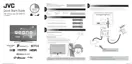
Procedures for unpacking the TV and attaching the base stand.
Instructions for securely wall-mounting the television.
Identification of TV controls, ports, and remote setup.
Guide to remote battery installation, range, and button functions.
Initial steps to power on and configure the TV for first use.
Connecting the TV to the internet via wired, wireless, or WPS.
Scanning channels, selecting regions, and viewing via set-top boxes.
Setting up privacy options for smart features and internet connectivity.
Essential operations like channel selection, volume control, and info display.
Modifying picture modes, contrast, brightness, and visual settings.
Modifying equalizer, volume, sound modes, and audio output.
Adding, deleting, filtering, and managing channels and favourites.
Moving, adding, or deleting items from the Home menu bar.
Navigating and using the electronic programme guide.
Pausing live TV, recording programmes, and managing recordings.
Scheduling recordings using timers, and managing them.
Accessing, editing, deleting, sorting, and managing recorded content.
Accessing interactive services and listening to radio stations.
Connecting the TV to the internet via Ethernet, Wi-Fi, or WPS.
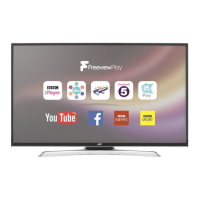
Accessing Freeview Play, catch-up services, and app updates.
Navigating the Smart TV interface, managing apps, and downloading from the market.
Browsing the web, saving sites, and managing browser settings.
Streaming YouTube videos from a mobile device to the TV.
Using common interface modules and accessing privacy settings.
Adjusting time zone and enabling accessibility features.
Accessing advanced options and configuring HDMI ARC audio.
Selecting preferred languages and configuring input sources.
Restoring factory defaults and setting up parental controls.
Connecting USB devices for media playback and recording.
Browsing media files from USB and configuring playback options.
Instructions for cleaning and maintaining the TV's screen and surfaces.
Solutions for common issues, performance tips, and FAQs.
Remote control codes, compliance, and technical specifications.
Details on software licenses used in the television.
 General
| Screen Size | 43 inches |
|---|---|
| Display Type | LED |
| Smart TV | Yes |
| Wi-Fi | Yes |
| HDMI Ports | 3 |
| USB Ports | 2 |
| Refresh Rate | 60Hz |
| Operating System | Android TV |
| Bluetooth | Yes |
| Resolution | 4K Ultra HD (3840 x 2160) |
| HDR Support | Yes (HDR10, HLG) |
| Audio Output | 20W |


 To Next Page