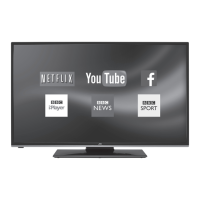
This document describes a JVC Roku TV, specifically models LT-50MAW625, LT-50MAR635, and LT-55MAR635. It functions as a smart television offering a wide range of entertainment options, including streaming content, antenna TV, and connections for external devices.
Function Description:
The JVC Roku TV is designed to provide an endless entertainment experience with a personalized home screen. Users can access thousands of streaming movies and TV episodes, music, sports, and more through various streaming channels like Netflix, YouTube, Crackle, and CNET. It features an integrated ATSC TV tuner for HDTV broadcast reception, allowing users to watch over-the-air channels. The TV receives automatic software updates to enable new content and features. It supports voice commands for searching and control (on select models with Roku Voice Remote or Enhanced Voice Remote, or via the Roku mobile app in the U.S.). Users can pause live TV for up to 90 minutes by connecting a USB drive. The TV also supports screen mirroring from compatible smartphones or tablets and private listening via the Roku mobile app with headphones. It can be used in hotels or dorm rooms with restricted public networks. Parental controls are available to block certain content based on ratings or to hide specific Home screen options.
Important Technical Specifications:
- Viewing Picture Size (diagonal): 50” class (49.5” diagonal) for LT-50MAW625/LT-50MAR635, and 55” class (54.6” diagonal) for LT-55MAR635.
- Resolution: 3840x2160 (4K UHD)
- Aspect Ratio: 16:9
- TV System: ATSC Digital system and NTSC Analog system
- Video Signal System: NTSC
- Receiving Channel: Cable: 1-135 / Air: 2-69 (ATV&DTV)
- Maximum Power Consumption: 120W for 50" models, 150W for 55" models.
- Input Power Voltage: 100-240V ~ 50/60Hz
- Audio Output Power (THD≤7%): 2x8W
- High-Definition Multimedia Interface (HDMI) Input: x3 (HDMI1, HDMI2, HDMI3 (ARC/eARC))
- Composite Video Input: x1
- Audio Input: x1
- Headphone Output: x1
- Optical Output: x1
- USB 2.0 Input: x1 (requires 16GB or larger, 15 Mbps read/write speed, USB 2.0 compliant for Live TV Pause)
- LAN Input: x1 (supports 10 Base-T and 100 Base-T Ethernet for wired network connection on 4K models)
- Wireless Connectivity: Built-in wireless LAN adapter (does not support USB network adapters).
Usage Features:
- Guided Setup: Initial setup guides users through network connection, software updates, Roku account linking, and device connection.
- Home Screen Customization: Users can personalize the Home screen by adding/removing streaming channels and TV inputs, renaming inputs, rearranging tiles, and changing themes.
- Search: Comprehensive search across streaming channels and Antenna TV (U.S. only) by movie name, TV show name, actor, director, streaming channel name, or game name. Voice search is available on select Roku voice remotes and the Roku mobile app (U.S. only).
- Smart Guide (U.S. only): Electronic program guide for Antenna TV, showing current, past (7 days), and future (14 days) programs. It highlights shows with "More Ways to Watch" options.
- More Ways to Watch (U.S. only): Provides recommendations for streaming channels offering current shows from the beginning, other episodes, or similar themes, based on content watched on Antenna TV, HDMI, or AV inputs (requires Smart TV experience opt-in).
- Live TV Pause: Allows pausing, playing, fast-forwarding, and rewinding digital Antenna TV for up to 90 minutes with a connected USB drive.
- Roku Remote: Standard remote with dedicated buttons for power, back, home, directional pad, OK, media playback controls, and preset channel shortcuts. Select models include a microphone button for voice search and a headphone jack for private listening.
- Panel Buttons: Various configurations (single, three, game-pad style joystick, four, five, seven buttons) for basic control like power, input selection, and volume.
- External Device Control (CEC): Consumer Electronics Control (CEC) enables the TV to control other CEC-compatible devices and vice versa, including 1-touch play and system standby.
- Audio/Video Settings: Adjustable picture modes (Vivid, Movie, etc.), brightness, contrast, sharpness, color, tint, color temperature, action smoothing, natural cinema, and LED action clarity (on select models). Audio effects include DTS TruSurround or Sonic Emotion Premium (on select models) for enhanced sound.
- Accessibility (U.S. only): Features like Audio Guide (text-to-speech screen reader), speech rate, volume control for Audio Guide, and caption settings (mode, preferred language, style).
- Power Settings: Configurable power-on location, auto power savings (reduces power after 15 minutes of inactivity or turns off after 4 hours), and Standby LED On/Off. Fast TV start (on non-Energy Star certified models) allows quicker startup but uses more standby power.
Maintenance Features:
- System Updates: Automatic software updates when connected to the Internet. Manual updates are possible for non-connected TVs via USB flash drive.
- Restarting the TV: Option to restart the TV, similar to unplugging and re-plugging it.
- Resetting the TV:
- Reset Audio/Video Settings: Resets only picture and audio settings to original values.
- Factory Reset Everything: Returns the TV to its original factory state, erasing all personal data, requiring re-setup, re-linking to Roku account, and re-installation of streaming channels. This is recommended when transferring ownership or switching from Store mode to Home mode.
- Network Connection Reset: Removes wireless network information (SSID, password) without affecting other settings, followed by a restart.
- Roku Channel Store PIN Preference: Allows users to manage PIN requirements for purchases or adding items from the Roku Channel Store via the Roku website.
- Antenna TV Channel Scan: Users can repeat the channel scan to update the channel list, especially after changing cable providers, reorienting the antenna, or moving to a new location.
- Edit Antenna TV Channel Lineup: Allows hiding unwanted channels from the channel list.

 Need help?

 To Next Page
 General