EasyManua.ls Logo

JVC LT-50NQ7115A - User Manual

JVC LT-50NQ7115A
28 pages
Print Icon
To Next Page IconTo Next Page
Loading...
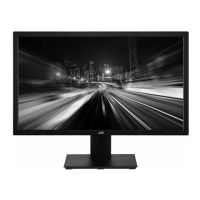
LT-50NQ7115A 50" Class
RC-N2409

Questions and Answers

  • M
    Mr. James CostaAug 6, 2025
    What to do if my JVC Monitor has no picture?
    • W
      William GarrisonAug 6, 2025
      If your JVC Monitor displays no picture, ensure the power cord is properly inserted and the power switch is turned on. Also, check the contrast, brightness, and volume settings. Inspect the Standby key on the remote control.
  • J
    John CurryAug 13, 2025
    Why does my JVC LT-50NQ7115A Monitor have interference?
    • R
      Rebekah TaylorAug 13, 2025
      Interference on your JVC Monitor might be due to nearby electronic equipment, cars/motorcycles, or fluorescent lights. Try moving these potential sources of interference away from the monitor.
  • S
    Stephanie PetersonAug 21, 2025
    How to remove black bars on JVC LT-50NQ7115A Monitor?
    • R
      ronaldrogersAug 21, 2025
      To remove black bars on the top and bottom of your JVC Monitor, change the aspect ratio to zoom.
  • P
    pamelasmithAug 28, 2025
    What to do if JVC Monitor has normal picture but no sound?
    • P
      Patrick GilesAug 28, 2025
      If your JVC Monitor has a normal picture but no sound, check the volume settings to ensure mute is not activated. Also, verify that the audio system connections are correct.

Summary

General Warnings and Precautions

Important Safety Instructions

Specific Warnings and Cautions

Technical Specifications

Installation - Base Stand Assembly

Installation - Wall Mount Specifications

Front Panel and Keyboard Controls

Rear AV Connections

Diagram and explanation of all rear AV input and output ports.

Antenna Connection

HDMI Preset Modes

Table listing preset HDMI resolutions and their corresponding frequencies.

AV Equipment Connectivity

Remote Control Overview

Initial Setup Wizard

Setup Completion and Home Screen Navigation

On-Screen Menu and Channel Management

Account, Apps, and Device Information

System Settings - Date, Language, Inputs

Picture and Sound Settings

Advanced Operation Settings

Chromecast, Location, and Accessibility

System Reset and Multimedia Player

EPG (Electronic Program Guide)

Program Recording (PVR)

Record Schedule and Multimedia Formats

Troubleshooting Common Issues

JVC LT-50NQ7115A Specifications

General IconGeneral
BrandJVC
ModelLT-50NQ7115A
CategoryMonitor
LanguageEnglish

Related product manuals