EasyManua.ls Logo

JVC LVT1007-010A[A] - User Manual

JVC LVT1007-010A[A]
53 pages
Print Icon
To Next Page IconTo Next Page
Loading...
For Customer Use:
Enter below the Model No. and Serial
No. which are located either on the rear,
bottom or side of the cabinet. Retain this
information for future reference.
Model No.
Serial No.
LVT1007-010A[A]
MASTER VOLUME
PUSH OPEN
SUBWOOFER OUT ON/OFF
SPEAKERS ON/OFF
PHONES
1
STANDBY
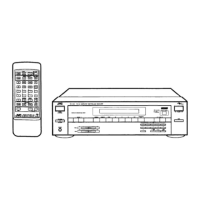
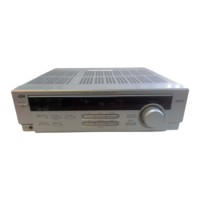
RX-7032V AUDIO/VIDEO CONTROL RECEIVER
BASS BOOST
ANALOG DIRECT
2
STANDBY/ON
TV SOUND/DBS
VCR
DVDDVD MULTI AMFMTAPE/CDRCD
SETTING ADJUST
QUICK SPEAKER
SETUP
EXIT
SURROUND
DSP
SURROUND/ DSP
OFF
+
+
+
231
564
89
7/P
0
+10
FRONT•L
MENU
ENTER
FRONT•R
TESTCD DISC
MIDNIGHT
CENTER
SUB WOOFER
DIGITAL EQ
SURR BACK
SURR•L
SURR•R
SOUND
CH/
LEVEL
TV VOL
/REW
DOWN TUNING UP
FF/
MUTING
DIMMER
VOLUME
CATV/DBS
CONTROL
TAPE/CDR
CONTROL
VCR
CONTROL
TV/VIDEO
REC PAUSE
SLEEP
RETURN FM MODE 100
+
REMOTE CONTROL RM-SRX7032U
CATV/DBS VCR TV AUDIO
DSP
OFF
DVD MULTI
CD
ANALOG/DIGITAL
BASS BOOST
TAPE/CDR
FM/AM
TV/DBS VCR
SURROUND
EX/ES
SURR/DSP
A/V CONTROL RECEIVER
INPUT
MODE
DIRECT
ANALOG
DVD
10/0
INSTRUCTIONS
AUDIO/VIDEO CONTROL RECEIVER
RX-7032VSL
COVER_7032[A]3.pm6 03.5.12, 7:03 PM1

Table of Contents

Questions and Answers

  • M
    Mark SimpsonSep 23, 2025
    How to fix JVC Processor display that won't light up?
    • C
      Carrie HicksSep 23, 2025
      If the display on your JVC Processor does not light up, it is possible that the power cord is not plugged in. Ensure that the power cord is securely plugged into an AC outlet.
  • B
    Brian JohnsonAug 25, 2025
    Why does the remote control not work with my JVC Receiver?
    • C
      Courtney FoxAug 25, 2025
      If the remote control for your JVC Receiver isn't working, there might be an obstruction blocking the signal between the remote sensor on the receiver and the remote control. Remove any obstructions. Also, check the batteries in the remote and replace them if they are weak.
  • R
    ruizamberAug 25, 2025
    What to do if the remote control does not work as you intend on JVC Receiver?
    • S
      smallwilliamAug 26, 2025
      If the remote control for your JVC Receiver isn't working as you intend, an incorrect remote control operation mode may be selected. Select the correct remote control operation mode.
  • J
    John JohnsonAug 27, 2025
    What to do if my JVC Stereo Receiver shows OVERLOAD?
    • B
      Brett ThomasAug 27, 2025
      If your JVC Stereo Receiver displays 'OVERLOAD', switch the power off and then on again. To prevent this in the future, reduce the volume level by at least 10 steps. If the volume was already low (between 0 and 9), set it to 0.
  • M
    Matthew McdowellAug 27, 2025
    What to do if "OVERLOAD" starts flashing on my JVC LVT1007-010A[A] Receiver?
    • S
      Suzanne DuarteAug 27, 2025
      If the JVC Receiver displays "OVERLOAD" and starts flashing, it means the speakers are overloaded. This can be due to high volume or a short circuit in the speaker terminals. To resolve this: 1. Press STANDBY/ON on the front panel to turn off the receiver. 2. Stop the playback source. 3. Turn the receiver on again and adjust the volume. If the issue persists after checking the speaker wiring, unplug the AC power cord, then plug it back in. If the wiring is not short-circuited, contact your dealer.
  • A
    Allison ShafferSep 14, 2025
    What to do if JVC Processor turns off and standby lamp lights up?
    • M
      mcdanielstaceySep 14, 2025
      If the STANDBY lamp lights up after turning on the power of your JVC Processor, and the receiver turns off again (into standby mode), the receiver may be overloaded due to high voltage. Turn off the receiver using the STANDBY/ON button on the front panel. After unplugging the AC power cord, consult your dealer.
  • K
    Kimberly KiddSep 12, 2025
    How to eliminate noise during FM/AM reception on JVC Processor?
    • C
      Charles BruceSep 12, 2025
      If you are experiencing noise during FM/AM (MW) reception on your JVC Processor, ensure that the antennas are properly connected. Also, try moving the antenna farther away from automobile traffic, as ignition noise from cars can interfere with the signal.
  • R
    Ronald WilsonSep 13, 2025
    Why is sound coming from only one speaker on my JVC Processor?
    • Y
      yfergusonSep 13, 2025
      If you are only getting sound from one speaker when using your JVC Processor, the speaker signal cables may not be connected properly. Check the speaker wiring and reconnect if necessary.
  • J
    jgarzaSep 4, 2025
    Why are there no sound effects on my JVC LVT1007-010A[A]?
    • M
      michaelsmithSep 5, 2025
      If you're not getting any sound effects like Surround mode, DSP mode, or Digital Equalization on your JVC Receiver, check if Analog Direct is turned on and turn it off. Also, if DVD MULTI is selected as the source, select a source other than DVD MULTI.
  • D
    davidlindseySep 2, 2025
    Why is there continuous hiss or buzzing during FM reception on my JVC LVT1007-010A[A]?
    • A
      Amy JonesSep 2, 2025
      If you are experiencing a continuous hiss or buzzing during FM reception on your JVC Receiver, the incoming signal might be too weak. Try connecting an outdoor FM antenna or contact your dealer. Also, the station might be too far away; try selecting a new station. Finally, ensure you are using the correct antenna; check with your dealer to be sure.

JVC LVT1007-010A[A] Specifications

General IconGeneral
BrandJVC
ModelLVT1007-010A[A]
CategoryReceiver
LanguageEnglish

Related product manuals